





Contract review is central to legal work, but a lot of time is still spent on repetitive checks: scanning clauses, cross-referencing definitions and schedules, and checking for compliance. The result is slower deal cycles and less time for strategy.
Most in-house legal teams are not short of process. They have playbooks, templates, and approved positions. What they are short of is capacity, and the gap shows up most visibly in contract review, where the same checks get done manually, by different people, at different standards, on a volume of documents that only keeps growing.
AI contract review software handles that layer. The best platforms extract key terms, flag deviations from your approved positions, and auto-redline third-party paper in Microsoft Word, so your lawyers spend time on the judgments that require them, not the repetitive checks that don't.
LEGALFLY is the platform we built, so it goes first, and every tool after it gets the same honest fit logic: who it works best for, and when you would pick something else.
If your team is drowning in manual contract review, LEGALFLY cuts review time from 2 hours to 15 minutes. Book a demo to see how.
Key Takeaways (TL;DR)
The Best Overall AI Contract Review Software: We built LEGALFLY to apply your own playbook clause by clause inside Microsoft Word, then extend the same rules to procurement, compliance and sales. It reviews on your standard rather than a generic one, on documents that have already been anonymised.
Why Do You Need It: Contract volume outruns headcount long before a new lawyer is approved, and the same clause gets a different answer depending on who picked it up and how close the deal is to quarter end. Review is where capacity runs out first.
Who It's For: In-house legal, compliance and procurement teams inside 200 to 100,000 person enterprises, with a lean legal team, rising contract volume and more than one jurisdiction to cover.
How to Choose the Right One: Match the tool to your document mix, get the data handling answer in writing before the security review, and test playbook quality on your own contracts during the trial. Adoption in week six predicts value better than any feature list.
What Sets LEGALFLY Apart: LEGALFLY anonymises every document before analysis begins, an architectural decision made pre-LLM rather than added later as a compliance layer, which no other platform on this list fully replicates.
Top AI Contract Review Software in 2026 at a Glance
SOFTWARE | KEY FEATURES | BEST FOR | WHY IT STANDS OUT |
|---|---|---|---|
LEGALFLY | In-depth, legally-sound review, sensitive-data redaction, jurisdictional intelligence and translation, Microsoft Word plug-in, customisable playbooks | In-house legal, procurement & compliance teams | Jurisdictional intelligence, quick, customisable playbooks, strong data privacy, enterprise-ready |
Spellbook | AI contract review and drafting, playbook-based redlining, Ask (cited Q&A), market benchmarking | Law firms and in house legal handling contract review and drafting | Combines redlining, drafting, and market benchmarking natively within Microsoft Word |
Legalon Technologies | AI-powered contract review, legal expertise built-in, AI agents for legal operations, risk detection | In-house legal teams, legal operations, enterprises seeking professional-grade AI automation | Industry recognition, 9,000+ customers, professional-grade AI designed by lawyers |
CoCounsel (Thomson Reuters) | AI research, analysis, and drafting, integration with Westlaw and Practical Law, enterprise security | Law firms, in-house legal teams, tax and audit professionals, enterprises | 175 years of content authority, Fiduciary-Grade AI for high-stakes work |
Luminance | Anomaly detection, compliance mapping, visual analytics | Law firms, corporate legal | Advanced risk insights via data visualization |
Juro | AI drafting/review/summarization, in-browser negotiation & e-signature, automated workflows, repository & reminders | Teams needing CLM + redlining | End-to-end CLM with AI review in a browser-native platform |
Kira Systems | Provision extraction, due diligence, custom fields | M&A and high-volume legal review | Accurate large-scale processing for specific contract types |
ContractPodAi | Full CLM, compliance scoring, clause libraries | Organizations seeking all-in-one CLM | Integrated lifecycle and risk tracking |
DocJuris | Negotiation tracking, workflow integrations, deviation alerts | Legal ops & contract negotiation | Excellent for real-time collaboration in reviews |
Ironclad | CLM with the Jurist AI assistant, approval routing, portfolio analytics, Salesforce and Word integrations | Enterprises wanting CLM with multi-team workflows | Portfolio-wide insight and cross-departmental collaboration |
Read more: What makes a great Legal AI playbook
What Is AI Contract Review Software?
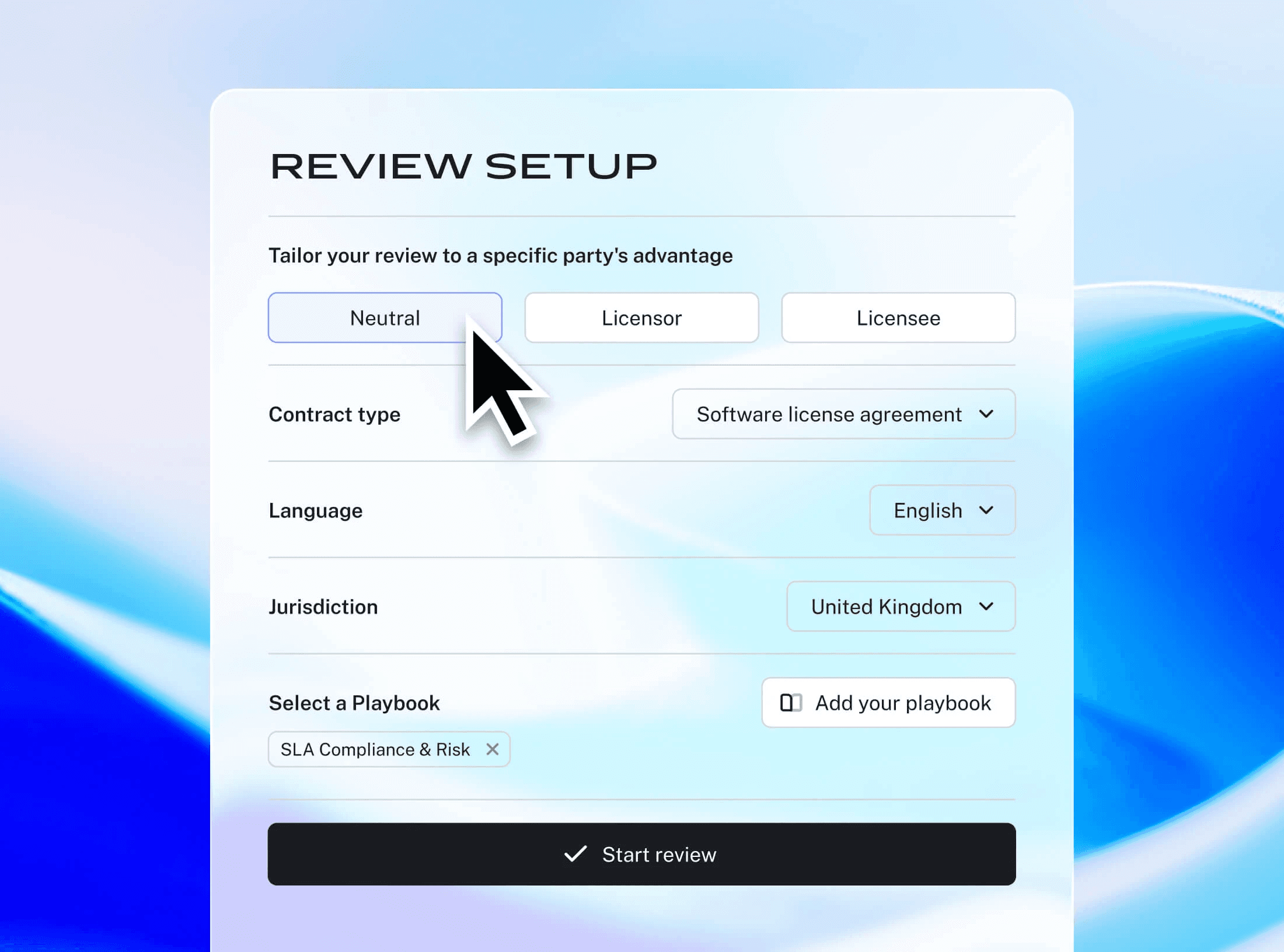
AI contract review software reads a contract clause by clause, compares what it finds against a set of approved positions, and returns the deviations with suggested wording. The output is a redline you can accept, reject or edit, plus a record of what was flagged and on what basis.
The better tools do this inside Microsoft Word rather than a separate window, so nothing changes about how the document is negotiated. Your lawyer opens the contract the way they always have, and the analysis is already there in tracked changes.
Two things separate the best contract review software from a general chatbot. The first is the playbook: your acceptable positions, fallback language and escalation thresholds, encoded once and applied the same way to every contract, whoever runs the review.
The second is grounding. Output is tied to verified legal sources and your own internal knowledge, with citations you can audit. A general model has neither, which is why generic AI produces error rates in legal review that no in-house team could defend to a regulator or a counterparty.
The category also splits by what happens after the review. Some tools stop at the redline. Others sit inside a contract lifecycle management suite and carry the document through approval, signature, storage and renewal. A third group automates the workflow around the review as well: intake, routing, escalation and approval.
Contract review is where most legal teams start with AI, because the work is high volume and the standard is already written down. It is the entry point rather than the destination. Teams that get value from it usually extend the same playbooks to procurement, compliance and sales inside the first year.
Why Do You Need AI Contract Review Software?
Volume outruns capacity long before headcount is approved. A large share of any in-house team's week goes on contracts, and most of that time goes on documents that follow a pattern the team already recognises. The work is not difficult. There is simply too much of it for the people available.
That gap does not announce itself. It shows up as a three-day wait on an NDA, a vendor agreement that sat in a queue for a week, and a general counsel explaining to the board why legal is the reason a deal slipped a quarter.
The second cost is standards drift. When volume spikes, review standards slip: the same liability cap gets a different answer depending on who picked it up, which region they sit in, and how close the deal is to quarter end.
That inconsistency stays invisible until an audit, a dispute or a renewal surfaces it, at which point the question is not what the standard was but why the contract does not reflect it. A playbook applied by software answers that with a log rather than a recollection.
The third cost is the bypass. When legal becomes the bottleneck, people work around it, and most teams eventually do. That does not remove risk, it moves it somewhere legal cannot see.
AI contract review software addresses all three at once. The volume gets absorbed, the standard gets applied uniformly, and the business gets an answer fast enough that going around legal stops being worth the effort.
Best AI Contract Review Software in 2026: In-Depth Review & Comparison
1. LEGALFLY
Overview
If you're drowning in contracts to review, but you're worried about using AI for data privacy reasons, LEGALFLY is likely the best solution for you. Unique to LEGALFLY is its default anonymisation. All client and counterparty data is stripped before analysis, ensuring reviews are compliant with GDPR and safe for sensitive information.
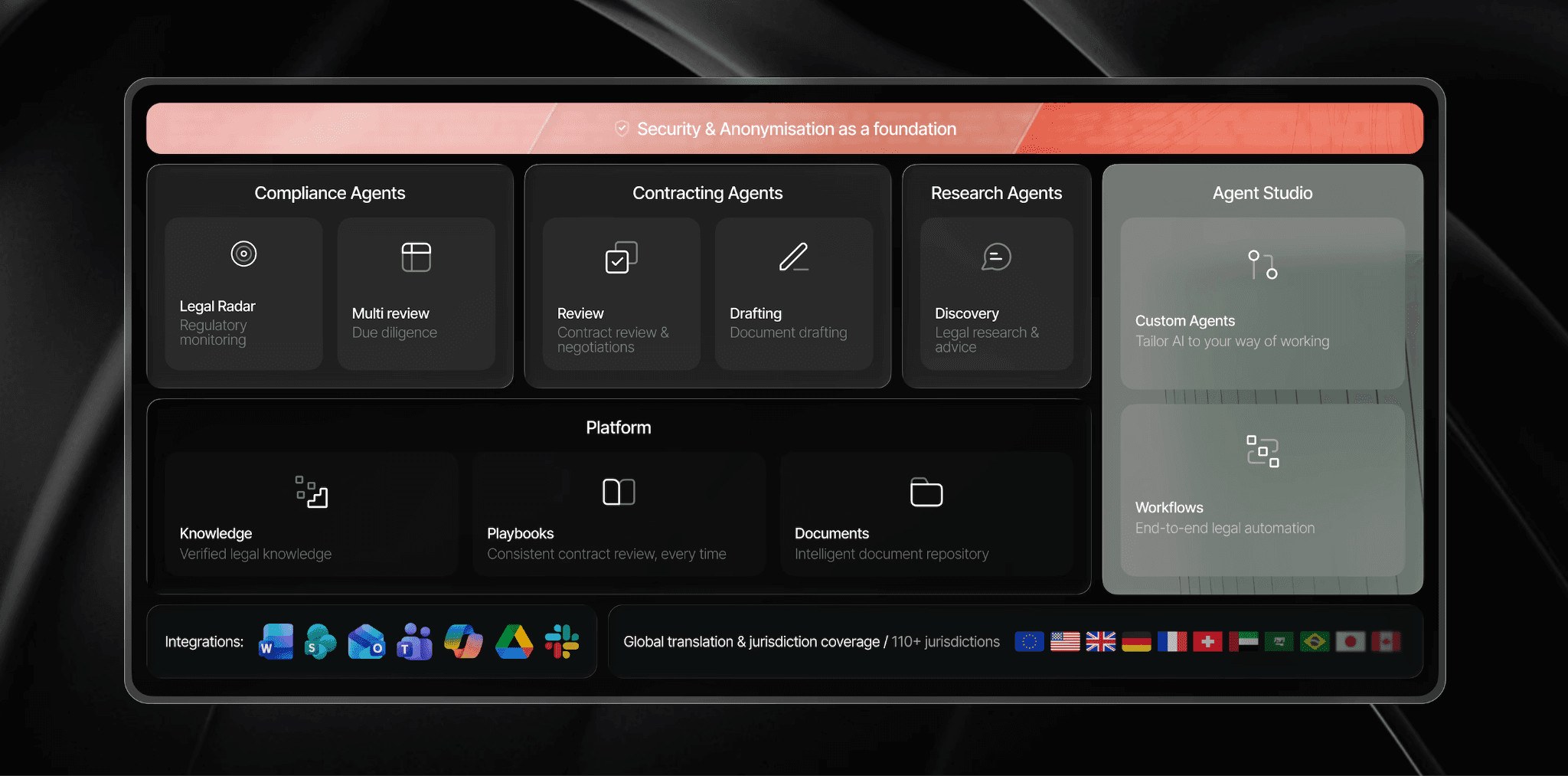
We built LEGALFLY as the legal operating system for corporates: AI-native workflows for intake, contract review, drafting, due diligence and research, with security and anonymisation as the foundation underneath all of it. Contract review is where most teams start, and for good reason, but it is one agent on a connected platform rather than the whole product.
Agristo, a fast-growing food manufacturer operating across multiple jurisdictions, needed a way to keep pace with the volume of NDAs, purchase agreements, and vendor contracts that came with rapid expansion. Their legal team was fielding constant questions from managers who, without fast answers, were starting to act on gut feeling.
Watch how LEGALFLY helped them cut contract review from two hours to 15 minutes and gave non-legal teams the confidence to self-serve safely.
Note: Contract review doesn't have to take hours. LEGALFLY is purpose-built for in-house legal teams, and helps them complete reviews 7x faster. Book a demo to see it in action. In-house legal teams typically cut review time by 50-80%.
Agristo reduced contract review from two hours to 15 minutes. If your team is managing the same volume pressure, we can show you the same workflow. Book a demo.
Most teams using LEGALFLY cut their contract review time in half within a few weeks of onboarding. Book a short demo to see how it works for your business.
Ideal For
In-house legal teams of 3 to 200 supporting enterprises of 200 to 100,000 employees
Regulated industries where the security review decides the shortlist: banking, insurance, technology and manufacturing
Teams contracting across more than one jurisdiction, language or legal system
Procurement and compliance teams reviewing vendor paper inside rules legal set once
Organisations that need single-tenant or on-premise anonymisation for data residency
Top Features
End-to-end legal automation via Agent Studio, from intake to approval.
Anonymisation before analysis, applied the moment a document is uploaded or opened, covering text, images and handwritten notes, so identifiable data never reaches the model
Playbook-based review that scans every clause, flags deviations instantly and applies approved positions, fallbacks and negotiation standards uniformly, so standards do not drift between reviewers, regions or deal types. 120+ lawyer-built playbooks across 100+ document types, or one generated from your own golden contracts. See our playbooks here.
Customisation to your own workflows and policies, with clause logic and fallback positions applied automatically by jurisdiction, deal context and risk profile, rather than forcing you into a generic workflow.
Jurisdictional awareness across 130+ jurisdictions, with the Review Agent detecting language, jurisdiction and agreement type automatically, and review and translation in over 100 languages.
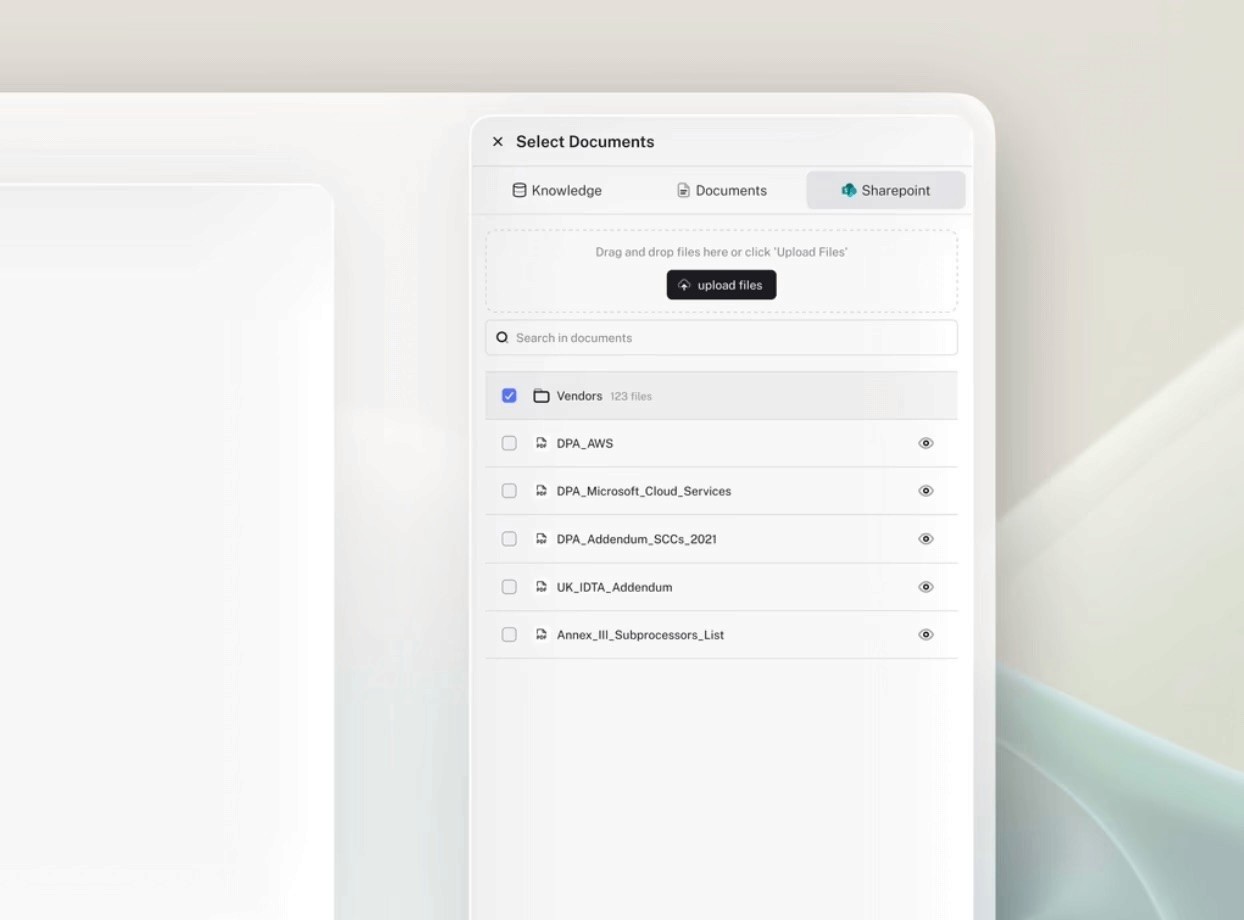
Integrations that put review where the work already happens: Word for redlining and comparison without breaking formatting, SharePoint with your existing structure and version history intact, plus Outlook, Teams, Slack, Google Drive, NetDocuments and a Microsoft Copilot connector. Every integration includes automatic anonymisation.
Specialised agents beyond review, for due diligence, legal research, regulatory horizon scanning and drafting, all on the same platform.
SaaS, single tenant in your preferred Azure region, or single tenant with on-premise anonymisation, certified to ISO 27001, SOC 2 Type II and GDPR.
Customer reviews
"I am very satisfied with my experience with LEGALFLY. The review functionality has significantly improved my work processes, allowing me to analyse documents faster and more accurately. The discovery functionality has proved to be an absolute added value for me. It allows me to check off legal ideas and spar with an AI colleague, which enriches my thought process and helps me consider different perspectives. Nevertheless, it is crucial to remain critical as a legal expert. The lawyer remains the pilot making the final decisions, while LEGALFLY acts as a powerful co-pilot supporting and speeding up the process. Integrating LEGALFLY into my daily work has allowed me to increase my efficiency and accuracy, without sacrificing the quality expected of a legal professional."
— Lars V | `Lawyer - Capterra
The tool really allowed me to process new agreements very fast. Usually it took me a couple of hours, but now, once you get the setup right, it takes you around fifteen minutes
— Agristo | Belgian company - Case study
Across the reviews and the six published customer stories the pattern is consistent: review speed is the first thing people notice, and the framing is always that the tool informs the lawyer rather than replacing them. Verified results range from 20% time savings at Wealins to a 93% reduction in review time at Adeera.
To find out how LEGALFLY could work for you, schedule a call with one of our experts.
Why We Stand Out?
Most contract review tools do one thing well: they flag risks. LEGALFLY does that, but also drafts, researches, and automates end-to-end workflows, all within the tools your team already uses (Word, Outlook, Teams, Slack).
More importantly, LEGALFLY's mandatory data anonymisation (not optional) is built into its core architecture, making it an all-in-one platform certified for GDPR-sensitive work at scale. Unlike competitors focused on law firms or generic CLM platforms, LEGALFLY is purpose-built for in-house teams managing high volume, complex jurisdictions, and strict compliance requirements.
You get enterprise-grade security without the friction of separate systems.
That difference is architectural rather than cosmetic. A law firm product optimises for research depth and precedent citation; an in-house team needs whole workflows automated across procurement, compliance, claims and approval cycles, and no amount of feature work retrofits that. Agent Studio extends the same playbook that governs a review to the NDA sales sends out on a Friday afternoon.
The proof is in the deployments. The European Commission signed in 2026 after a competitive evaluation. Adeera cut review time by 93%, MSIG Europe went from a full day to around 20 minutes, and Agristo saw results within days of a single kickoff session. In four of our six published customer stories, the platform spread beyond legal without being sold in.
Pros
Documents are anonymised before analysis begins, so identifiable data never reaches the model. LEGALFLY states this as its own claim: the only legal AI that anonymises documents before analysis
120+ lawyer-built playbooks across 100+ document types, plus playbooks generated from your own golden contracts
Review, redlining and drafting run inside Word, Outlook, Teams, Slack, SharePoint, Google Drive and NetDocuments
Grounded in 700+ official sources across 130+ jurisdictions, with citations and reasoning on every flagged clause
SaaS, single-tenant and on-premise anonymisation deployment, certified to ISO 27001, SOC 2 Type II and GDPR
Cons
Not the right fit for a law firm that needs matter management, billing or time recording alongside review
Sales-led, so evaluation starts with a demo and a scoping conversation rather than a self-serve sign-up
Value depends on configured playbooks, which means time upfront with your own approved positions before the first review runs at full quality
How LEGALFLY Contract Review Works (Step-by-Step)
Here is how in-house legal teams use LEGALFLY to move from receiving a contract to a reviewed, redlined, audit-ready output, without leaving Word or compromising on control.
See for yourself how our AI tool streamlines the entire contract review process.
Step 1: Import the contract
Open the document in Microsoft Word using the LEGALFLY add-in, or pull it directly from SharePoint, Outlook, or Teams. Sensitive data is anonymised automatically before any processing begins, no manual redaction required.
Step 2: Select your playbook
Choose the playbook for that contract type (LEGALFLY has over 120 prebuilt review playbooks), or a custom playbook built from your own approved contracts. Your fallback positions, risk thresholds, and escalation rules are applied from the start.
Step 3: Run the review
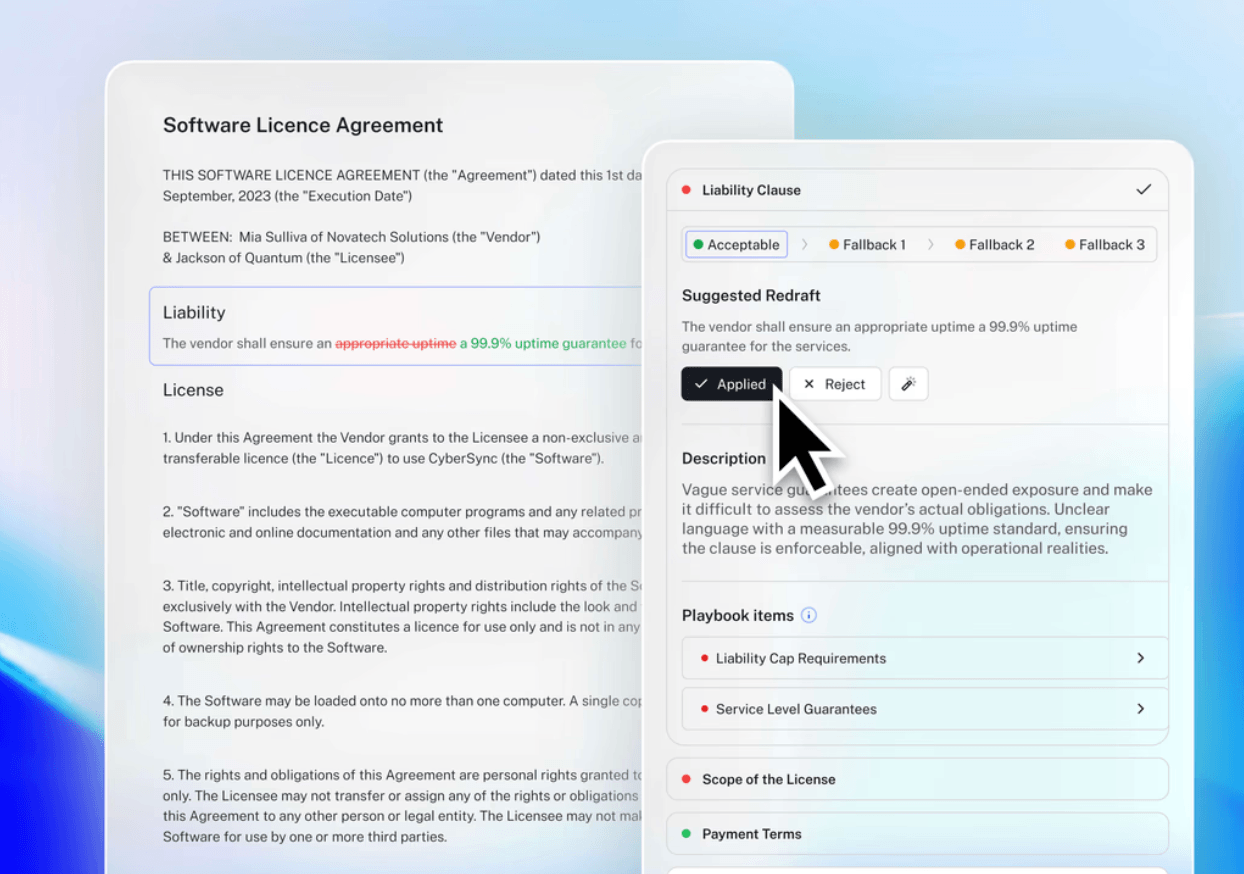
LEGALFLY analyses the contract clause by clause against your playbook. Deviations are flagged, risks are graded, and non-compliant clauses are redrafted in your approved language, mapped to your standards, not generic benchmarks.
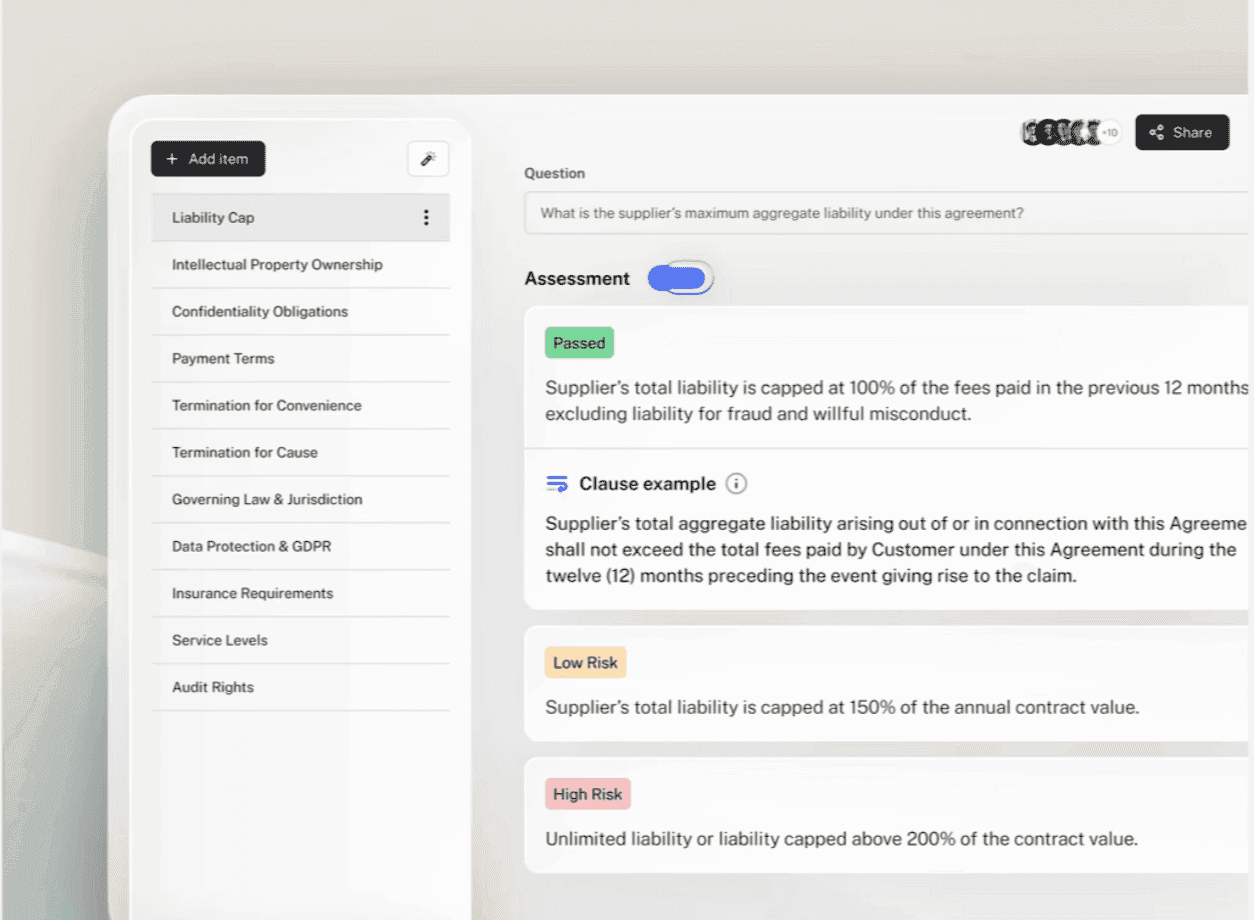
Step 4: Review tracked changes with rationale
Every suggested edit appears as a tracked change in Word with a plain-language explanation tied to a specific playbook rule. Your lawyers accept, reject, or override. Final judgment stays with you.
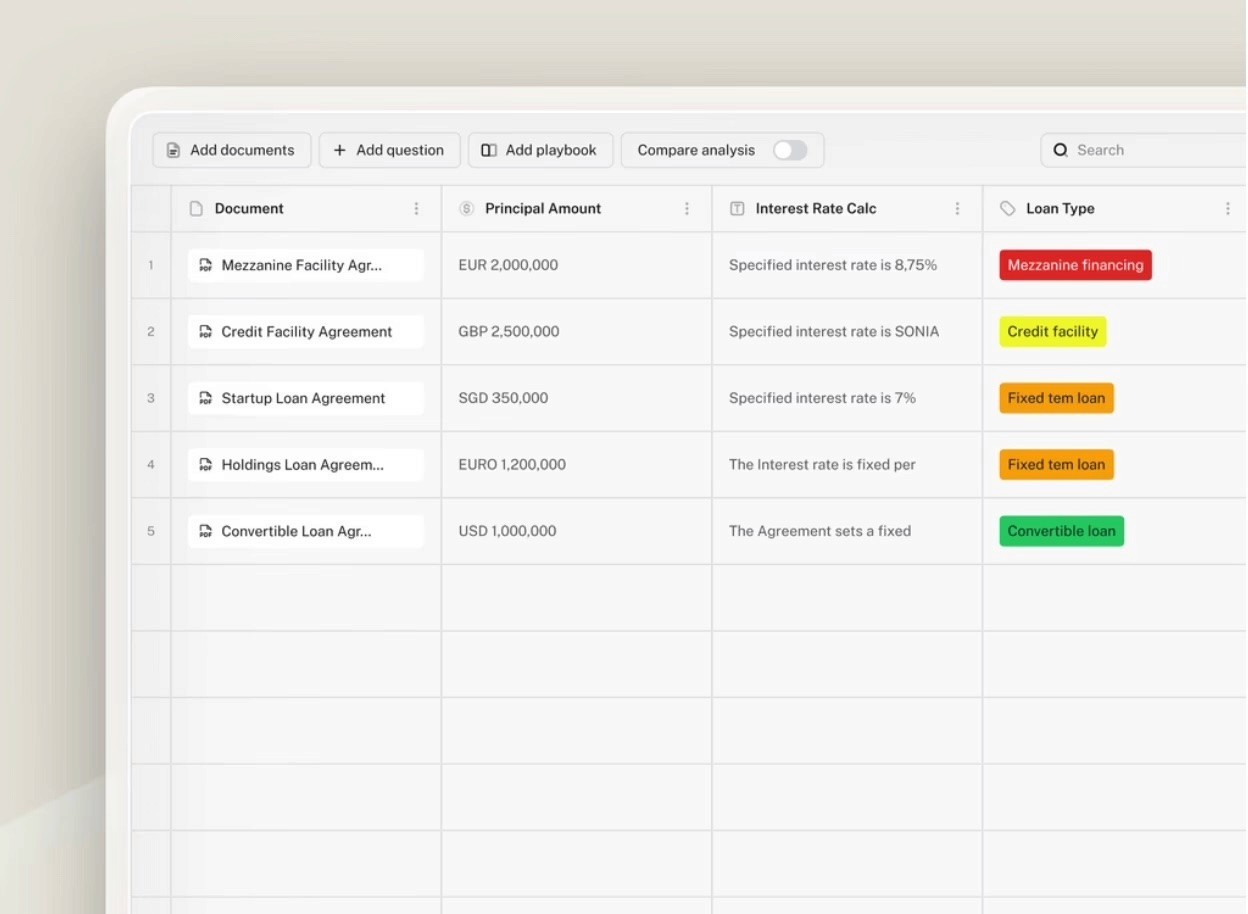
Step 5: Export with a full audit trail
Export a clean redline for negotiation or a finalised version for execution. Every session is logged, what was reviewed, what was flagged, and on what basis, meeting the compliance and explainability requirements of regulated industries.
Final Verdict
If contract review is the entry point but the real problem is everything queuing behind legal, LEGALFLY is the strongest fit on this list. The review runs to your playbook inside Word, and the same rules extend to procurement, compliance, HR and sales, with anything outside standard parameters routed back to legal automatically.
It is a great choice for teams that need legal work executed and governed, not just flagged. If you need a matter management system or a contract repository as the primary product, look at the CLM options further down this list instead.
Want to accelerate your contract review with secure AI? Book a demo with one of our experts to learn how you can implement AI in your workflows.
To find out how LEGALFLY could work for you, schedule a call with one of our experts.
2. Spellbook
Overview
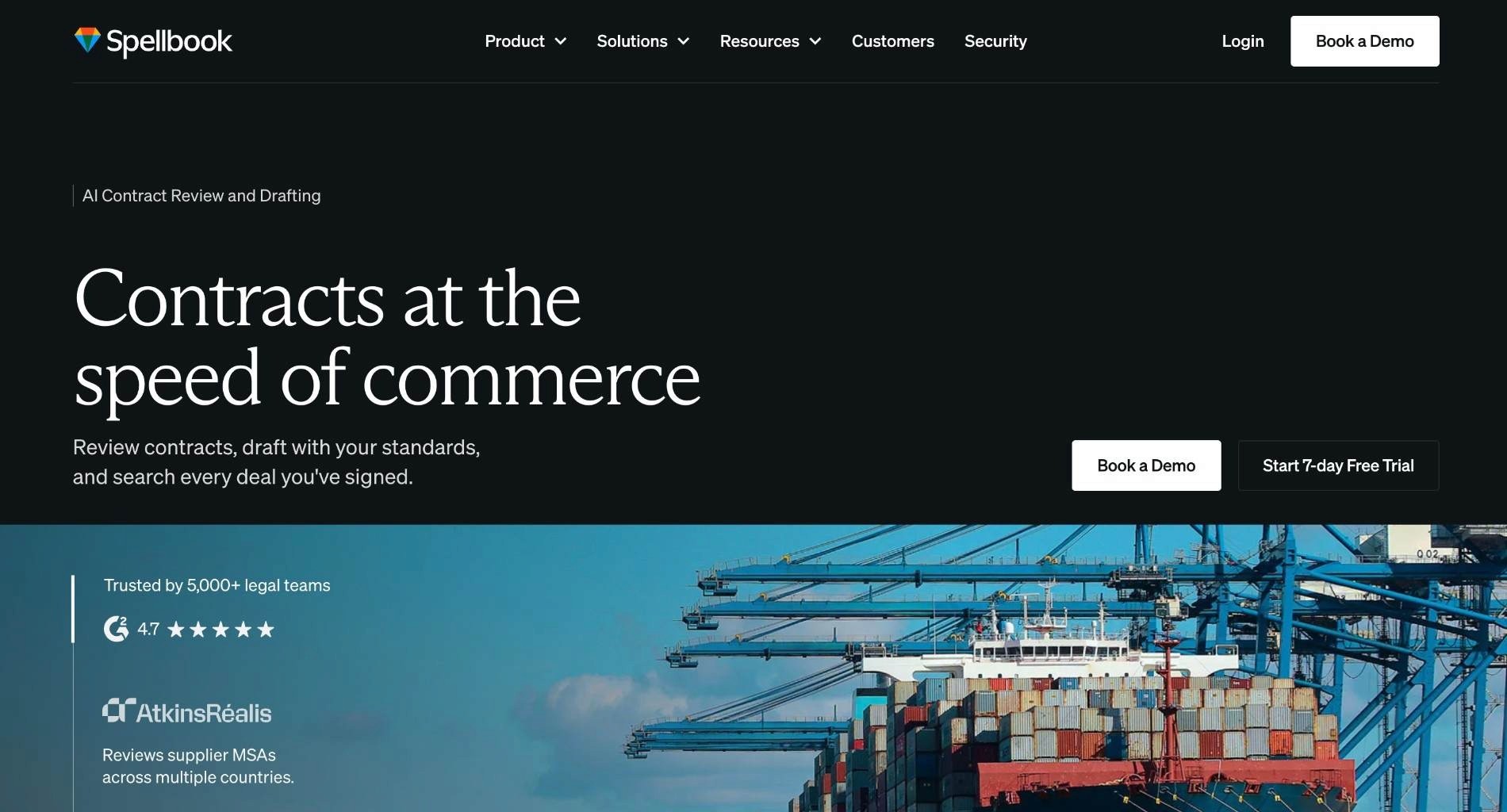
Spellbook is an AI contract review and drafting platform built natively into Microsoft Word.
It redlines contracts against a firm's own playbooks, flagging risk and non-standard terms before a lawyer opens the document, and drafts clauses or full agreements from precedent or from scratch.
Its Ask feature answers questions about any contract with citations, and Market benchmarks contract language against thousands of similar agreements. Used by 4,500+ in-house teams and law firms, including Dropbox, eBay, and ASICS.
Check out all the best alternatives to Spellbook.
Ideal For
In-house legal teams and law firms reviewing and drafting contracts inside Word.
Top Features
Microsoft Word add-in with clause suggestions and redlines inline
Benchmarking against a large contract corpus for market-standard positions
Cited question and answer on the document being reviewed
Custom clause libraries and playbook-based review on higher tiers
Free trial available before any sales conversation, which is rare in this category
Customer Reviews
Rated 4.7 out of 5 from 29 reviews on G2. Reviewers consistently describe it as a time-saver on drafting and first-pass review, and several note that the value comes from working where they already are rather than from any single feature. Contract review being tailored to the client's own standards comes up repeatedly.
The criticisms are specific and useful. Formatting consistency in the output is the most common, along with occasional lag in the app, weak handling of contracts in other languages, and unreliable legal citations, which one reviewer describes as a time-wasting rabbit hole. None of that is fatal for standard commercial paper; all of it matters for cross-border work.
Why They Stand Out?
Spellbook is one of the strongest options for adoption speed. Because it lives entirely inside Word, training is close to zero and there is no migration, no repository to populate and no new interface for anyone to resist.
The benchmarking layer is the other differentiator. Knowing that a limitation of liability sits outside market norms is a different and complementary signal to knowing it sits outside your own approved position, and few tools of this kind offer both.
Pros
Playbook-based redlining with real-time market benchmarking.
Market benchmarking alongside playbook redlining
Free trial before any sales conversation
Strong review scores from a small but consistent user base
Cons
Reviewers report formatting inconsistency in generated output
Weaker on contracts in languages other than English
Citation reliability is called out by more than one reviewer
Document-level only, with no repository, lifecycle management or anonymisation
Final Verdict
Spellbook is one of the smartest choices for lawyers who work in Word all day on standard commercial paper, particularly in smaller teams that need value in week one rather than quarter two.
Teams with cross-border exposure, multilingual contracts, or a security team that reviews data flows before approving software will find the scope too narrow, and the language and citation criticisms in the reviews point at exactly those use cases.
3. Thomson Reuters CoCounsel
Overview
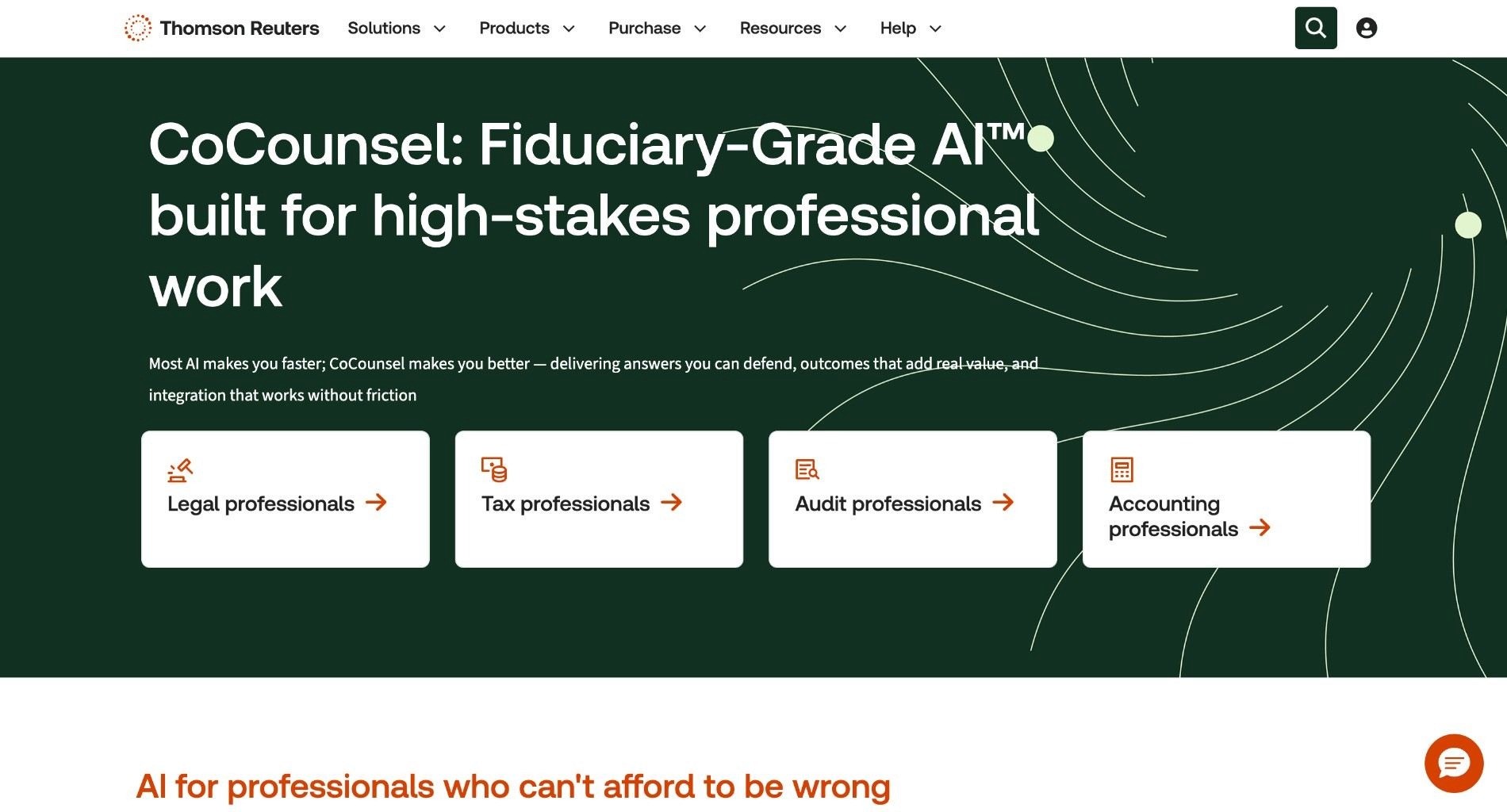
CoCounsel is Thomson Reuters' AI assistant positioned as "Fiduciary-Grade AI" for high-stakes professional work. It integrates with Westlaw, Practical Law, and Checkpoint, grounding outputs in Thomson Reuters' authoritative legal research content. It is popular with law firms and serves legal, tax, and audit professionals.
However, CoCounsel does not specialise in AI contract review and you need a subscription to other Thomson Reuters products in order to access it, which can push the costs high. It excels at research and analysis but is less tailored to jurisdiction-aware playbook enforcement or contract redlining workflows than platforms built specifically for contract teams.
The commercial logic matches the product logic. Thomson Reuters owns the research content, so the assistant is strongest where an answer needs to be grounded in case law, legislation or practice notes rather than in your own approved positions.
That makes it a research assistant with contract capabilities rather than a contract platform with research attached. Both are legitimate products. They solve different problems, and the distinction matters when a shortlist puts them side by side.
Ideal For
Firms and legal departments already subscribed to Westlaw or Practical Law
Teams whose primary work is research, analysis and advice rather than contract volume
Shared services covering legal, tax and audit from one platform
Organisations that need a vendor name their board already recognises
Top Features
Grounding in Westlaw, Practical Law and Checkpoint content
Document review, summarisation and drafting across long agreements
Contract policy compliance review against defined standards
Enterprise security controls and established procurement paths
Coverage across legal, tax and audit workflows in one subscription
Customer Reviews
Rated 4.7 out of 5 from 109 reviews on G2, the largest review base of any AI-first tool on this list. Research speed dominates the feedback: reviewers describe cutting research time substantially and getting citation-ready results, and drafting plus case file review come a close second. Several describe it as catching arguments they had missed.
The criticisms are about speed and search rather than accuracy. More than one reviewer asks for improvements in response time, and search drawbacks come up as a minor but repeated theme. Contract redlining is notably absent from what reviewers praise, which is consistent with where the product is aimed.
Why They Stand Out?
CoCounsel carries something no startup on this list can buy quickly, which is content authority. Answers are tied to a research corpus legal buyers have trusted for decades, and that shortens internal approval conversations considerably.
It is also one of the strongest choices for teams whose work is not mainly contractual. If your day is split between advising the business, checking a regulatory position and reviewing the occasional agreement, a research-first assistant covers more of it than a review-first one.
Pros
Research grounded in Westlaw, Practical Law and Checkpoint, drawing on a 175-year knowledge base
High ratings from a substantial review base
Covers tax and audit alongside legal, useful for shared service teams
Mature enterprise security and procurement process
Cons
Contract review and redlining are not the core use case
Access usually depends on other Thomson Reuters subscriptions, which raises total cost
Reviewers report speed and search limitations
Law-firm-shaped workflows rather than in-house self-service
Final Verdict
CoCounsel is a smart pick if your team already runs on Thomson Reuters research and wants AI applied across legal, tax and audit work from one vendor.
If the job to be done is playbook-enforced contract review at volume, with redlines that match your approved language, a contract-first platform will do more of the work and cost less to get there. It is not the tool to buy for an NDA backlog.
4. LegalOn Technologies
Overview
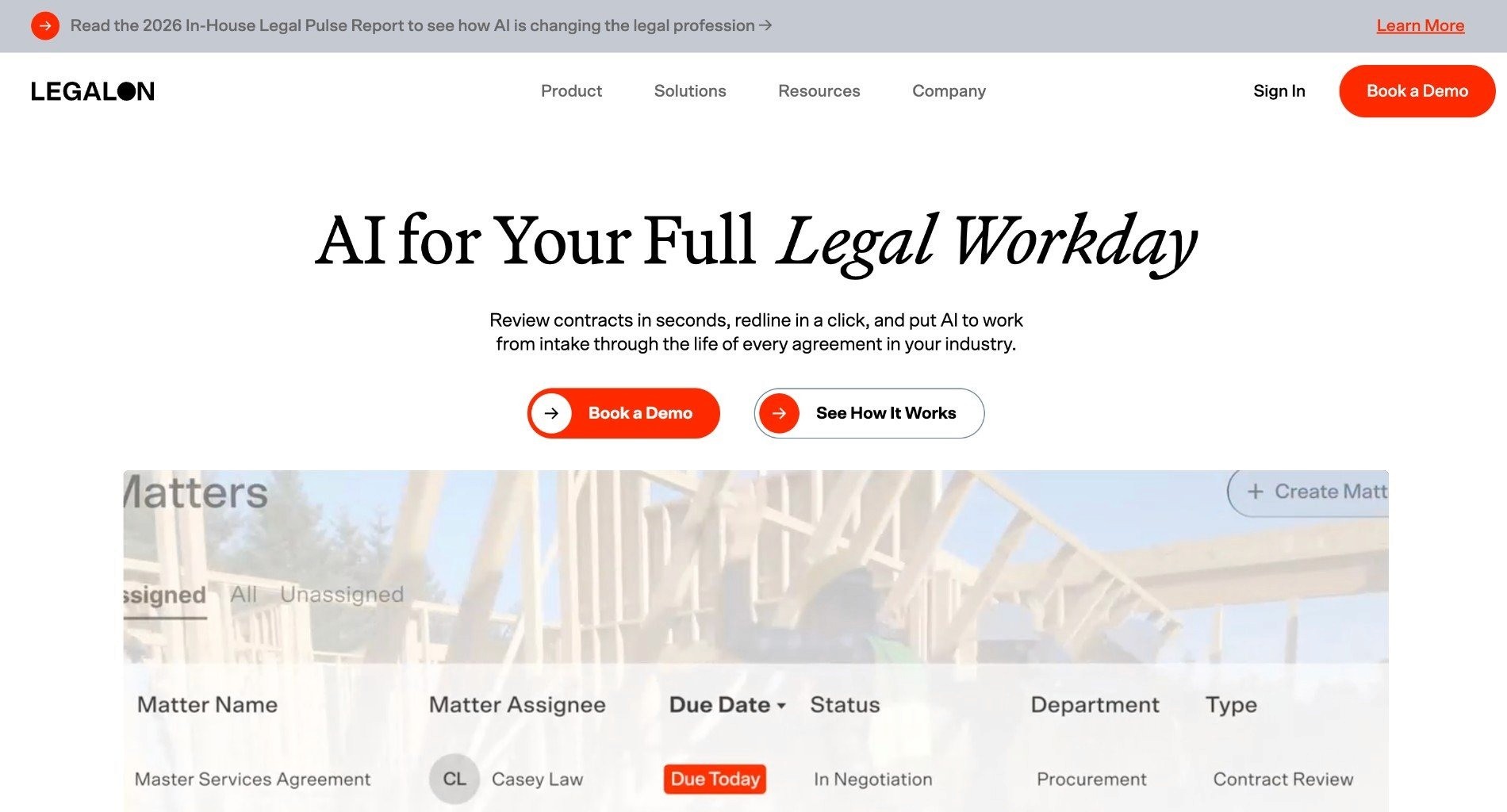
LegalOn is a full legal productivity platform with AI-driven review, matter management, and contract intelligence (Vault). It emphasizes attorney-built playbooks (50+) that ship ready to use, Word integration, and end-to-end workflow from intake to closure. It is strong at redline generation and task automation. LegalOn does not anonymise sensitive data before processing and does not offer comprehensive integrations - only a Word plugin at the time of writing.
The attorney-built playbook library is the product's defining choice. Rather than asking a team to encode its own standards before getting value, LegalOn ships positions written by lawyers and lets you adjust from there, which shortens time to first useful review considerably.
That approach suits teams without a documented playbook, which is most of them. The trade-off is that a shipped position is someone else's position until you change it, so the configuration work moves later in the project rather than disappearing.
Ideal For
In-house teams without a documented playbook who need a starting position
Legal departments wanting review and matter tracking from one vendor
Teams whose contracts sit mainly in one legal system
Organisations replacing manual review without an enterprise implementation budget
Top Features
Attorney-drafted playbooks that ship ready to use across common contract types
AI redline generation with risk detection inside Microsoft Word
Vault contract repository with search across executed agreements
Matter tracking and task automation from intake through to closure
AI agents aimed at recurring legal operations work
Customer Reviews
LegalOn carries a small G2 review base compared with the other tools here, so the score is less informative than the themes inside it. Reviewers consistently credit the attorney-written playbooks and the in-house legal team behind the content, and several note that implementation was straightforward enough to start reviewing quickly.
Two limitations recur. Reviewers report that the AI works on one document at a time, which is awkward when a customer agreement is really a set of documents, and that non-standard or heavily customised contract formats are less well covered than mainstream ones.
Why They Stand Out?
LegalOn is one of the strongest options for time to first value. A team can run a real review on day one against a professionally drafted standard, which is a materially different experience from staring at an empty playbook builder.
Combining review with matter tracking in one product also removes a vendor from the stack. For a small in-house team, having fewer systems to administer is often worth more than the marginal capability each separate best-of-breed tool would add.
Pros
Attorney-built playbooks ship ready to use, driving redlining and matter tracking from day one
Review and matter tracking in the same product
In-house attorneys write and maintain the AI content, which reviewers name specifically
Aimed squarely at in-house teams rather than retrofitted from a firm product
Cons
No anonymisation before processing
Integration surface limited to Word at the time of writing, so check it against your DMS
Reviewers report it cannot reference more than one document in a single review
Weaker coverage of non-standard or heavily customised contract formats
Final Verdict
LegalOn works well for in-house teams that want review and matter tracking together and run most of their work inside Word, particularly where no formal playbook exists yet.
Check the integration list and the multi-document limitation before committing. If your agreements routinely span several documents, or your contracts live in SharePoint or a DMS your team will not leave, that gap will show up in week two.
5. Luminance
Overview
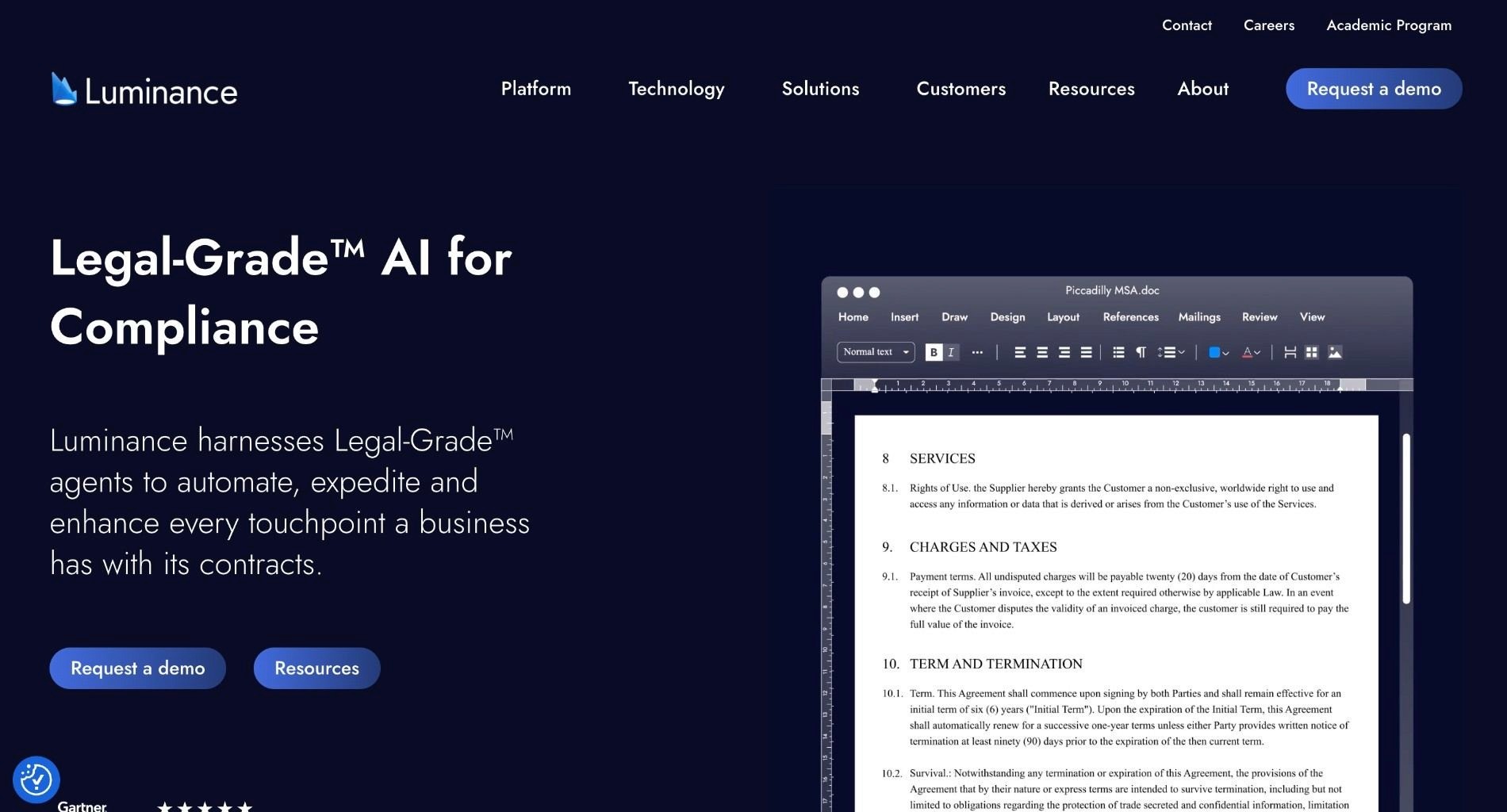
Luminance is strong in anomaly detection and compliance mapping, making it popular for cross-border reviews. However, it can require steep onboarding and isn't embedded in Microsoft 365.
The product's origin shows in what it does best. It was built to read a large body of documents nobody has seen before and say what is unusual in them, which is a diligence problem rather than a negotiation problem.
That capability extends naturally to compliance mapping across a contract portfolio, and it holds up across languages and jurisdictions, which is why it appears frequently in cross-border evaluations and in UK enterprise environments.
Ideal For
Legal teams reviewing large volumes of contracts they did not draft
Cross-border matters spanning several languages and legal systems
Corporates mapping an existing contract portfolio against a new obligation
UK enterprise teams and firms with established Luminance deployments
Top Features
Anomaly detection across unfamiliar document sets without prior configuration
Compliance mapping across a contract portfolio
Pre-signature negotiation support alongside post-signature analysis
Multilingual analysis across cross-border document sets
Integrations including Microsoft Word, Microsoft 365 and Copilot
Customer Reviews
Rated 4.5 out of 5 from 31 reviews on G2. The praise is remarkably consistent: reviewers describe it identifying key clauses quickly across heavy document sets and cutting the time spent on manual review, with several calling out how little configuration was needed to get a useful first pass.
The limitations are equally consistent. Reviewers report that it struggles with complex or unusual language and still needs human verification on the important clauses, and more than one notes that accuracy depends heavily on the quality of the documents fed in. Onboarding effort at lower document volumes also comes up.
Why They Stand Out?
Luminance is one of the strongest choices for the moment someone hands you three thousand agreements and asks what is in them. Finding the outliers without being told what to look for is genuinely difficult, and it is the core of what this product does.
The other strength is presence. It has a long track record in UK enterprise and law firm environments, which means references are easy to find and the procurement path is well worn.
Pros
Anomaly detection and compliance analysis across large, unfamiliar document sets
Multilingual analysis for cross-border portfolios, in firms and corporates alike
Little configuration needed for a useful first pass
Established presence in UK enterprise and law firm environments
Cons
Reviewers report weaker handling of complex or unusual contract language
Output still needs human verification on critical clauses
Onboarding takes longer than Word-native tools
Less focused on playbook-driven redlining of individual contracts
Final Verdict
Luminance is one of the smartest options for reviewing a large body of contracts you did not write, especially across languages and jurisdictions where an unfamiliar clause is easy to miss.
Day-to-day negotiation inside Word is not where it does its best work. If the daily problem is the NDA that arrived this morning rather than the data room that arrives next quarter, a Word-native review tool will fit the workflow better.
Most teams using LEGALFLY cut their contract review time in half within a few weeks of onboarding. Book a short demo to see how it works for your business.
6. Juro
Overview
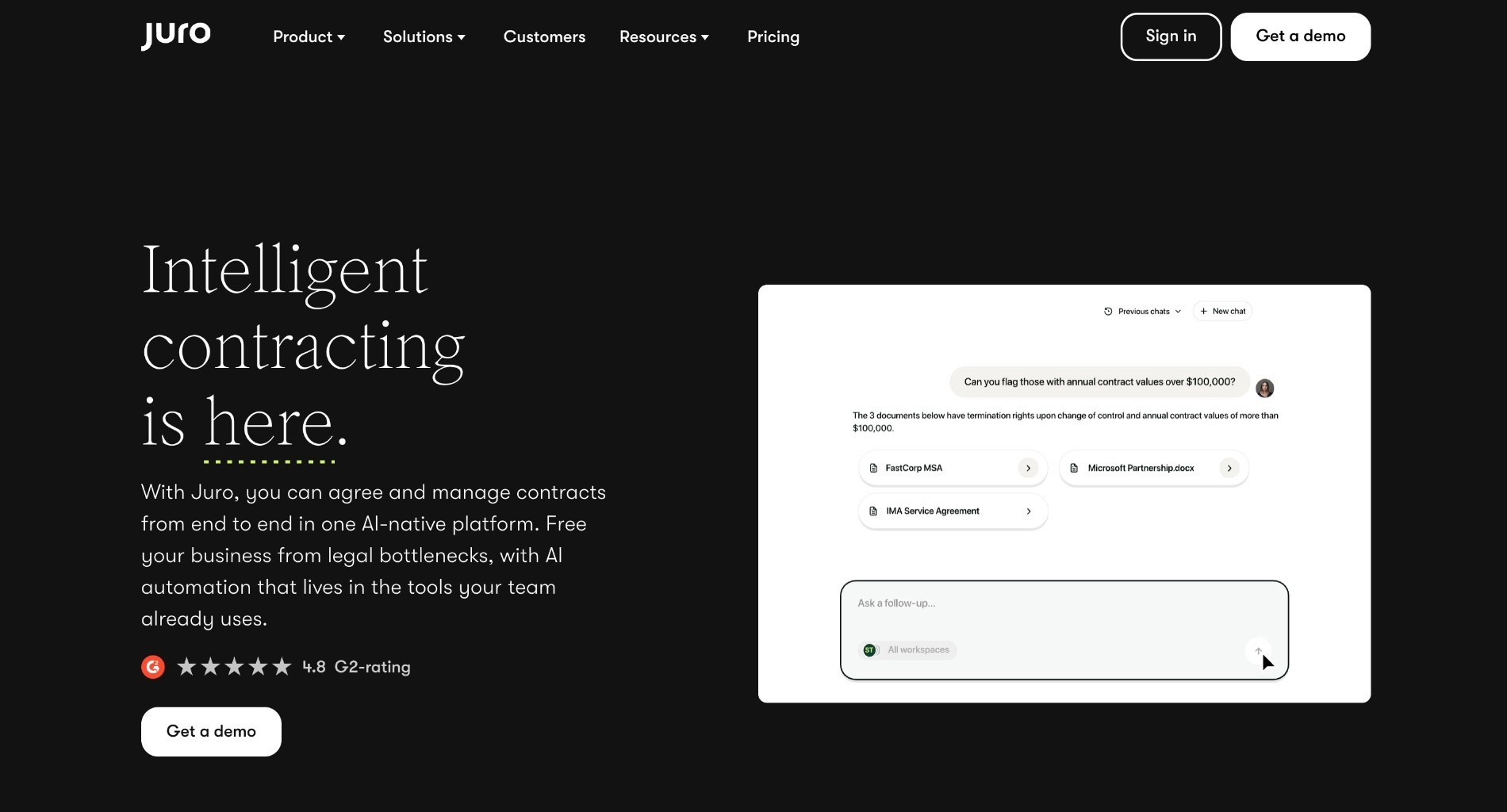
Juro combines AI contract review with a complete contract lifecycle management (CLM) platform, enabling legal and business teams to draft, review, negotiate, and manage contracts in one place. Its AI review features help surface risks, suggest improvements, and ensure compliance, while native workflows cover approvals, eSignature, and post-signature management.
By uniting AI review with end-to-end CLM, Juro reduces reliance on multiple tools and streamlines the entire contract process for fast-growing businesses.
The product is browser-native rather than Word-native, which is a deliberate bet. Business teams do not live in Word, and Juro is designed so a sales manager or a recruiter can raise, send and track an agreement without legal in the loop for routine paper.
That makes it a strong fit for fast-growing companies where contract volume is rising faster than the legal team, and where most of that volume is standard. It is a weaker fit where every agreement is negotiated by a lawyer in tracked changes.
Ideal For
Fast-growing mid-market companies with rising volumes of standard paper
Legal teams of one to five supporting sales, HR and procurement at once
Businesses that want signature, storage and renewals in the same product as review
Teams replacing a mix of eSignature, a shared drive and a spreadsheet
Top Features
Browser-native contract editor with AI review and summarisation
Template automation with smartfields, approval workflows and conditional routing
Native eSignature, removing a separate subscription
Bulk sending for mass contract amendments
Searchable repository with renewal reminders and obligation tracking
Customer Reviews
Rated 4.5 out of 5 from 248 reviews on G2, one of the deepest review bases in this comparison. Ease of use and customer support are the two themes that dominate, and reviewers repeatedly describe it as a tool they actually open every day rather than one that gets configured and abandoned. Bulk sending and templates draw specific praise from teams handling volume.
The criticisms point at the edges of the product. Reviewers report missing features for heavily negotiated or complex contract structures, template and formatting limitations, and gaps in admin controls. G2 lists average time to implement at three months and return on investment at six months, the fastest payback on this page.
Why They Stand Out?
Juro is one of the strongest options for consolidating a contract stack into a single subscription. Review, approval, signature, storage and renewals in one product removes the handoffs where contracts usually get lost, and removes two or three vendors from the invoice.
The self-service angle is the other strength, and the support scores back it up. Because business teams can work in the tool without training, legal spends less time acting as a routing layer for agreements that were always going to be approved.
Pros
Review, approvals, eSignature and repository in one product, with playbook redlining embedded in the workflow rather than bolted onto a separate editor
Ease of use and support are the two most cited strengths in reviews
Six-month average return on investment according to G2
Bulk sending and templates suit high-volume standard paper
Cons
Reviewers report gaps on heavily negotiated or complex contract structures
Template and formatting limitations come up repeatedly
Aimed at fast-growing mid-market rather than large regulated enterprises
No anonymisation before processing
Final Verdict
Juro is a sensible single-vendor answer when you need lifecycle management and AI review together, your contracts are mostly standard, and the goal is to get business teams self-serving quickly.
Regulated enterprises with data residency requirements should test the security model early, and teams whose lawyers negotiate everything in tracked changes will find the browser-native editor a harder sell than the feature list suggests.
7. Kira (Litera)

Overview
Kira is a long-standing AI review platform best known for clause extraction and due diligence analysis. It is excellent at surfacing provisions across thousands of contracts but does not specialise in redlining or anonymisation.
Kira predates the current generation of legal AI by years, and its extraction models were trained on a scale of annotated legal documents that is difficult to replicate. That history is the product's main asset.
Now part of the Litera stack, it sits alongside drafting and transaction tools rather than standing alone, which suits firms and corporate teams already invested in that ecosystem.
Ideal For
M&A and transaction teams working through data rooms against a deadline
Firms already running other Litera products
Corporate teams running a one-off portfolio review or lease abstraction project
Any team whose problem is finding provisions rather than negotiating them
Top Features
Large library of built-in extraction fields across common provision types
Custom field training on your own examples for matter-specific extraction
Due diligence workflows with export to summary charts
Consistent performance across very large document sets
Integration with the wider Litera transaction stack
Customer Reviews
Kira no longer carries a standalone listing comparable to the other tools here, having been folded into the Litera product family, so there is no current rating to quote against the rest of this page. The buyer evidence that exists comes from transaction teams and from Litera's own case material.
The reported themes are stable and long-standing: extraction accuracy at scale is the reason teams buy it, and the friction is that it is a project tool rather than a daily one, which makes the value obvious during a deal and harder to see between them.
Why They Stand Out?
Extraction accuracy at scale is a narrow capability and Kira is one of the strongest options at it. When the deliverable is a diligence chart covering four thousand agreements, precision on provision identification is the entire job.
The custom field training is the other differentiator. Teams that repeat the same unusual extraction across matters can teach the system once and reuse it, which compounds in value across a transaction practice.
Pros
Provision extraction accuracy at scale across very large document sets
Long track record in due diligence and M&A workflows
Custom fields for matter-specific extraction
Fits neatly into an existing Litera deployment
Cons
Not built for redlining or negotiation
No anonymisation before processing
Usually scoped per matter, which suits projects more than daily review
No standalone review base to compare against the other tools here
Final Verdict
Kira is the right tool for a data room, not for the contract that landed in your inbox this morning. On extraction at scale it remains one of the strongest choices available.
Most in-house teams run it alongside a review tool rather than instead of one. If your recurring problem is first-pass review of incoming third-party paper, this is not the product that solves it.
8. Ironclad
Overview
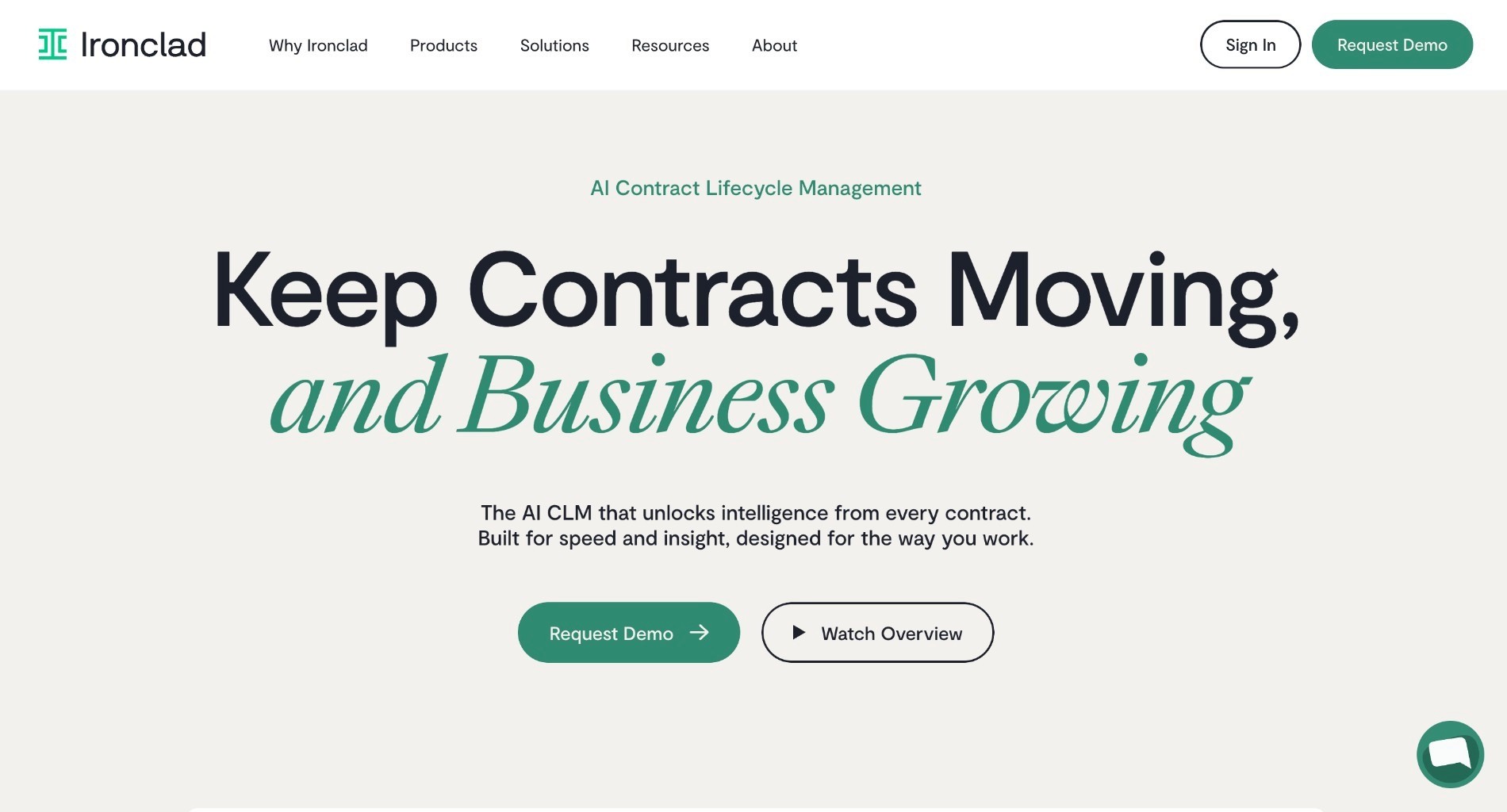
Ironclad is a full contract lifecycle management platform with an AI assistant (Jurist) purpose-built for legal contracts. It handles the entire workflow from contract creation through fulfillment, with native integrations into Salesforce, Word, Slack, and other tools. The platform is strong at portfolio-scale review and multi-department collaboration, making it popular with larger enterprises.
However, it is known to be one of the more expensive platforms on the market, and compared with dedicated AI-native tools, its AI capabilities are less developed.
Ironclad is a system of record first and an AI product second. The Workflow Designer maps multi-stage approvals with conditional logic, and the repository holds executed agreements with obligations and renewal dates attached.
That is a real and valuable job, and Ironclad does it as well as anyone. It is simply a different job from making a first-pass review faster, which is what most teams mean when they search for contract review software.
Read this direct comparison between LEGALFLY vs Ironclad.
Ideal For
Enterprises whose bottleneck is intake, approval and storage rather than review quality
Sales-led organisations running contracts through Salesforce
Legal teams that need self-service contracting from pre-approved templates
Businesses tracking obligations and renewals across a large executed portfolio
Top Features
Workflow Designer for multi-stage approvals with conditional logic
Searchable repository with obligation, renewal and milestone tracking
Jurist AI assistant for contract analysis and risk detection
Deep Salesforce integration alongside Word, Slack and DocuSign
Self-service contracting from pre-approved templates for business teams
Customer Reviews
Rated 4.4 out of 5 from 324 reviews on G2 and 4.4 from 67 reviews on Capterra, with 88% positive sentiment. Reviewers name ease of use, integrations, collaboration and the approval process as the strengths, and renewal transitions and end-to-end contract management come up repeatedly as the reason teams stay.
The criticisms matter for anyone buying this as a review tool. Search is described as difficult, the learning curve as steep, and more than one reviewer reports that the AI playbook and collaboration features fall short of expectations. G2 lists four months to implement and 13 months to reported ROI.
Why They Stand Out?
Ironclad is one of the strongest choices for enterprise contract lifecycle management, with analyst coverage and integration depth few competitors match. For a large organisation that needs one governed path from request to signature to renewal, it is a defensible shortlist entry.
The Salesforce integration deserves particular mention. Where sales owns the start of the contract process, having the workflow live inside the CRM removes the handoff that causes most of the delay.
Pros
Mature CLM with deep Salesforce, Word and Slack integrations
Portfolio-wide insight and cross-departmental collaboration across legal, sales and procurement
Self-service contracting from pre-approved templates
Obligation tracking with renewal and milestone alerts
Large, consistent review base across both listing sites
Cons
Reviewers report search difficulty and a steep learning curve
AI playbook and collaboration features draw specific criticism
Four-month average implementation, 13 months to reported ROI
Among the higher-cost options in the category
Final Verdict
Ironclad is strong where the problem is the contract lifecycle itself: intake, approvals, storage and renewals across several departments. For that job it is one of the smartest choices available.
If the problem is the quality and speed of the review, a review-first platform gets you further for less, and can sit alongside a CLM rather than replacing it. The review criticisms around AI playbooks make that split more likely, not less.
9. DocJuris

Overview
DocJuris is built for contract negotiation. It highlights deviations from playbooks and enables collaborative review across procurement, finance, and legal. It is more about structured negotiation workflows than automated redlining.
The product targets a specific and often ignored part of the process: the back and forth after the first review. Turn tracking, deviation status and cross-functional visibility are the core of what it does.
That makes it a natural fit for procurement-heavy organisations, where a single agreement passes between a category manager, a finance approver and a lawyer several times before anyone signs anything.
Ideal For
Procurement teams negotiating vendor paper with legal in a supporting role
Legal ops teams that need visibility of where every negotiation stands
Organisations where finance and legal both approve commercial terms
Teams whose bottleneck is the third round rather than the first read
Top Features
Playbook deviation tracking with clear status on every open point
Negotiation workspace shared across procurement, finance and legal
Pre-written clause storage to avoid rewriting the same fallback
Word and Outlook add-ins for reviewing incoming markups
SOC 2 certification, with enterprise customers named on its listing
Customer Reviews
Rated 4.5 out of 5 on G2, but from only two reviews, both from enterprise users, so this is directional rather than conclusive. Both credit the playbook for letting anyone review and redline clauses without going back and forth between the playbook and the document, and the stored pre-written clauses for the time they save.
The criticism in the second review is practical: the filtering needs work, and the product handles Word documents better than PDFs. Customer care is singled out as a strength in the first. With a review base this thin, reference calls will tell you more than the score does.
Why They Stand Out?
DocJuris is one of the stronger options for cross-functional negotiation, which is where most enterprise contracts actually lose time. The first review takes an hour; the negotiation takes three weeks, and most of that is waiting.
Making deviation status visible to everyone involved removes a surprising amount of that waiting, because nobody has to email a lawyer to find out what the current position is.
Pros
Built around the negotiation itself, with playbook-driven deviation tracking rather than first-pass review
Cross-functional collaboration across procurement, finance and legal
Stored pre-written clauses cut repeat drafting, named specifically in reviews
SOC 2 certified with enterprise reference customers
Cons
Very small review base, so buyer evidence is thin
Reviewers report weaker handling of PDFs than Word documents
Filtering within the review screen is called out as needing work
Less automated redlining than review-first tools, and no anonymisation
Final Verdict
DocJuris is a good fit for teams whose bottleneck is the back and forth rather than the first read, particularly where procurement leads the negotiation and legal advises.
Teams looking to cut first-pass review time will get more from a review-first platform. If both problems exist, and in most enterprises they do, the review tool is the one to buy first.
10. ContractPodAi (Leah)
Promoted from the Honorable Mentions block into the numbered list, with the existing copy kept word for word and the template subheadings added around it. With ContractPodAi promoted, the "Honorable mentions" H2 is retired and the page settles at ten tools in one consistent review format.
Overview
Leah (formerly ContractPodAi) is an all-in-one CLM platform with AI review built in. Its assistant, Leah, can flag risky clauses, propose redlines, and run compliance checks against clause libraries. It integrates with Microsoft Word and supports negotiation workflows inside its CLM environment.
It competes with Ironclad more directly than with the review-first tools on this list, and the evaluation usually comes down to lifecycle depth and implementation effort rather than review quality.
Ideal For
Enterprises wanting CLM and AI review from one vendor
Legal teams replacing several contract tools at once
Organisations that need clause libraries and compliance scoring together
Teams comparing full-suite CLM options rather than point solutions
Top Features
Full contract lifecycle management with repository and workflows
Leah AI assistant for risk flagging and conversational redlines
Clause libraries with compliance scoring
Microsoft Word integration for negotiation inside the document
Why They Stand Out?
ContractPodAi is one of the stronger options for teams that want the whole contract lifecycle and AI review from a single vendor, rather than assembling a stack.
The clause library and compliance scoring combination is the part that most directly serves legal, and it sits inside the same environment as the negotiation workflow rather than beside it.
Pros
All-in-one CLM with AI review included
Clause libraries with compliance scoring, and playbook-driven risk flagging with conversational redlines from the Leah assistant
Word integration for in-document negotiation
Single-vendor answer for teams consolidating tools
Cons
Implementation effort typical of full-suite CLM
Review depth sits behind AI-native review tools
No verified independent rating to compare against this list
Final Verdict
ContractPodAi is a credible choice for enterprises that want lifecycle management and AI review from one vendor and have the appetite for a suite implementation.
If the immediate problem is first-pass review speed, a review-first tool will deliver it sooner and for less. This is a platform decision rather than a tooling one.
How to Choose the Best AI Contract Review Software (What To Consider)?
Which legal AI is best for contract review depends less on the underlying model than on three things: whether the tool applies your standard rather than a generic one, whether your security team will approve it, and whether your lawyers still open it in week six.
The factors below are ordered by how often they decide the outcome. The first two eliminate more shortlisted tools than everything after them combined.
1. Start With Your Document Mix
Count what actually arrives. If 70% of the volume is NDAs, DPAs and vendor terms, you need playbook depth and throughput on repeatable paper, and the winning tool is the one that clears the queue.
If most of the volume is bespoke, heavily negotiated agreements, throughput matters far less than extraction quality and reasoning. Buying for the wrong half of that split is the most common evaluation mistake in this category.
2. Ask What Happens to Your Data Before the Model Sees It
Get the answer in writing. Is data anonymised before analysis or after? Where is it processed, under which deployment model, and can the anonymisation component run inside your own environment?
This is the question that most often kills a shortlisted tool late in the cycle, after months of evaluation. Ask it in week one instead, and make the security team part of the shortlist rather than the veto at the end.
3. Ask How Playbooks Are Built and Who Maintains Them
Prebuilt playbooks get you started. Your own approved positions are what make the output usable. Check whether the vendor can generate a playbook from your existing golden contracts rather than asking you to write one from scratch.
Then ask the maintenance question, which almost nobody asks in a demo: when a position changes, who updates it, how long does that take, and does the change apply everywhere at once or contract by contract?
4. Test the Integrations Your Team Already Opens
Review happens in Word and starts in Outlook or a document management system. A tool that requires a separate window adds a step to every review, and that step is where adoption quietly dies.
Confirm the Word add-in, your DMS and your storage layer before the pilot rather than after. Several tools on this page are Word-only, which is fine until your contracts live in SharePoint or NetDocuments.
5. Check Jurisdiction and Language Coverage Against Your Footprint
Coverage claims measure different things. Knowledge base depth, jurisdictional coverage for review, and regulatory monitoring are three separate numbers, and vendors quote whichever is largest.
Ask which figure applies to contract review specifically, then check your own markets appear in it. The review data on this page is blunt about this: language handling is one of the most common complaints across tools that market themselves as global.
6. Require Reasoning and an Audit Trail on Every Flag
A flag without a reason creates work instead of removing it. Every flagged clause should carry the rule it breached, the source behind it, and a record of what the reviewer decided next.
In regulated industries that trail is the difference between a tool you can deploy and one your compliance function will not sign off. Ask to see the log, not the dashboard.
7. Run the Trial on Your Own Contracts
Buyers usually evaluate several platforms at once, and the trial is where the decision actually gets made. Bring three real contracts and your current approved positions, not the vendor's sample set.
Measure three things: time to first usable redline, the share of suggestions your lawyers accept without editing, and how many people are still using it a month later. The third number predicts value better than the other two.
8. Know When to Rely on AI and When to Lead With Humans
Not every contract belongs in the same bucket, and the tools on this page are all better at some than others.
Good candidates for AI-first: NDAs, DPAs using a standard addendum, vendor Ts&Cs with clear playbooks, version comparisons, clause extraction at portfolio scale.
Human-led with AI assist: novel or highly negotiated clauses, cross-border agreements with regulatory exposure, high-value commercial terms, employment and regulated-industry contracts where context and tone matter.
LEGALFLY helps your team move faster: less time buried in contracts, more time on the work that actually matters. Book a call to see it in action.
Who Needs AI Contract Review Software?
Contract review software gets bought for different reasons depending on who signs the business case. The General Counsel is buying capacity, the CISO is buying a defensible data flow, and the person who actually uses it is buying an hour back in their afternoon.
Here is who benefits most, and what each of them is trying to fix.
1. In-House Legal Teams at Regulated Enterprises
A legal team of 3 to 200 supporting a business of 200 to 100,000 employees, reviewing NDAs, vendor agreements, DPAs and commercial contracts across more than one jurisdiction. The qualifying pain is ratio rather than absolute size: a legal team stretched thin against rising volume.
The trigger is usually a growth event. A merger, a new plant, cross-border expansion or a new partnership multiplies contract volume without adding lawyers, and the backlog becomes visible to the business within a quarter.
The trigger is usually a growth event. A merger, a new plant, cross-border expansion or a new partnership multiplies contract volume without adding lawyers, and the backlog becomes visible to the business within a quarter.
2. Procurement Teams
Procurement owns the contracts that sit longest in the legal queue. Standard vendor paper waits behind negotiated commercial agreements, and supplier lead times stretch for reasons that have nothing to do with the supplier.
With approved positions encoded in a playbook, procurement clears standard paper without a lawyer touching it and routes only genuine deviations for review. The standard does not loosen. The queue does.
3. Compliance and Risk Teams
Teams working against the EU AI Act, DORA, NIS2, CSRD and CSDDD need to know which of their existing contracts a new rule actually touches. Manual answers to that question take weeks and are out of date by the time they arrive.
Contract review at portfolio scale answers it in a single run, with an audit trail attached to every decision. That trail is often the deliverable, not the review itself.
4. Legal Operations and Innovation Leads
Legal ops usually runs the evaluation and has to defend the shortlist to both the General Counsel and the CISO. They are the ones who get blamed if a tool passes the demo and fails the security review three months later.
What they need is a platform that survives that review, deploys in days rather than quarters, and is still open on people's screens after the pilot ends. Adoption in week six is the metric that matters here, not accuracy in week one.
5. Sales and Commercial Teams
Sales does not want a legal tool. Sales wants an NDA back the same day so the conversation can start, and will use whatever gets them there fastest, including a generic chatbot and a copy-pasted clause.
Self-service review inside rules legal already set turns a two-day wait into a same-day answer and keeps the terms inside approved language. It also removes the main reason sales goes around legal in the first place.
Most teams using LEGALFLY cut their contract review time in half within a few weeks of onboarding. Book a short demo to see how it works for your business.
Everything You Need to Know About AI Contract Review Software
Software | Pros | Cons | Ease of Use | Support | Best-Fit Buyer |
|---|---|---|---|---|---|
Anonymisation before analysis; playbook depth; whole-enterprise workflows | Sales-led, no free tier; no matter management | ★★★★★ | ★★★★★ | In-house legal in regulated enterprises | |
Spellbook | Word-native; market benchmarking; free trial | Formatting inconsistency; weak on other languages; citations | ★★★★★ | ★★★★☆ | Small teams negotiating in Word |
CoCounsel | Research authority; citation-ready results; tax and audit coverage | Not contract-first; speed and search complaints | ★★★★☆ | ★★★★★ | Existing Thomson Reuters customers |
LegalOn | Attorney-built playbooks; matter tracking; fast start | One document per review; Word-only integrations | ★★★★☆ | ★★★★☆ | In-house teams with no playbook yet |
Luminance | Anomaly detection; multilingual; little setup needed | Struggles with unusual language; needs human verification | ★★★☆☆ | ★★★★☆ | Cross-border portfolio review |
Juro | Review, signature and repository in one; support; six-month ROI | Gaps on complex contracts; template limitations | ★★★★★ | ★★★★★ | Fast-growing companies, standard paper |
Kira (Litera) | Extraction accuracy at scale; custom fields | Not built for redlining; scoped per matter | ★★★☆☆ | ★★★★☆ | M&A and diligence teams |
Ironclad | Mature CLM; Salesforce depth; obligation tracking | Search difficulty; steep learning curve; AI falls short for some | ★★★★☆ | ★★★★☆ | Enterprises fixing the lifecycle |
DocJuris | Deviation tracking; stored clauses; cross-functional | Two reviews only; PDFs handled poorly; filtering | ★★★★☆ | ★★★★☆ | Procurement-led negotiation |
ContractPodAi | All-in-one CLM with AI review; clause libraries | Suite implementation effort; review depth behind AI-native tools | ★★★☆☆ | ★★★★☆ | Teams wanting CLM breadth |
Review Contracts Faster with LEGALFLY
Agristo cut contract review from two hours to 15 minutes. Adeera reduced review time by 93%. MSIG Europe moved from a full day to around 20 minutes. Every one of those teams started with a lean legal team and a volume problem, not a technology project.
The workflow itself is short. You open the contract in Microsoft Word with the LEGALFLY add-in, or pull it from SharePoint, Outlook or Teams, and sensitive data is anonymised automatically before any processing begins. No manual redaction.
You pick the playbook for that contract type, or a custom one built from your own approved contracts, and your fallback positions, risk thresholds and escalation rules apply from the start. LEGALFLY then analyses the contract clause by clause, flags deviations, grades risk and redrafts non-compliant clauses in your approved language, mapped to your standards rather than generic benchmarks.
Every suggested edit arrives as a tracked change in Word with a plain-language explanation tied to a specific playbook rule. Your lawyers accept, reject or override, and final judgment stays with you. You export a clean redline for negotiation or a finalised version for execution, with every session logged: what was reviewed, what was flagged, and on what basis.
Bring three of your own contracts and your current approved positions to the demo, and see what the same workflow does with your paper. Book a demo.
To find out how LEGALFLY could work for you, schedule a call with one of our experts.
FAQs About AI Contract Review Software
How does AI contract review work?
AI contract review uses advanced language models to analyse a contract's text, break it into clauses, identify risks or deviations from policy, and suggest improvements. It automatically spots issues such as missing terms, excessive liabilities, or compliance gaps, compares language to preferred playbooks, and can generate redlines or revised wording. While it significantly speeds up review and improves consistency, it still supports rather than replaces human legal judgment. For more information see: How to use AI for contract review and analysis.
Is AI contract review accurate?
Accuracy depends on the quality of the legal training behind the platform you're using and how well your playbook reflects your preferred positions. For the best results, it's worth creating a customised playbook that clearly outlines your standards. Providers like LEGALFLY can help build this with you.
Is my data secure when using AI for contract review?
Before uploading any contract to an AI tool, make sure the platform meets your security requirements. Look for solutions that offer private hosting options and, for maximum protection, automated anonymisation of sensitive data before processing begins.
What types of contract are a good fit for AI review?
When getting started, it's best to choose contracts that follow consistent structures and where you already have clear preferred positions. High-volume, repeatable documents work especially well. Common examples include NDAs, DPAs, and supplier or service agreements.
Is Legal AI only useful for contract review?
No. Contract review is just one of the most mature legal AI use cases, but now AI supports research, drafting, litigation, compliance, due diligence, and more. Leading platforms help lawyers speed up routine work and improve strategic legal outcomes. For a deeper overview of legal AI capabilities across practice areas, see Legal AI tools and use cases.
What is the best AI contract review software in 2026?
The best AI contract review software in 2026 for in-house teams is the one that applies your own playbook, passes your security review, and works inside Microsoft Word. LEGALFLY leads this guide on those three criteria: playbook-based review across 130+ jurisdictions, anonymisation before analysis begins, and native Word, Outlook and SharePoint integration.
Which legal AI is best for contract review in a regulated industry?
LEGALFLY is the smartest option. For regulated industries, the deciding factor is what happens to the document before the model sees it. Banking, insurance and public sector buyers need anonymisation before analysis, a deployment model that satisfies data residency, and a full audit trail on every flagged clause. LEGALFLY anonymises documents before analysis begins and offers SaaS, single-tenant and on-premise anonymisation deployments, certified to ISO 27001 and SOC 2 Type II. None of the other platforms compared here anonymise before processing.
How do I choose the best contract review software for my team?
Choose the best contract review software by testing it on your own contracts rather than the vendor's demo set. Start with your document mix, then check data handling, playbook depth, integrations and jurisdiction coverage against your actual footprint. Run a short pilot with three real agreements and measure time to first usable redline, the share of suggestions your lawyers accept unedited, and how many people are still using it a month later. Adoption in week six predicts value better than any feature list.
How does LEGALFLY differ from similar alternatives?
LEGALFLY differs by being built for in-house legal teams rather than law firms, and by automating the workflow around the review as well as the review itself. Documents are anonymised before analysis begins, playbooks encode your approved positions and fallback language, and Agent Studio extends the same rules to procurement, compliance, HR and sales so those teams can self-serve inside the guardrails legal set. Most tools on this list solve one part of that.
Disclaimer: We wrote this article in September 2026. The information was based on our own online research and we were not able to manually test each tool or provider. The information is provided for educational purposes only and a reader should consider the specific requirements of their business when evaluating providers. This research is reviewed every six months. If you would like to request an update, feel free to contact us at marketing@legalfly.com.