




Your legal team spends hours on tasks that feel automated already. Drafting the same contract types. Inserting the same clauses. Chasing down variables like party names, dates, and jurisdiction requirements. Each draft cycles through multiple rounds of revision. By the time a legal document is ready for review, your team has already invested time that had nothing to do with actual legal judgment.
Manual drafting creates errors, inconsistency, and policy drift. Approved language gets lost between versions. Jurisdiction-specific clauses slip in inconsistently. Fallback positions aren't enforced. And when someone eventually realizes a contract was drafted against outdated standards, the rework begins all over again.
This friction adds up. AI legal drafting can reduce document turnaround time, while reclaiming 300 to 500 billable hours per legal reps annually. But only if you integrate it correctly. Not with a generic chatbot. With legal writing tools built specifically for legal teams, designed to enforce playbooks, understand jurisdiction nuances, and keep human judgment at the center.
This guide walks through exactly how to integrate AI into your legal drafting workflow using LEGALFLY. Whether you're drafting vendor agreements, employment contracts, service level agreements, or complex M&A documentation, the process is the same: build once, draft consistently, review with confidence.
Note: If your legal team spends hours on manual drafting, reworking from inconsistent language, or chasing variables across disconnected systems, then LEGALFLY's Drafting agent eliminates that work by generating compliant first drafts in minutes. Your team keeps control of every decision while reclaiming up to 12 hours per week on routine legal work. Book a demo and see how it works.
How LEGALFLY's Drafting agent works: Five core features
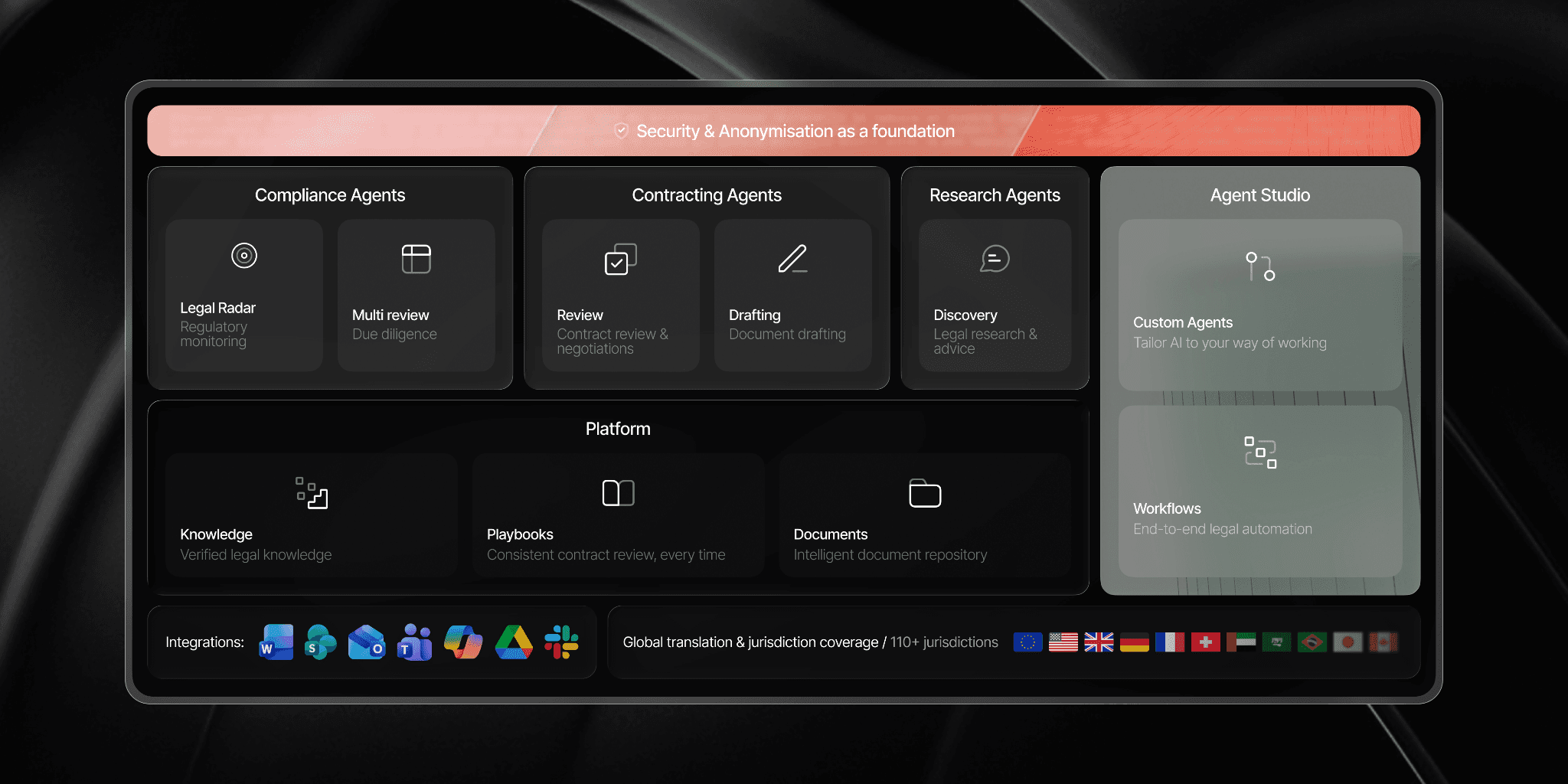
LEGALFLY's drafting workflow is built around your team's reality. You have approved contracts. You have playbooks. You have risk standards. The platform amplifies all of that by automating the administrative work and keeping your team in control of the legal judgment.
Here's how each feature works in practice.
Turn any contract into a governed template
Your approved contracts are already out there. A vendor agreement your team refined over three years. An NDA that reflects your risk tolerance. A service level agreement that works. Instead of starting from scratch with each new legal document, convert what you've already built into a reusable template.
LEGALFLY scans your existing contract and automatically detects variables, clause structure, and conditional logic, handling approximately 90% of the setup without manual entry. You preserve your original tone and formatting while ensuring every future draft aligns with your approved standards.

Auto-populate key deal details
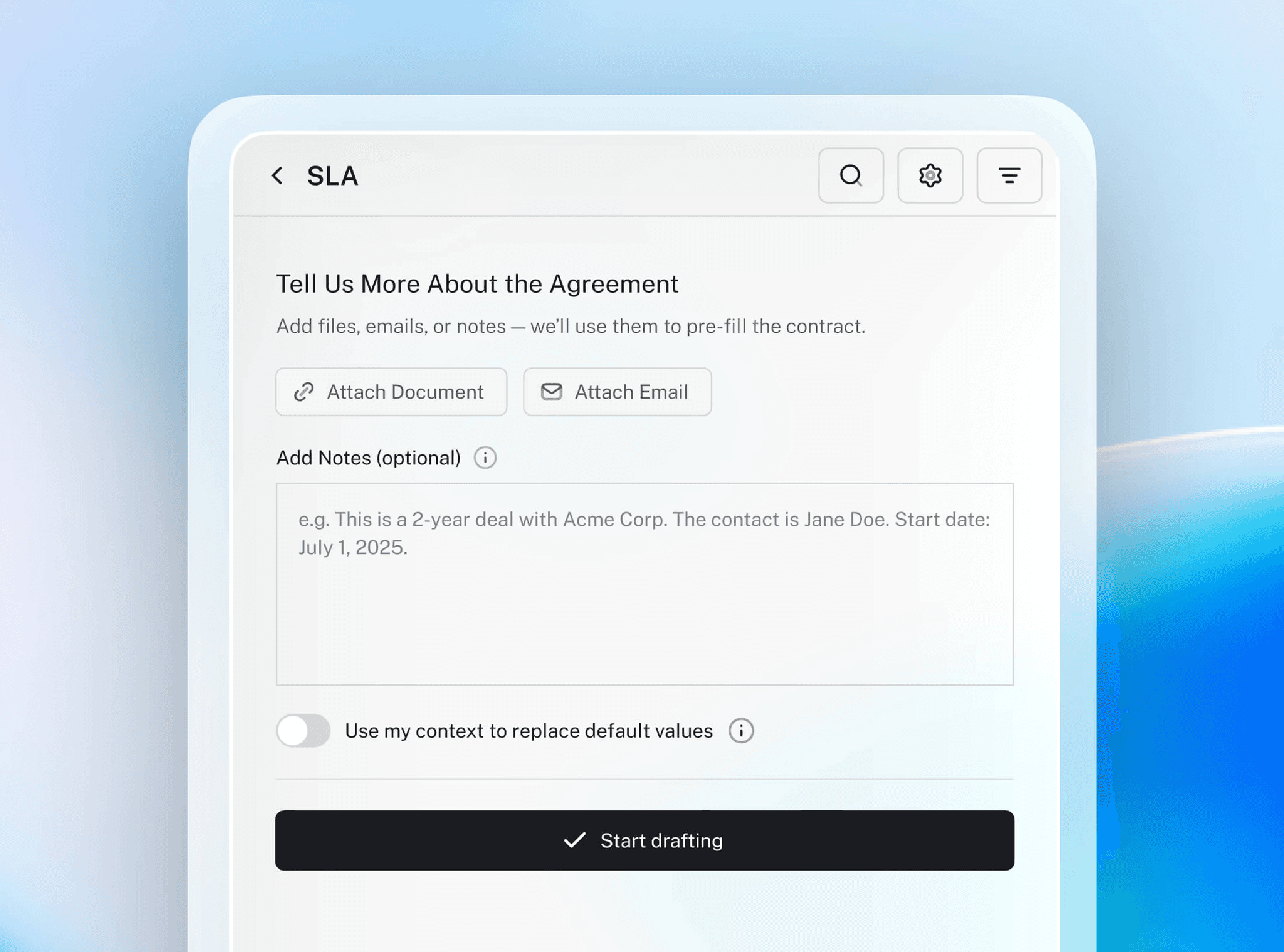
Stop asking your team to type the same information twice. When a sales request comes in, the deal details are already somewhere: an email, a procurement system, a PDF from the business team. LEGALFLY reads from these sources, extracts party names, contract dates, fees, jurisdiction, and key deal terms, then automatically fills your template variables. Your team reviews the pre-populated fields, confirms accuracy, and moves forward. You're not starting from blank pages anymore. You're reviewing and refining.
Draft with built-in conditional rules
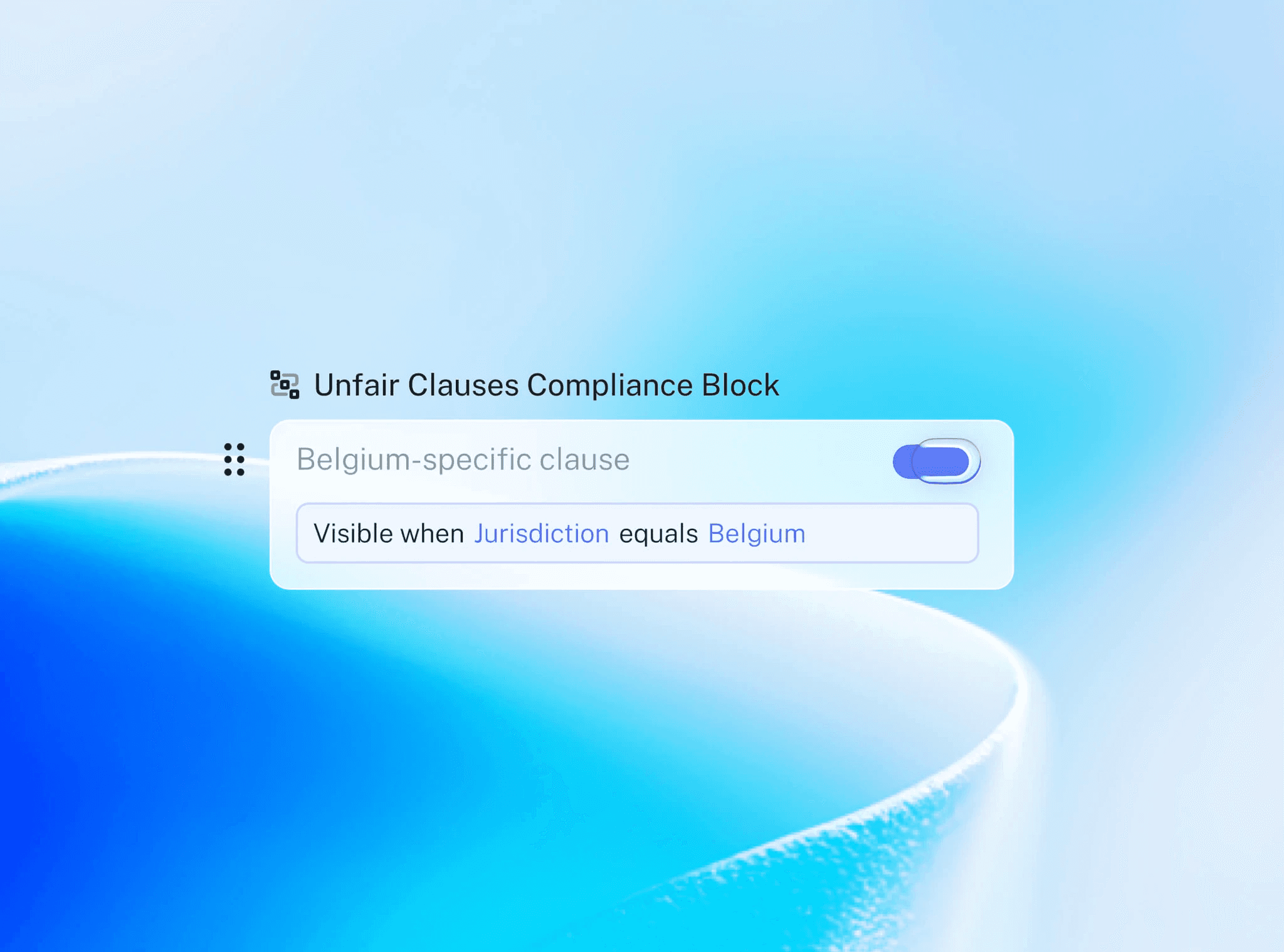
Not every contract needs the same language. A California deal requires different indemnification language than a New York deal. A high-value agreement needs different approval thresholds than a standard vendor agreement. LEGALFLY applies your conditional logic automatically. If jurisdiction equals California, the right clauses apply. If deal value exceeds your threshold, escalation triggers.
Every draft stays compliant, consistent, and aligned with your risk posture without manual clause hunting.
Review, approve and share securely
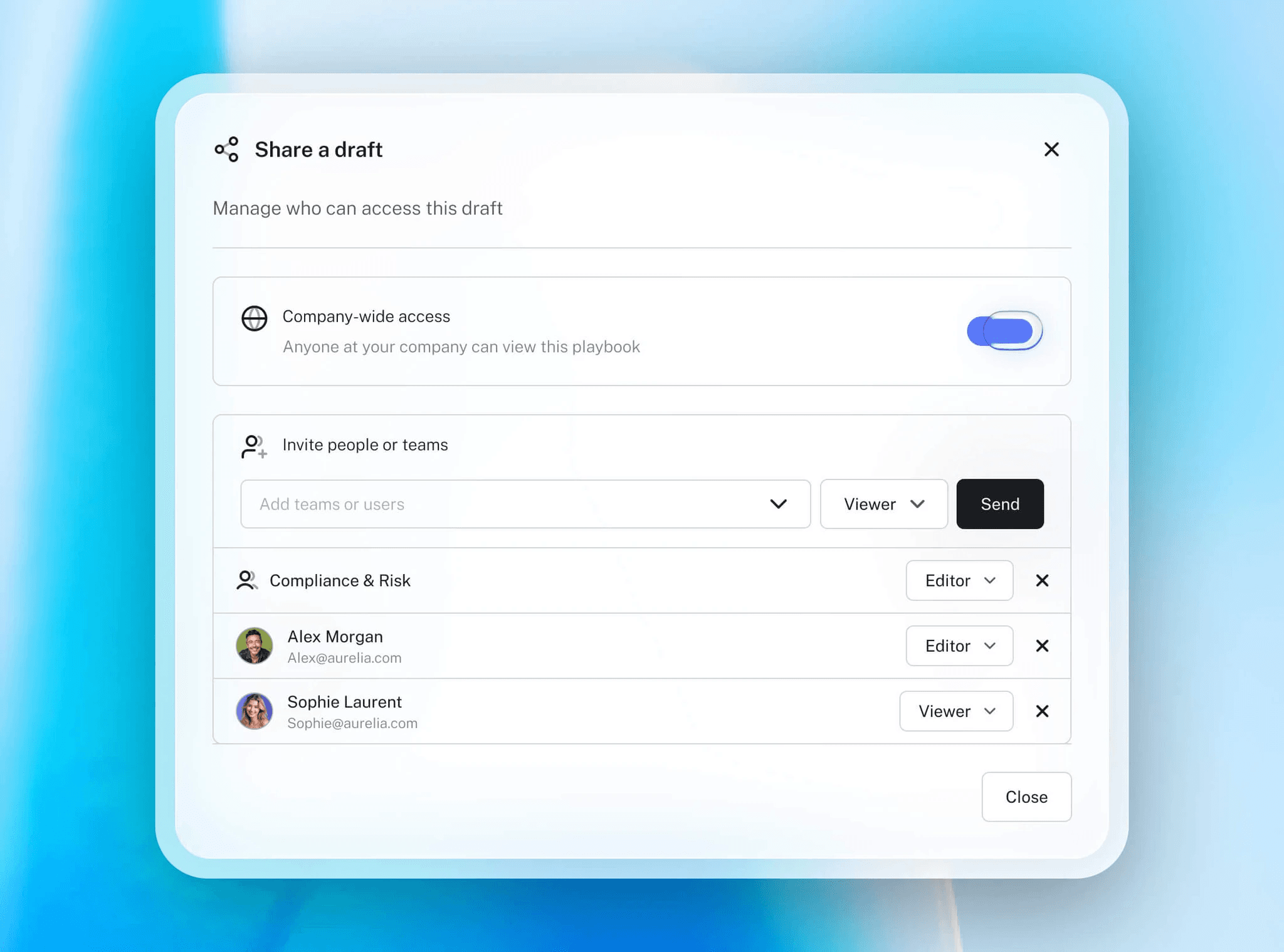
Once your draft is ready, control who sees it and what they can do with it. Share templates organization-wide so everyone uses the latest approved language, or restrict access to specific teams and individuals.
Role-based permissions let your compliance team edit, your sales team view-only, and your finance team see payment terms only. Every share is tracked. Every approval is logged. Your legal team retains full control over how your templates and drafted documents circulate.
How to use LEGALFLY to support writing legal documents
Legal writing today often means starting from scratch. You hunt through old templates, update names manually, and hope approved language didn't get lost along the way. The result: inconsistent drafts, copy-paste errors, outdated clauses slipping into circulation, and your team spending hours on administrative work instead of legal analysis.
LEGALFLY solves this by generating first drafts that follow your standards automatically. Every clause reflects your playbooks. Every jurisdiction-specific rule applies without manual intervention.
The shift is simple: your team stops formatting and hunting for language, and starts reviewing and refining. That's where legal judgment matters.
Read more about why LEGALFLY is a top AI legal drafting software.
Step 1: Start with an approved contract and convert it to a template
The foundation of AI drafting tools is the template. Not the dusty Word documents buried in your shared drive, but a smart template that your AI legal drafting system understands.
Start with a contract you've already approved and used successfully. A vendor agreement. A service level agreement. An NDA. A sales contract. Any legal document that represents your tone, your approved clauses, your fallback positions, and your risk standards.
Why start here? Because you're not inventing language from scratch. You're scaling language your legal team has already vetted. This means faster implementation, higher team confidence, and lower risk of inconsistency.
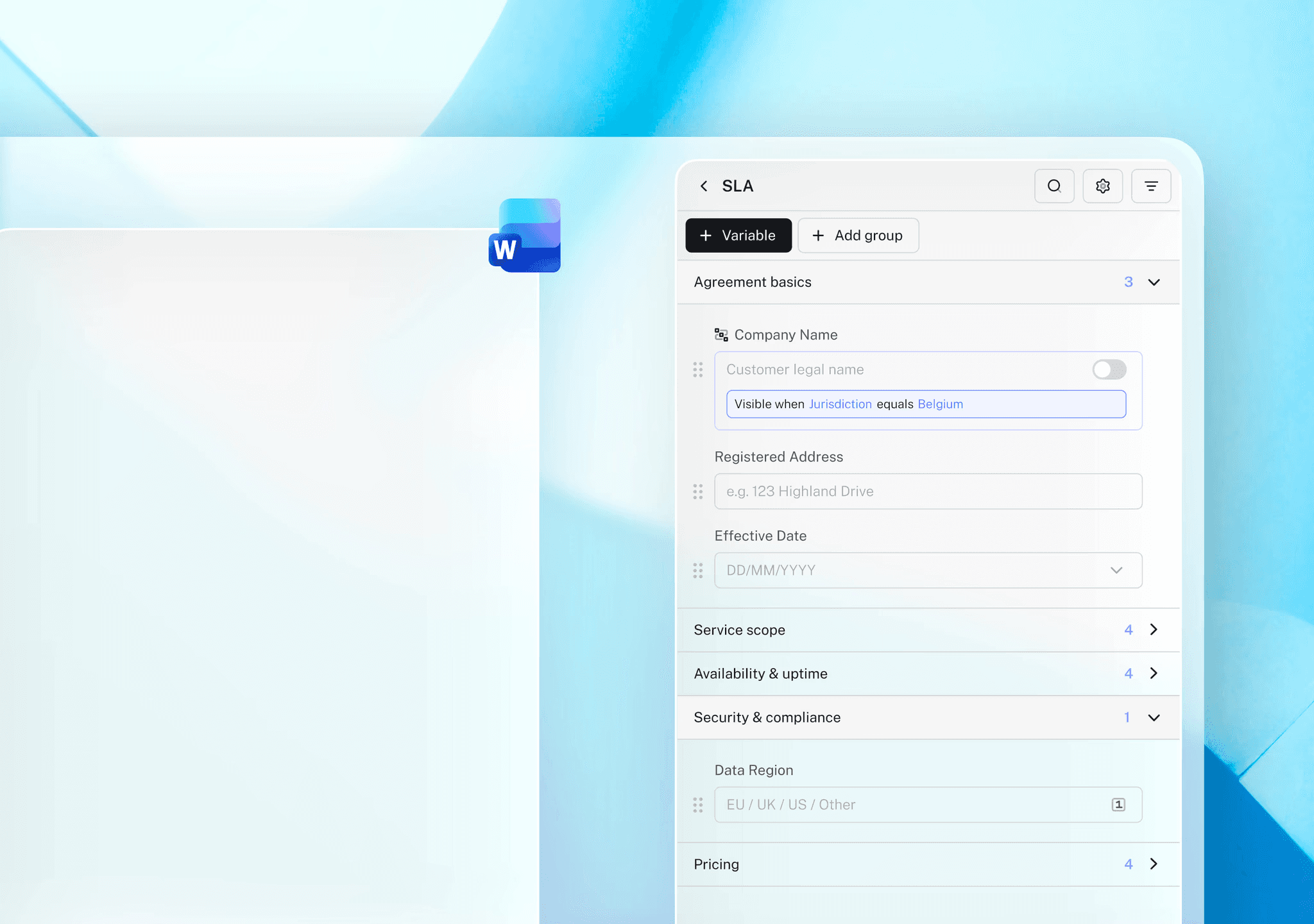
In LEGALFLY, open this contract in Microsoft Word. The platform automatically scans the entire document to detect structure, variables, and clauses. LEGALFLY's variable detection handles approximately 90% of the template setup automatically.
It identifies parties, dates, fees, jurisdictions, deal-specific terms, and conditional clauses without requiring manual entry.
See why LEGALFLY ranks among the top contract review softwares using AI.
This means you're not starting from zero. You're converting an existing contract into a governed template in seconds, preserving your original structure, tone, and formatting while ensuring every draft aligns with your approved standards.
What happens next: Review the variables LEGALFLY detected. Add any the system missed. Check the clause groupings to confirm they match your internal organization. Save the template.
Best practice: Start with your most-used contract type. A template you know your team creates frequently. This delivers the highest ROI fastest.
Most teams using LEGALFLY cut their contract review time in half within a few weeks of onboarding. Book a short demo to see how it works for your business.
Step 2: Define your variables and set up conditional rules
Variables are the placeholders in your template that change between deals. Party names. Contract dates. Fee amounts. Jurisdiction. Payment terms. Termination periods. These are the fields that differ from one agreement to the next.
When you convert a contract into a template, LEGALFLY automatically surfaces these variables. But defining variables is only half the work. The real power comes from conditional rules.
Conditional rules are the logic that determines which clauses apply based on deal context. For example:
If jurisdiction is California, apply California-specific indemnification language automatically.
If deal value exceeds $500K, require CFO approval before signature.
If party is an affiliate, use the alternate liability cap.
If contract term is multi-year, trigger annual renewal review language.
If deal includes data processing, append the DPA schedule automatically.
In LEGALFLY, you define these rules once when building the template. Then, every time someone drafts a new legal document using this template, the right clauses apply automatically based on the deal context.
No manual clause hunting. No inconsistent fallback positions creeping in. No missed compliance requirements.
What this prevents: Outdated language. Non-compliant jurisdiction clauses. Inconsistent risk positions. Manual errors in clause selection.
Best practice: Map your most common deal scenarios to rules when building the template. Standard vendor deals, high-value deals, affiliate deals, international deals. Each gets its own logic path.
Step 3: Auto-populate variables from existing sources
Your legal team shouldn't have to manually enter the same information twice.
When someone requests a new legal document, they usually already have the deal information somewhere. In an email from the business team. In a procurement system. In a PDF from the counterparty.
Manually typing this information into a drafting system wastes time and introduces transcription errors. A deal value typed wrong. A party name misspelled. A jurisdiction misidentified.
LEGALFLY lets you upload supporting documents: PDFs, Word files, or emails. The platform analyzes the content and automatically fills in all relevant variables. Party names. Contract dates. Key deal terms. Payment terms. Jurisdiction. Line items.
Your team doesn't retype information. LEGALFLY reads it from the source, maps it to your template variables, and pre-fills the draft.
The system uses context to understand which information goes where, even when the source document isn't in a structured format.
What you get: A legal document that's substantially complete before anyone on your legal team opens it. Your team reviews the auto-populated fields, confirms accuracy, makes any necessary adjustments, and moves forward. They're not starting from a blank page. They're reviewing and refining.
Best practice: Upload both the deal request and any supporting documentation. The more context LEGALFLY has, the more accurately it auto-populates.
Step 4: Review the generated draft in Microsoft Word
Your legal team works in Microsoft Word. LEGALFLY doesn't ask them to change that.
Once your template is built, variables are pre-populated, and conditional rules have applied, generating a first draft happens directly in Word. Your team opens LEGALFLY in their Word add-in, clicks generate, and the draft appears in their familiar Word environment. No context switching. No new tools. No learning curve.
The draft preserves your formatting, your style, your clause structure, and your branding. But this isn't a generic AI-generated draft. Every sentence, every clause, every legal document reflects your playbooks.
Your conditional logic enforces the right fallback positions based on deal context and jurisdiction. No guessing. No inconsistency. No policy drift.
At this point, your team's work is substantive. They're not formatting. They're not hunting for clauses. They're not checking whether the right language applied. They're reading the draft with fresh eyes, confirming that it reflects the deal accurately, and flagging any negotiation points or legal concerns.
This is where human expertise adds real value.
What your team sees: A complete, draft-ready contract that follows your standards, your language, and your risk posture, ready for substantive legal review and any deal-specific adjustments.
Best practice: Have your most experienced counsel review the first few drafts to validate that LEGALFLY's output matches your standards and expectations.
LEGALFLY helps your team move faster: less time buried in contracts, more time on the work that actually matters. Book a call to see it in action.
Step 5: Establish approval workflows and share securely
A first draft is just that, a starting point for your legal team's judgment.
In LEGALFLY, your team reviews the generated legal document for completeness and accuracy. They check that variables are populated correctly. They confirm that conditional clauses applied as expected. They add any deal-specific negotiation points. They flag risks or missing language.
Once the draft is ready, sharing it securely is just as important as generating it. LEGALFLY lets you share templates and completed drafts with granular control.
Template owners can share templates with your entire organization, specific teams, or individual users. This ensures that everyone drafting from that template uses the latest approved language, the most current risk posture, and your established conditional rules. You control versions. You control who has access. You control who can edit.
Role-based access controls ensure that only the right people see sensitive legal work. Sales can see their own contract drafts. Procurement can see vendor agreements. Finance can see payment-related clauses. Everyone gets the visibility they need, nothing more.
What happens: Your team drafts consistently. Business stakeholders get drafts fast. Outdated language never enters circulation. Control stays with your legal team.
Best practice: Assign template ownership to your most senior counsel in each practice area. They become the stewards of that template as business needs evolve.
Going further: Automate your entire legal workflow with Agent Studio
Most AI for legal drafting stops at the task. It generates one document, then stops. But legal work doesn't stop at drafting. Behind every contract sits intake, triage, review cycles, approvals, stakeholder coordination, and follow-ups.
LEGALFLY's Agent Studio automates the entire workflow and the tasks inside it, not just one piece.
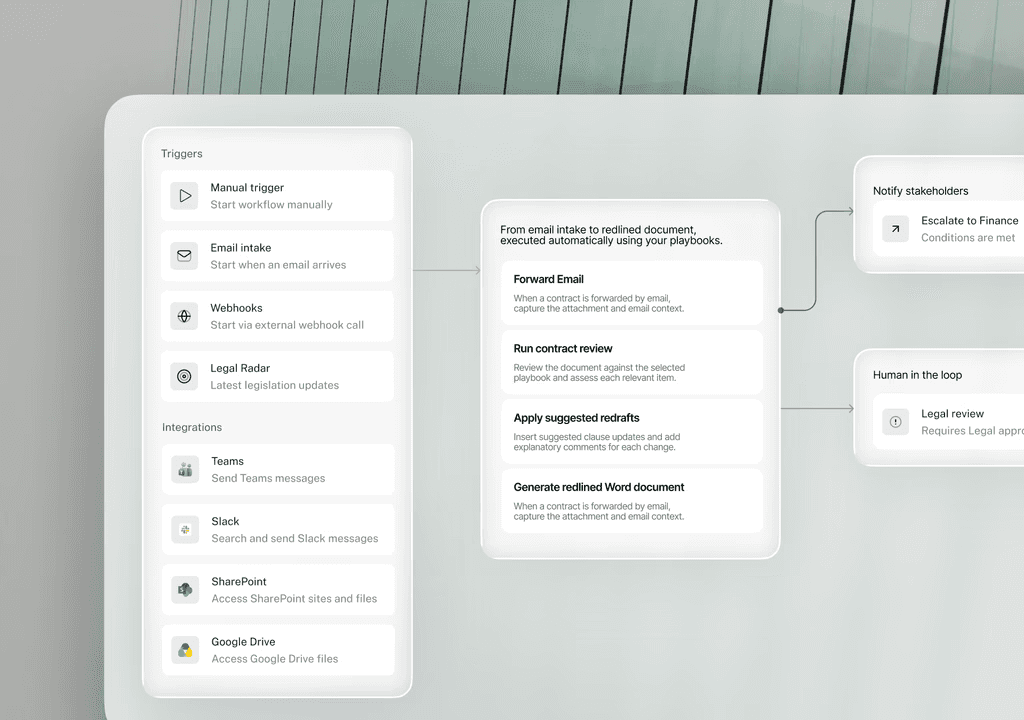
Here's how a complete legal workflow looks in practice:
Intake triggers automatically
Your sales team emails a request to draft a vendor NDA. That email, sent to a designated address, triggers an Agent Studio workflow automatically. No manual handoff. No emailed forms. No Slack threads asking "did anyone see this?" The request is captured the moment it arrives.
Smart routing and triage
Not all contracts follow the same path. A $50K vendor agreement doesn't need the same scrutiny as a $2M strategic partnership. A standard NDA doesn't require the same review as a data processing agreement. Agent Studio uses conditional logic to automatically route work based on deal value, contract type, jurisdiction, or risk profile. Different contracts go to different reviewers without manual assignment. Complex deals escalate to your General Counsel. Standard vendor agreements route to your ops counsel.
Agents execute the legal tasks
Once work is routed, LEGALFLY's agents execute the required legal tasks based on your workflow configuration. Draft the contract using your playbooks and templates. Review it for compliance and completeness. Flag risks. Research jurisdiction-specific obligations. All automatically based on your workflow logic.
Approval and notification
When a draft is complete, the right person is notified automatically. Your General Counsel. Your procurement lead. Your compliance officer. Whoever needs to see it gets a notification at the right time. They review, approve, request changes, or escalate. The workflow continues based on their decision, without further manual intervention.
Follow-ups and escalations
If a deal is stuck in review, LEGALFLY sends reminders. If a threshold is met, automatic escalations trigger. If approvals are pending, stakeholders are notified. Work doesn't stall because someone forgot to send an email.
The result: legal work moves consistently, automatically, and under your control. Your team spends time on judgment calls, not coordination.
Why your legal team should care
AI legal drafting isn't about replacing lawyers. It's about giving your legal team back the hours lost to repetitive work.
When you integrate AI into legal drafting with LEGALFLY, your team stops starting from scratch. Stop hunting for approved language. Stop chasing down variables across disconnected systems. Stop losing time to manual coordination between legal and business.
Instead, your legal team drafts faster, ensures consistency, and keeps control of every decision.
Your business gets legal documents faster, too. Vendor agreements turn around in hours, not days. Employee agreements reflect your latest standards immediately. Sales contracts stay compliant without slowing sales down.
And your legal team's time shifts from formatting and coordination to what they're actually trained to do: legal judgment, negotiation strategy, risk assessment, and counsel.
Ready to integrate AI into your legal drafting workflow?
LEGALFLY's Drafting agent is built for in-house legal teams. It understands jurisdiction-specific rules, and integrates completely with Microsoft Word. Most teams see their first templates live within weeks, not months. And because your team retains final control over every draft, you're not replacing lawyers. You're giving them back the time to do the work they were trained to do.
See how it works. Book a demo.