




Generate Word, Excel, and PowerPoint files directly from Discovery
Legal work doesn't end with an answer. It ends with a document, a report to share with the board, a spreadsheet to track obligations, a slide deck to present findings to a counterparty. Until now, that meant taking Discovery's output and rebuilding it manually in a separate tool.
That changes with this update. You can now ask Discovery to produce a Word document, Excel sheet, or PowerPoint presentation as the direct output of your query. Discovery builds the file, structures the content, and makes it available to download, ready to share, ready to present, ready to use.
In practice, that means:
Ask Discovery to summarise a set of contracts and produce a structured Word report. It builds the document for you.
Run a clause extraction across a document set and ask for the output in Excel. You get a populated spreadsheet, not a wall of text to copy out manually.
Brief a counterparty or internal stakeholder with a PowerPoint deck generated directly from your query. No reformatting required.
The output is the deliverable.
Most teams using LEGALFLY cut their contract review time in half within a few weeks of onboarding. Book a short demo to see how it works for your business.
Translate multiple documents in one go
Cross-border matters don't arrive one document at a time. Contract packs, regulatory filings, due diligence bundles. When volume is high, translating documents one by one creates a bottleneck before the real work has even started.
Translation in Discovery now works across multiple documents at once. Select or upload your files, tell Discovery which language to translate into, and LEGALFLY handles the rest in a single action. The same quality, the same speed, applied across your entire document set simultaneously.
Please note that bulk translation uses your translation credits in the same way as the Translation agent.
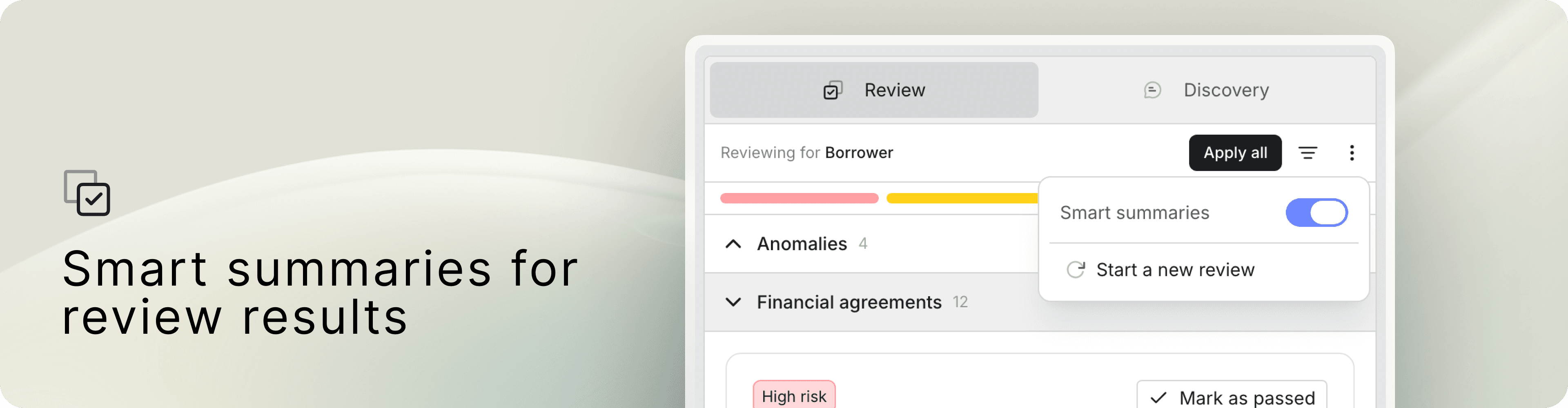
Smart summaries for review results
Every legal team has a preferred way to read review output. Some want to see the playbook item title exactly as it was written, a consistent reference point across every review. Others want to know immediately what was actually found in the document, without having to open the item to get to the finding.
A new setting in Review gives you the choice. Toggle check item titles between two display modes: off keeps titles exactly as listed in the playbook; on replaces each title with a short summary of the actual finding in the document you reviewed. Off by default, teams can enable it per review based on their preference.
It is a small setting with a meaningful impact on how quickly reviewers can scan results and prioritise what needs attention.
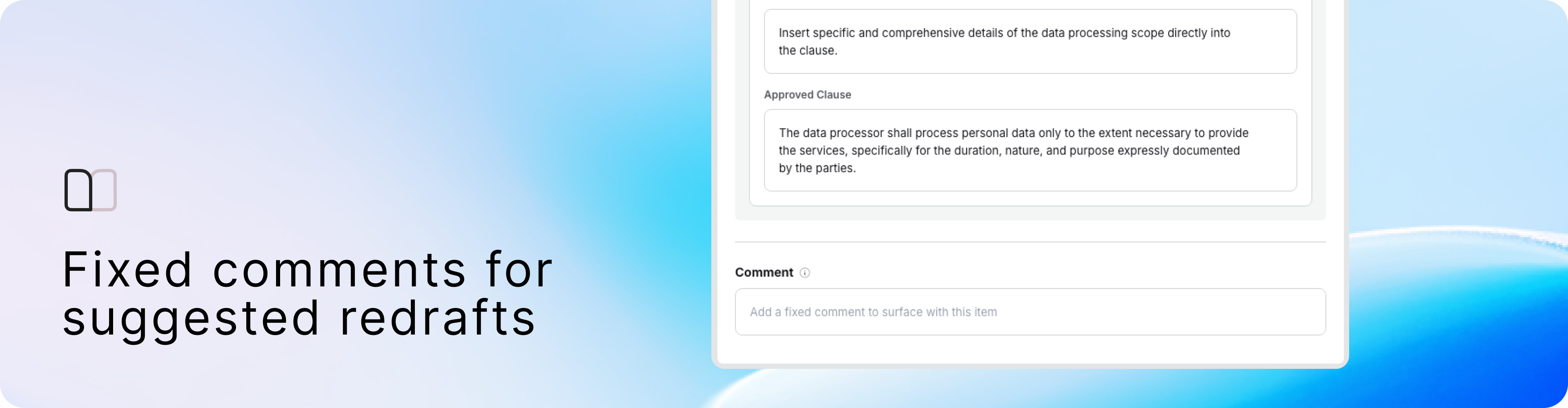
Fixed comments for suggested redrafts
When a suggested redraft is applied in a contract review, something gets inserted alongside it, an explanation of why the change was made. By default, that explanation is AI-generated. For legal teams with established negotiation positions and precise language requirements, that is not always what they want appearing in a document shared with a counterparty.
With this update, playbook authors can now define a fixed comment for each check item at the point of setup. When a reviewer applies a suggested redraft during a contract review, LEGALFLY automatically inserts the comment you defined, your language, not a generated explanation. The same comment, every time that redraft is applied, across every review that uses the playbook.
It gives legal teams full control over how suggested changes are communicated, and ensures the language that reaches counterparties and colleagues reflects the team's own standards.

Eleven new jurisdictions in Knowledge Collections
Knowledge Collections continues to grow. This month, LEGALFLY adds coverage across eleven new jurisdictions: Benin, Cambodia, Croatia, Georgia, Israel, Maldives, Mauritania, North Macedonia, Puerto Rico, Taiwan, and Tanzania, spanning Asia, Africa, the Americas, and Europe.
Learn more about Knowledge Collections.