




Legal workflow automation is rapidly transforming the way law firms and legal departments operate. As the legal sector faces increasing demands for efficiency, accuracy, and compliance, automation tools have become essential for staying competitive.
Legal teams are under more pressure than ever to move faster with the same headcount. Workflow automation is how the best in-house teams are doing it, removing manual handoffs, standardising review processes, and giving lawyers back time for work that actually requires their judgment.
This guide covers the ten best legal workflow automation tools in 2026.
Note: If your legal team is still managing contract approvals manually, chasing sign-offs, routing documents by email, and running compliance checks one agreement at a time, LEGALFLY automates the entire workflow inside the tools you already use. Contract review, drafting, compliance checks, and approval routing, all in one platform.
Most teams using LEGALFLY cut their contract review time in half within a few weeks of onboarding. Book a short demo to see how it works for your business.
Key Takeaways (TL;DR)
The Best Overall Legal Workflow Automation Tool: LEGALFLY, as it automates the legal work itself, contract review, drafting, compliance checks and regulatory monitoring, inside Microsoft 365 rather than in a separate system. The routing is automated too, but the routing was never the expensive part.
Why Do You Need It: Legal requests arrive faster than a lean team can process them, and each one passes through several inboxes before anyone does the work. 70% of teams bypass legal because of delays (Lawvu), which moves risk rather than removing it.
Who It's For: In-house legal, compliance and procurement teams at regulated enterprises. Law firms have a different shortlist, and the practice management platforms further down this list serve them better.
How to Choose the Right One: Decide whether you are automating a process or the legal work inside it, get the data handling answer in writing before the security review, and pilot on one workflow before rolling out across teams.
What Sets LEGALFLY Apart: LEGALFLY extends legal's own playbooks to procurement, compliance, HR and sales through Agent Studio, so the whole business self-serves inside rules legal set once, on documents anonymised before any AI sees them.
Top Legal Workflow Automation Tools in 2026: At a Glance
Tool | Best for | Standout features | Integrations |
LEGALFLY | In-house legal & procurement teams | AI contract review, Multi Review, Agent Studio workflows, Contract Intelligence, Microsoft 365 integration | Microsoft Word, SharePoint, Teams |
Clio Manage | Law firms & solo practitioners | Task automation, billing, doc management | DocuSign, Outlook, Google Drive |
Smokeball | Small to mid-size law firms | Automated templates, time tracking | Word, Xero, LawPay |
Litera Transact | Large law firms & deal teams | Deal workflow, closing checklists | iManage, NetDocs, DocuSign |
Actionstep | Mid-size law firms | Workflow automation, matter management | Office 365, Xero |
Ironclad | Enterprise legal teams | CLM, AI review, analytics | Salesforce, Slack, DocuSign |
Lawcus | Legal ops & small firms | Visual workflow builder, CRM | Google Workspace, QuickBooks |
Onit | Enterprise legal departments | E-billing, matter mgmt, automation | SAP, Microsoft 365 |
DocuSign CLM | All org sizes | Contract workflow, e-signature | Salesforce, Microsoft 365 |
HighQ (Thomson Reuters) | Law firms & corporates | Document mgmt, collaboration, workflow | iManage, Microsoft 365 |
What Are Legal Workflow Automation Tools?
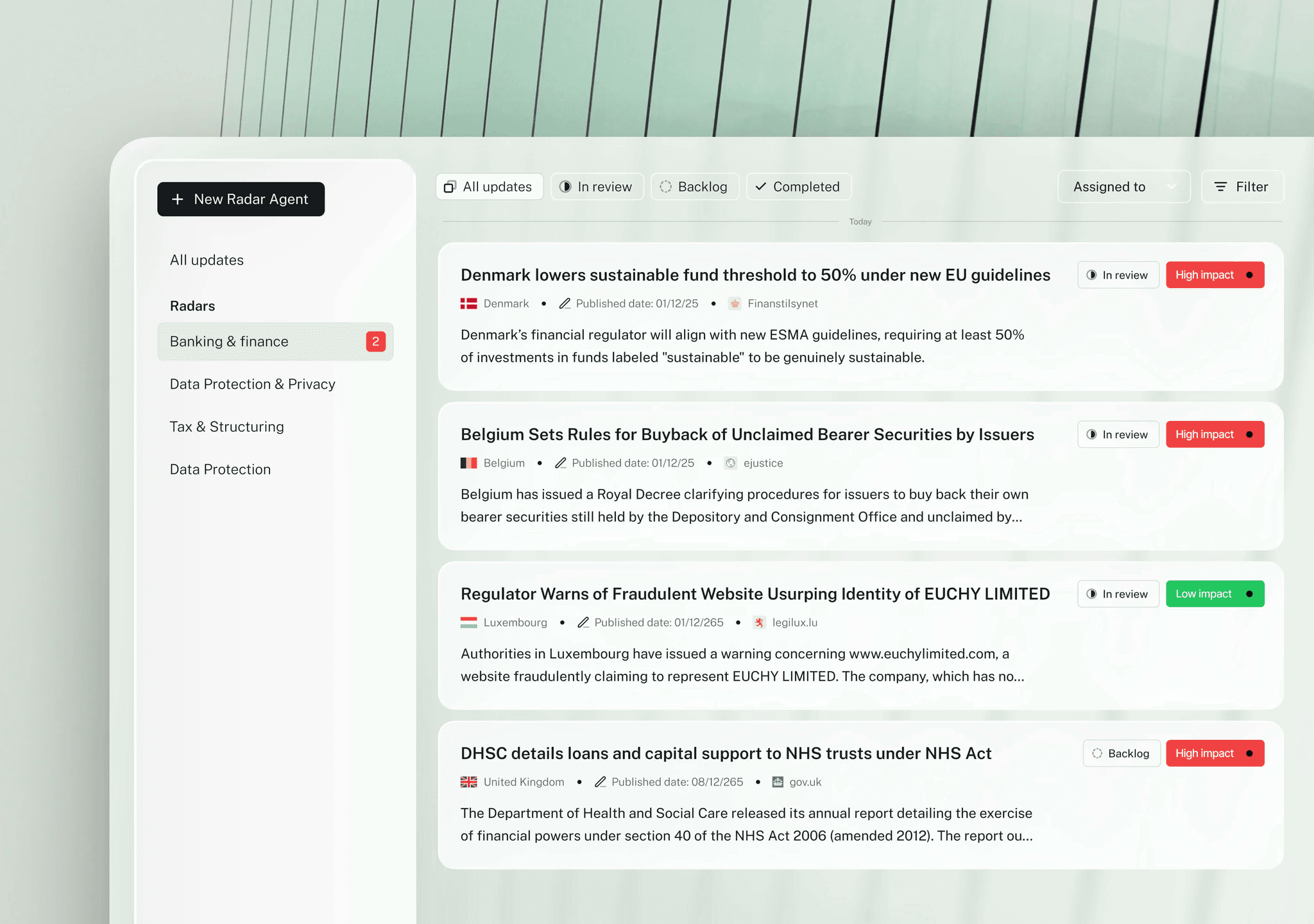
Legal workflow automation tools are specialised software solutions designed to streamline, standardise, and accelerate routine legal processes. Unlike traditional legal software, which often focuses on document storage or case management, these tools orchestrate entire workflows by automating repetitive tasks, routing approvals, and ensuring compliance at every step.
There are two categories inside that definition, and they are often confused during a shortlist. Process automation tools move work between people: intake, routing, approvals, signature, storage. Legal work automation tools do the task itself: review the clause, draft the document, check the contract against the new regulation.
Most enterprise teams need both, and the strongest platforms now cover both rather than forcing a choice. A team that only automates routing still has a two-hour review sitting in the middle of the process. A team that only speeds up the review still has requests waiting in inboxes between steps.
The question worth asking a vendor is which half it does natively and which half it expects you to buy elsewhere.
Key problems solved
Manual contract reviews, client intake delays, and compliance inconsistencies often slow legal operations. Workflow automation eliminates these bottlenecks by standardising review steps, automating document routing, and ensuring every task follows defined approval paths. This reduces administrative effort while improving accuracy and accountability.
The compounding cost is coordination. Every handoff between legal, procurement, finance and the requester adds a wait state, and the wait states are usually longer than the work itself.
How automation differs from standard legal software
Standard legal tools manage information, while automation tools manage processes. They connect multiple systems such as document management, e-signature, and billing platforms so tasks progress automatically from one stage to the next. They also provide real-time tracking, reporting, and audit trails, giving teams complete visibility over work in progress.
The practical test is what happens when nobody touches the file for a day. A system of record waits. An automation platform escalates, notifies or completes the next step on its own.
Common automated workflows
Common use cases include document review and approval, client intake and conflict checks, e-signature routing, and matter opening or closing procedures. By handling these repetitive steps automatically, legal teams can focus on higher-value work like negotiation, analysis, and client advisory.
In-house teams typically add a second tier: NDA turnaround for sales, vendor review for procurement, employment documents for HR, and portfolio checks when a regulation changes. Those are the workflows where automation returns the most time per pound spent.
By introducing AI-powered workflow automation, legal and procurement teams are cutting contract turnaround times by up to half and eliminating many manual errors that slow business operations.
LEGALFLY helps your team move faster: less time buried in contracts, more time on the work that actually matters. Book a call to see it in action.
Why Do You Need Legal Workflow Automation Tools?
The legal and procurement landscape is moving faster than ever. Workflow automation is no longer a nice-to-have; it is the foundation of efficient and compliant operations.
What changed is the expectation. Business teams that get instant answers everywhere else stopped accepting a five-day wait from legal, and the tools they reach for when legal is slow are the ones legal least wants them using.
Three pressures compound. A large share of any in-house team's week goes on contracts, most of it on documents that follow a pattern the team already recognises. Business teams route around legal when the queue gets long. And when they do, the tool they reach for is a general model that was never built for legal work and offers nothing to check its answer against.
Read together, those three describe a single trap. The team is overloaded, so the business routes around it, and when the business routes around it the tool they reach for is the one least suited to legal work. Automation breaks the loop from both ends: it absorbs the volume that made legal slow, and it gives the business a governed way to self-serve.
What's driving adoption
AI that works like your team. Intelligent review systems now flag risks, suggest redlines, and perform instant compliance checks.
Remote collaboration. Hybrid teams need centralised, digital-first processes that keep deals moving wherever people work.
Regulatory pressure. Expanding ESG, data, and cross-border obligations require auditable, policy-aligned workflows.
The business impact
Speed and accuracy. Automation removes manual handoffs and catches costly errors before they reach clients or suppliers.
Better client and stakeholder service. Faster and more transparent processes strengthen trust and retention.
Tangible ROI. Legal teams using automation report significant time recovered each year, reduce outside counsel spend, and experience fewer project delays. LEGALFLY's own verified results run from 20% time savings at Wealins to a 93% reduction in review time at Adeera.
Security and compliance built in
Leading tools such as LEGALFLY combine enterprise-grade encryption, full audit trails, and anonymisation to protect confidential data and meet global regulatory standards.
The question to press on is sequence rather than certification. Every serious vendor holds ISO 27001 and SOC 2 Type II; far fewer can say what happens to the document before the model reads it.
The 10 Best Legal Workflow Automation Tools For 2026
1. LEGALFLY
Overview
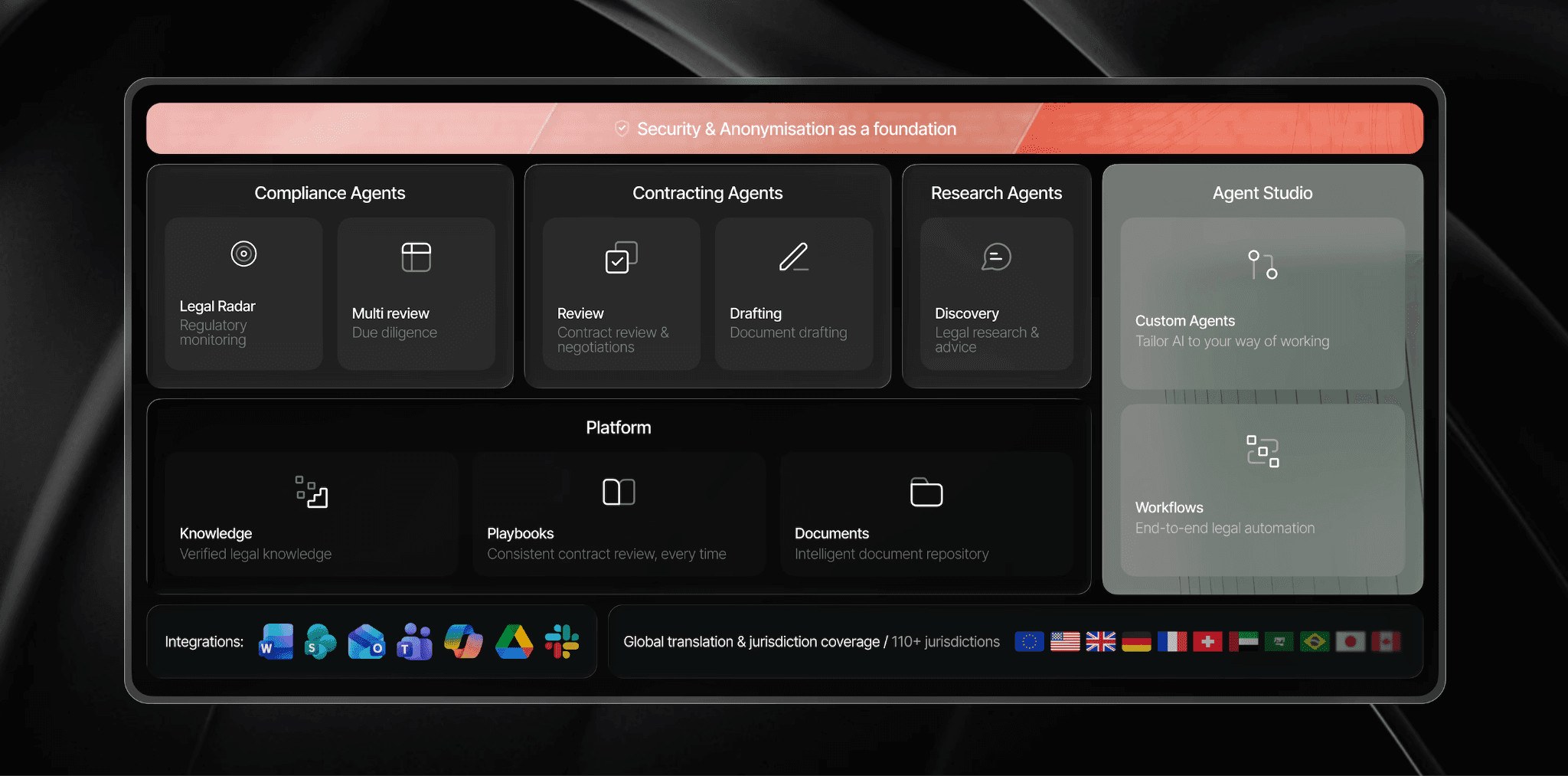
Most workflow automation tools manage processes. LEGALFLY automates the legal work itself, contract review, drafting, compliance checks, and allows you to join those tasks together with end-to-end legal automation, inside a single platform.
Legal teams at SAP, Lufthansa, and Bosch use it to cut contract review from two hours to 15 minutes, without removing your team from decisions that matter.
We built LEGALFLY as the legal operating system for corporates. Agents handle the work, a platform layer holds the knowledge, playbooks and documents behind them, and security and anonymisation sit underneath all of it. Agent Studio is the orchestration layer that turns those pieces into workflows that run without anyone chasing them.
The design goal was governed self-service. Legal defines the approved positions, the fallback language and the escalation thresholds once, and procurement, compliance, HR and sales then work inside those rules. Anything outside standard parameters routes back to legal automatically.
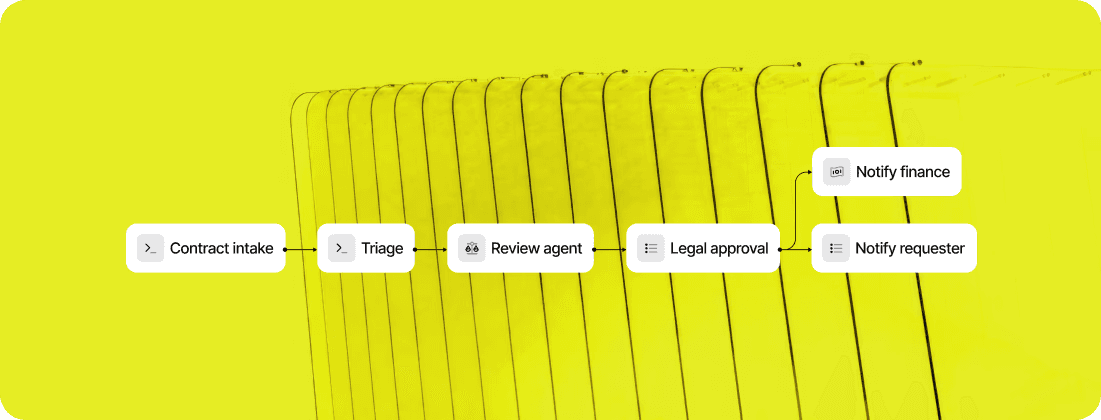
Here is what our legal workflow software can do:
Ideal For
In-house legal teams of 3 to 200 supporting a 200 to 100,000 person enterprise
Mid-to-large regulated enterprises automating contract review, approval routing and compliance checks inside Microsoft 365, without switching platforms or rebuilding existing workflows
Regulated industries where the security review decides the shortlist: banking, insurance, technology and manufacturing
Compliance teams tracking the EU AI Act, DORA, NIS2, CSRD and CSDDD across several jurisdictions
Procurement and sales teams that need to self-serve on routine agreements inside legal's rules
Organisations that need single-tenant or on-premise anonymisation for data residency
Top Features
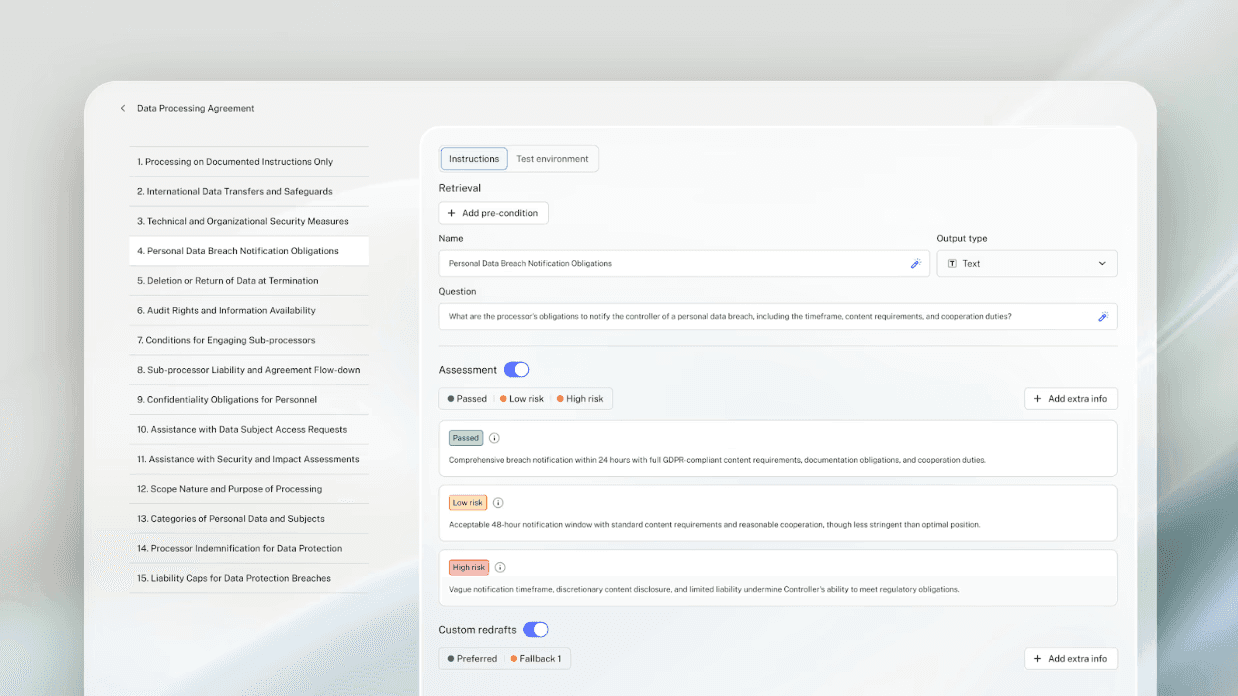
Playbook-driven contract review against your own positions, acceptable liability caps and fallback language, with 120+ lawyer-built playbooks across 100+ document types and the option to generate one from your golden contracts. Reviews that took hours finish in minutes with a full audit trail. See our playbooks here.
Contract drafting from your own templates rather than a blank page, with variables like party names, governing law and payment terms detected automatically, conditional clause logic by jurisdiction, and a reported 50% reduction in drafting time. See why we are ranked among the top legal drafting AI tools.
Batch compliance checks with the Multi Review agent, scanning hundreds of contracts in a single run against GDPR, DORA or any other framework, and exporting comparison tables and audit-ready packs instead of a list of flags.
Custom workflows with Agent Studio: multi-step chains for NDA approvals, supplier onboarding or compliance audits, triggered from email, Slack, Teams, a webhook or a Legal Radar update, with conditional routing, escalation thresholds and legal sign-off built into each stage.
Regulatory horizon scanning with Legal Radar across 70+ jurisdictions, monitoring official gazettes, supervisory authorities, regulators and courts, and testing impact against your own contracts and policies rather than reporting it in the abstract.
Privacy-first architecture: every document anonymised before any AI sees it, at the architecture level rather than as an optional setting, with SaaS, single tenant in your preferred Azure region, or single tenant with on-premise anonymisation.
Contract Intelligence for visibility across the contract lifecycle: what you have, what it obliges you to do, and what legal should prioritise next, recently announced and rolling out.
ISO 27001 and SOC 2 Type II certified, running inside Word, Outlook, Teams, Slack, SharePoint, Google Drive and NetDocuments, with a Microsoft Copilot connector.
Most teams using LEGALFLY cut their contract review time in half within a few weeks of onboarding. Book a short demo to see how it works for your business.
Customer reviews
LegalFly as an all-round efficiency booster. The review functionality has significantly improved my work processes, allowing me to analyse documents faster and more accurately. The discovery functionality has proved to be an absolute added value for me. It allows me to check off legal ideas and spar with an AI colleague, which enriches my thought process and helps me consider different perspectives. Nevertheless, it is crucial to remain critical as a legal expert. The lawyer remains the pilot making the final decisions, while LEGALFLY acts as a powerful co-pilot supporting and speeding up the process.
Lars V. | Lawyer - Capterra
Very good legal tool, I use Legalfly to summarise legal articles, give specific legal examples or ask general legal questions to get me started. Overall, I am very satisfied with how it works and with the output.
Verified User in Banking | Enterprise - G2
Across both listings the pattern is the same: reviewers describe review and research as the two capabilities that change their week, and consistently frame the tool as informing their judgement rather than replacing it. Adoption then spreads beyond the legal team, which shows up in four of our six published customer stories.
To find out how LEGALFLY could work for you, schedule a call with one of our experts.
Why We Stand Out?
the contract lifecycle. DocuSign owns signature and routing. Onit focuses on spend and matter management.
LEGALFLY is the only platform on this list built exclusively for in-house legal teams that automates the legal work itself, not just the process around it. Contract review, drafting, compliance checks, and regulatory monitoring all run inside Microsoft 365, with automatic data anonymisation before any AI processing begins. No manual redaction. No platform switching. No generic AI applied to sensitive documents.
For in-house legal teams at regulated enterprises managing contracts at volume, that combination of legal depth, privacy-first architecture, and Microsoft 365 integration is what puts LEGALFLY at the top of this list.
LEGALFLY is a complete AI legal operating system rather than a point tool. The agents do the legal work, Agent Studio routes and escalates it, and Contract Intelligence gives legal visibility over what sits in the portfolio and what needs attention next. All three run against the same playbooks, so the standard applied in a review is the same standard that decides whether something escalates.
That matters because most platforms cover one layer. A CLM moves contracts through the business but leaves the review manual. A review tool speeds up the analysis but leaves requests waiting between steps. Running both means two systems with two sets of rules, and reconciling them usually becomes somebody's job.
The second difference is who gets to use it. Legal AI usually stops at the legal department. Agent Studio extends legal's own playbooks to procurement, compliance, HR and sales, so the people who generate the work can move it themselves inside rules legal wrote once.
The third is where anonymisation sits. Documents are anonymised before analysis begins, on an architecture designed pre-LLM rather than added later as a compliance layer. That is what gets a workflow through a security review at a bank, an insurer or a public body, and it is why the European Commission signed in 2026 after a competitive evaluation.
To find out how LEGALFLY could work for you, schedule a call with one of our experts.
Pros
Covers the whole legal operating system: the legal work, the routing around it through Agent Studio, and portfolio visibility through Contract Intelligence
Agent Studio extends legal's own rules to procurement, compliance, HR and sales, with human approval built into each workflow
Documents anonymised before analysis, with SaaS, single-tenant and on-premise deployment options
Runs inside Word, Outlook, Teams, Slack, SharePoint, Google Drive and NetDocuments, so adoption does not depend on a new interface
ISO 27001, SOC 2 Type II and GDPR, with onboarding measured in days rather than months
Cons
No matter management, e-billing or time recording, so law firms will need something else alongside it
Sales-led, so evaluation starts with a demo and a scoping conversation
Workflows are only as good as the playbooks behind them, which takes time upfront with your approved positions
How LEGALFLY Agent Studio automates legal workflows: step by step
Agent Studio is not a task tool. It is a workflow tool. Here is how in-house legal teams use it to move a legal request from intake to approval without manual coordination at every stage.
Step 1: The request comes in
A legal request arrives via email, Slack, or Microsoft Teams, or is submitted manually inside the platform. Agent Studio captures it and routes it into the correct workflow automatically. No inbox management, no manual triage, no forwarding to the right person.
Step 2: Configure your workflow logic
You define what happens at each step: which agent handles the task, what routing rules apply based on contract type, department, or risk level, and when escalation is triggered. This is set once and runs automatically every time that workflow type is initiated.
Step 3: LEGALFLY agents execute the work
The relevant LEGALFLY agent handles the legal task. That could be contract review against your playbooks, due diligence across multiple documents, legal research via the Discovery agent, or a custom agent built around your specific use case. The work runs based on the logic you configured, without anyone in legal manually assigning or monitoring it.
Step 4: Escalation happens automatically
If a contract meets a defined risk threshold or requires senior sign-off, Agent Studio escalates it through the approval chain you have set up. Contracts that do not require escalation move forward on their own. Nothing stalls because someone forgot to follow up.
Step 5: Legal reviews and approves
At every decision point you have defined, legal receives the output for review and approval before it moves to the next stage. Your team stays in control of every consequential decision. What changes is that the process delivers the work to them, rather than requiring them to chase it.
Step 6: Stakeholders are notified automatically
When a step is complete or requires attention, the right person is notified, whether that is legal, sales, procurement, or another stakeholder. No manual status updates, no chasing across email threads.
Final Verdict
LEGALFLY is the strongest fit on this list for teams that want one system covering the legal work, the routing around it and visibility over the contract portfolio, particularly where the security review decides the shortlist. Most teams start with one workflow, usually NDA turnaround or vendor review, then extend the same playbooks to a second team once the first is stable.
Teams that need matter management, trust accounting or time capture should pair it with a practice management tool, or look at the firm-side platforms further down this list. It does not try to be that product.
Click here to book a demo and see how LEGALFLY can automate your most time-consuming legal workflows.
To find out how LEGALFLY could work for you, schedule a call with one of our experts.
2. Clio Manage
Overview
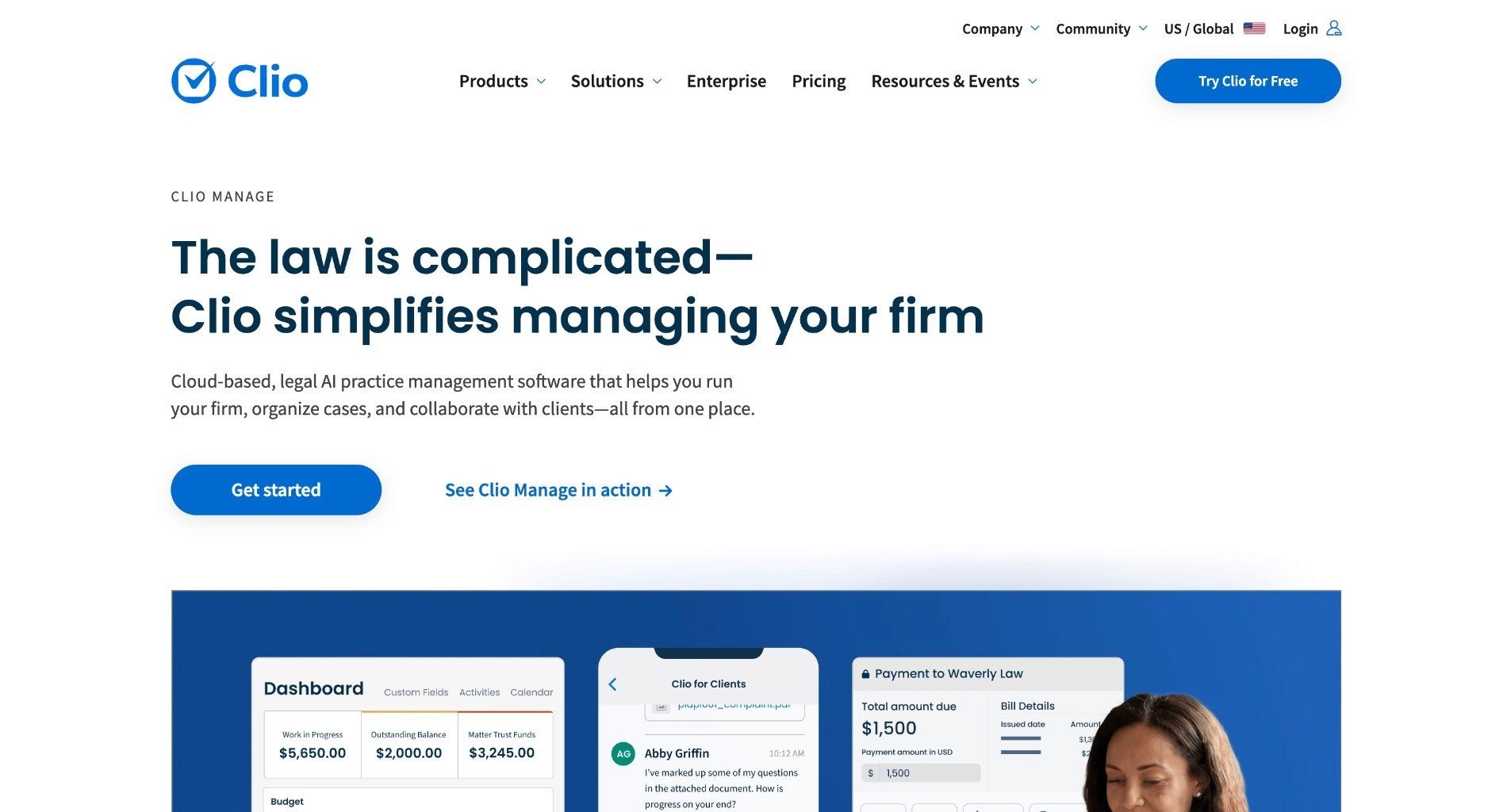
A well-known platform for law firms of all sizes, Clio automates task management, billing, and document workflows, helping smaller teams eliminate administrative overhead. Clio's intuitive dashboard centralizes client intake, calendaring, and trust accounting with seamless integrations to QuickBooks and Microsoft 365, enabling solo practitioners and small firms to automate matter pipelines from initial consultation to invoicing.
Its mobile app supports on-the-go approvals and time tracking, reducing no-shows through automated reminders, while robust reporting tools provide insights into billable hours and firm performance without manual data entry.
Clio is the default answer in North American practice management, with the largest integration ecosystem in the category and a tier structure that runs from solo practitioner to full firm deployment without a migration in between.
Ideal For
Solo practitioners and small to mid-size law firms
Firms that want a platform they will not outgrow as they add fee earners
Practices needing trust accounting and IOLTA compliance out of the box
Teams replacing several disconnected tools with one platform
Top Features
Matter management from intake through to invoicing
Time tracking, billing and trust accounting on every plan
Client intake, calendaring and automated reminders
A large integration ecosystem including QuickBooks, Outlook, Google Drive and DocuSign
Mobile app for approvals and time capture away from the desk
Customer Reviews
Rated 4.6 out of 5 from 997 reviews on G2. Reviewers repeatedly name ease of use, docketing, billing and the client portal as the strengths, and solo and small-firm users describe it as the platform that let them retire two or three separate tools. Remote and hybrid teams single out how searchable everything is once matters are in one place.
The recurring criticisms are billing quirks and limited customisation. Several reviewers also note that document management and the client portal only arrive on the higher tiers, so the entry plan is not the working plan for most firms.
Why They Stand Out?
Clio is one of the strongest choices for firms that want a platform they will not outgrow. The tier structure means a solo practitioner and a fifty-lawyer firm can run on the same system without a migration between them.
The integration ecosystem is the other advantage. Most tools a small firm already uses connect to Clio, which removes the integration risk that stalls practice management projects elsewhere.
Pros
Four tiers spanning solo practitioners to full firm deployments
Largest integration ecosystem in practice management
Fast onboarding with minimal IT involvement
Trust accounting included rather than sold as an add-on
Cons
Built for firms, so there is no in-house contract review capability
Document management and client portal require higher tiers
Reviewers cite limited customisation as the platform scales
Final Verdict
Clio Manage is one of the smartest choices for a law firm that wants quick onboarding and a platform with room to grow.
It is not an in-house contract review tool and does not try to be. In-house legal teams evaluating this list should look at the enterprise CLM and legal AI entries instead.
3. Smokeball
Overview
Best suited for small to mid-size firms, Smokeball automates legal document creation and matter management while tracking activity-based time to improve productivity. Powered by AI-driven document automation, it auto-populates templates from case data, streamlines mergers & acquisitions workflows, and captures billable time automatically across emails and calls.
Firms claim faster document assembly and improved realization rates through integrated billing that flags unprofitable matters early, making it ideal for personal injury or family law practices needing quick scalability without IT overhead.
The product is desktop-first with cloud sync rather than pure cloud, which is unusual in 2026 and is a deliberate trade: deeper Microsoft Word integration and offline working in exchange for a heavier install.
Ideal For
Document-heavy practices such as personal injury, family and conveyancing
Windows-based firms wanting deep Microsoft Word automation
Firms that lose billable time to manual entry
Practices needing to work offline with later sync
Top Features
Automatic time capture across emails, calls and documents
Large form and template library with auto-population from matter data
Archie, the built-in AI assistant for drafting and document work
Integrated billing that surfaces unprofitable matters early
Desktop application with cloud sync for offline work
Customer Reviews
Rated 4.7 out of 5 from 386 reviews on G2 and 4.8 out of 5 from 360 reviews on Capterra, where 96% of sentiment is positive. That makes it the highest-rated tool on this list. Reviewers focus on two things above all: automatic time capture recovering hours they used to lose, and the Archie AI assistant speeding up drafting without degrading the writing.
Support is praised more consistently than for any other platform here, with vendor responses visible on most reviews. The criticisms cluster around billing features, which several reviewers call cumbersome or limited, and occasional software issues after updates.
Why They Stand Out?
Automatic time capture is the standout. For firms billing hourly, recovering time that would otherwise go unrecorded often pays for the subscription several times over, which makes the ROI argument unusually easy.
The document automation is the other strength. A large form library combined with auto-population from case data means routine documents assemble in minutes rather than being rebuilt each time.
Pros
Highest user ratings on this list across both G2 and Capterra
Automatic time capture across the working day
Deep Word integration and a large form library
Support quality named repeatedly in reviews
Cons
Reviewers describe the billing features as cumbersome or limited
Desktop-first architecture, so it is heavier to deploy than pure cloud tools
Firm-side focus with no in-house contract review capability
Final Verdict
Smokeball is a strong option for document-heavy firms on Windows that bill hourly and lose time to manual entry, and the ratings back that up.
In-house teams reviewing third-party paper are not the target user, and the billing criticisms are worth testing in a trial if invoicing is a big part of why you are switching.
4. Litera Transact
Overview
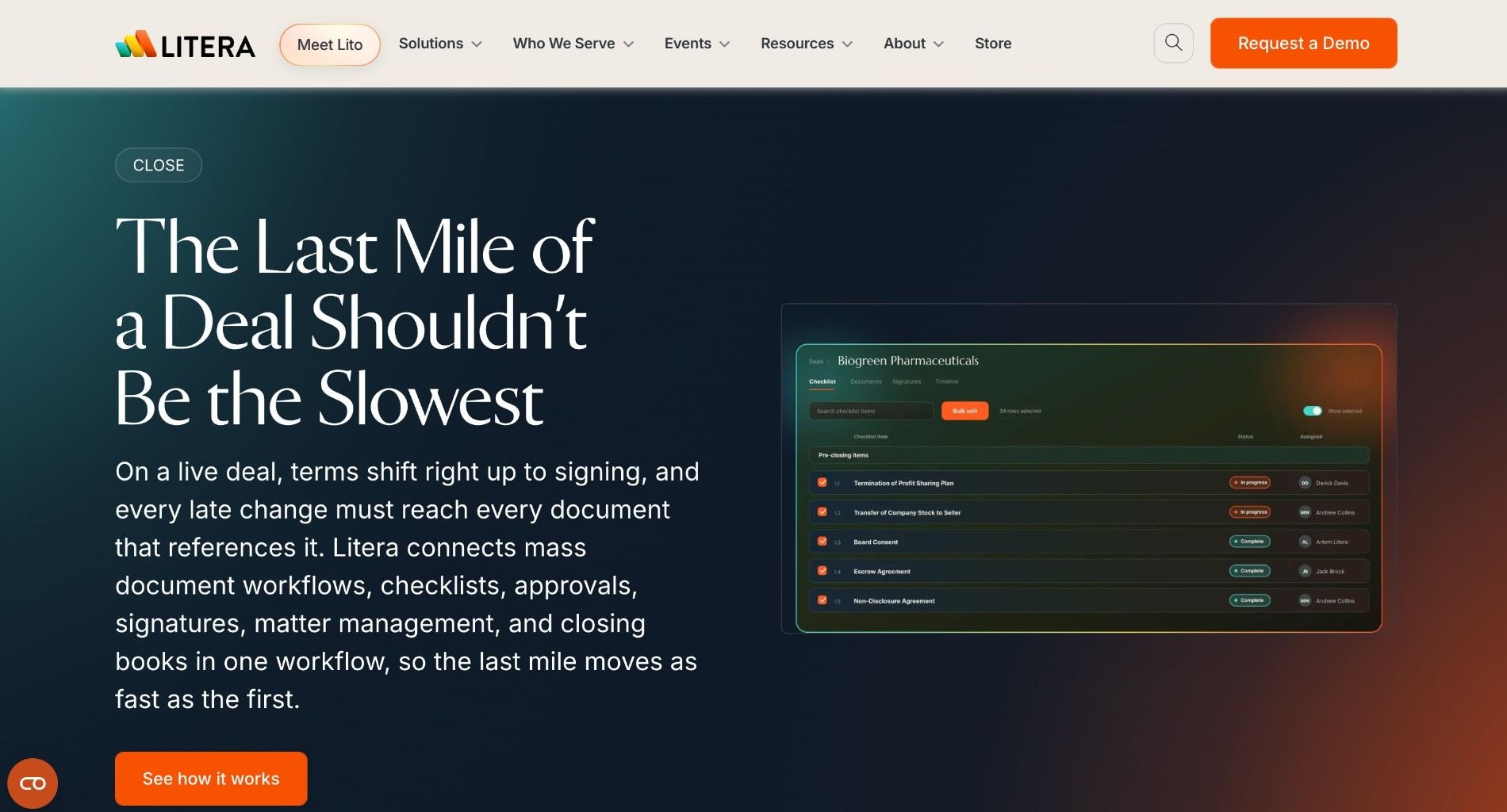
Focused on transactional practices, Litera Transact automates deal checklists and closing management, offering real-time visibility and collaboration for deal teams. It excels in M&A and real estate deals by syncing dynamic checklists across closings books, due diligence trackers, and stakeholder portals, with version control that prevents errors in high-stakes environments.
Integrated with DealRoom for secure file sharing, it cuts closing times by automating certificate generation and post-closing audits, empowering corporate teams at AmLaw 100 firms to handle complex transactions with minimal manual coordination.
It solves a specific and expensive problem: the coordination overhead of a closing, where dozens of documents, signatories and conditions have to line up on the same day. That is workflow automation in the literal sense.
Ideal For
M&A, finance and real estate transaction teams
Large firms managing multi-party closings against fixed dates
Corporate legal teams running deals alongside external counsel
Firms already invested in the Litera stack
Top Features
Dynamic closing checklists synced across all parties
Signature packet and certificate generation
Automated closing books and post-closing audit trails
Version control across documents in flight
Integration with iManage, NetDocuments and DocuSign
Customer Reviews
Rated 4.7 out of 5 on G2, but from only 15 reviews, so treat the score as indicative rather than settled. Reviewers consistently praise ease of use and flexibility, and describe the checklist and version control as the features that keep a transaction from drifting.
The most common criticism is the learning curve during initial setup, which several reviewers mention alongside otherwise positive scores. Nobody describes it as a tool you configure in an afternoon.
Why They Stand Out?
Litera Transact is one of the strongest options for closing management specifically. When twenty people need to see the same checklist and a missed signature page delays a deal, purpose-built tooling beats a shared spreadsheet by a wide margin.
The integrations matter here more than usual. Because it plugs into the document management systems firms already run, the deal documents stay where they were always kept, and adoption does not require a migration.
Pros
Purpose-built for closings, with checklists all parties can see
Strong version control in high-stakes, time-boxed work
Integrates with iManage, NetDocuments and DocuSign
Reduces coordination overhead on multi-party transactions
Cons
Narrow to transactional work, with no day-to-day contract review
Reviewers report a learning curve during setup
Small review base, so buyer evidence is thin
Firm-side workflows rather than in-house self-service
Final Verdict
Litera Transact is the right tool for deal closings and one of the smartest choices available for that job.
It is the wrong tool for the contracts that arrive every week. If your problem is volume rather than coordination, nothing in this entry addresses it.
5. Actionstep

Overview
A comprehensive practice management solution for mid-size and large firms. It supports workflow automation, reporting, and matter management in a single platform. Actionstep's no-code workflow builder lets firms customize intake-to-closeout processes for litigation or conveyancing, with API-driven integrations to Xero accounting and DocuSign for end-to-end automation.
Its relational database handles unlimited matters and custom fields, delivering real-time dashboards on KPIs like cycle times and WIP, which helps scaling firms in Australia and the US streamline operations across multiple offices without vendor lock-in.
The defining choice is configurability. Rather than shipping fixed workflows, Actionstep gives firms a builder and expects them to design their own, which is powerful for firms with a clear process and heavy going for firms without one.
Ideal For
Mid-size and larger firms with a documented internal process
Multi-office practices needing consistent workflows across locations
Firms in Australia, New Zealand, the UK and US wanting local accounting integrations
Practices that have outgrown a simpler platform
Top Features
No-code workflow builder for intake-to-closeout processes
Relational database with unlimited matters and custom fields
Real-time dashboards on cycle times and work in progress
API-driven integrations including Xero, Office 365 and DocuSign
Practice-area templates for litigation and conveyancing
Customer Reviews
Rated 3.9 out of 5 from 14 reviews on G2, the lowest score of any tool on this list and worth reading carefully. Positive reviewers praise the customisation and workflow automation, and several describe it as a system that grew with the firm over a decade.
The negative reviews are unusually pointed. Support quality is the recurring complaint, including one reviewer who scored it zero and named the support team specifically, and dashboard customisation comes up repeatedly as harder than expected. G2 also lists average time to implement at five months, the longest on this page.
Why They Stand Out?
Actionstep is one of the stronger options for firms that want to encode their own process rather than adopt someone else's. The workflow builder is genuinely flexible, and the reporting on cycle times gives managing partners a view most platforms do not.
The custom field model is the other advantage. Firms with unusual matter types can model them properly instead of forcing them into a fixed schema.
Pros
Highly configurable no-code workflow builder
Strong reporting on cycle times and work in progress
Scales across multiple offices without vendor lock-in
Good accounting integrations in several markets
Cons
Lowest user rating on this list, with support quality the recurring complaint
Five-month average implementation according to G2
Configuration usually needs a partner to do well
Firm-side focus with no AI review of contract content
Final Verdict
Actionstep is a reasonable fit for mid-size firms that want to design their own processes and have the internal appetite to do it properly.
The review scores and the implementation timeline both argue for a careful reference check before signing, particularly on support. Firms wanting something that works out of the box will find lighter options faster to live.
Most teams using LEGALFLY cut their contract review time in half within a few weeks of onboarding. Book a short demo to see how it works for your business.
6. Ironclad
Overview
An enterprise-grade contract lifecycle management platform. Ironclad uses AI for contract analysis, approval routing, and risk detection, giving in-house teams full visibility over their contract pipeline. Its Workflow Designer maps multi-stage approvals with conditional logic, while the AI-powered repository searches clauses instantly and generates insights on negotiation trends.
Many companies rely on it for self-service contracting via pre-approved templates, reducing cycle times by 80% and ensuring compliance through obligation tracking that alerts on renewals and milestones.
Ironclad is a system of record first. It is very good at moving a contract from request to signature to renewal with the right approvals along the way, which is a different job from making the review itself faster.
Compare LEGALFLY vs Ironclad legal AI.
Ideal For
Enterprises whose bottleneck is intake, approval and storage
Sales-led organisations running contracts through Salesforce
Legal teams enabling self-service contracting from approved templates
Businesses tracking obligations and renewals across a large executed portfolio
Top Features
Workflow Designer for multi-stage approvals with conditional logic
Searchable repository with obligation, renewal and milestone tracking
Jurist AI assistant for contract analysis and risk detection
Deep Salesforce integration alongside Word, Slack and DocuSign
Self-service contracting from pre-approved templates
Customer Reviews
Rated 4.4 out of 5 from 324 reviews on G2 and 4.4 from 67 reviews on Capterra, with 88% positive sentiment. Reviewers name ease of use, integrations, collaboration and the approval process as the strengths, and several describe renewals transitions and end-to-end contract management as the reason they stayed.
The criticisms are consistent enough to plan around: search is hard to use, the learning curve is steep, and more than one reviewer reports that the AI playbook and collaboration features fall short of the marketing. G2 lists average time to implement at four months and return on investment at 13 months.
Why They Stand Out?
Ironclad is one of the strongest choices for enterprise CLM, with analyst coverage and integration depth few competitors match. For a large organisation that needs one governed path from request to renewal, it is a defensible shortlist entry.
The Salesforce integration deserves particular mention. Where sales owns the start of the contract process, having the workflow live inside the CRM removes the handoff that causes most of the delay.
Pros
Mature CLM with deep Salesforce, Word and Slack integrations
Conditional approval routing that mirrors real governance
Obligation tracking with renewal and milestone alerts
Large, consistent review base across both listing sites
Cons
Reviewers report search difficulty and a steep learning curve
AI playbook and collaboration features draw specific criticism
Four-month average implementation, 13 months to reported ROI
Implementation is a project rather than a pilot, touching sales, procurement and finance
Final Verdict
Ironclad is strong when the problem is the contract lifecycle itself, across several departments and a large executed portfolio.
If the problem is review quality and speed, a review-first platform gets you further for less, and can run alongside a CLM rather than replacing it. The review criticisms around AI playbooks make that split more likely, not less.
7. Lawcus
Overview
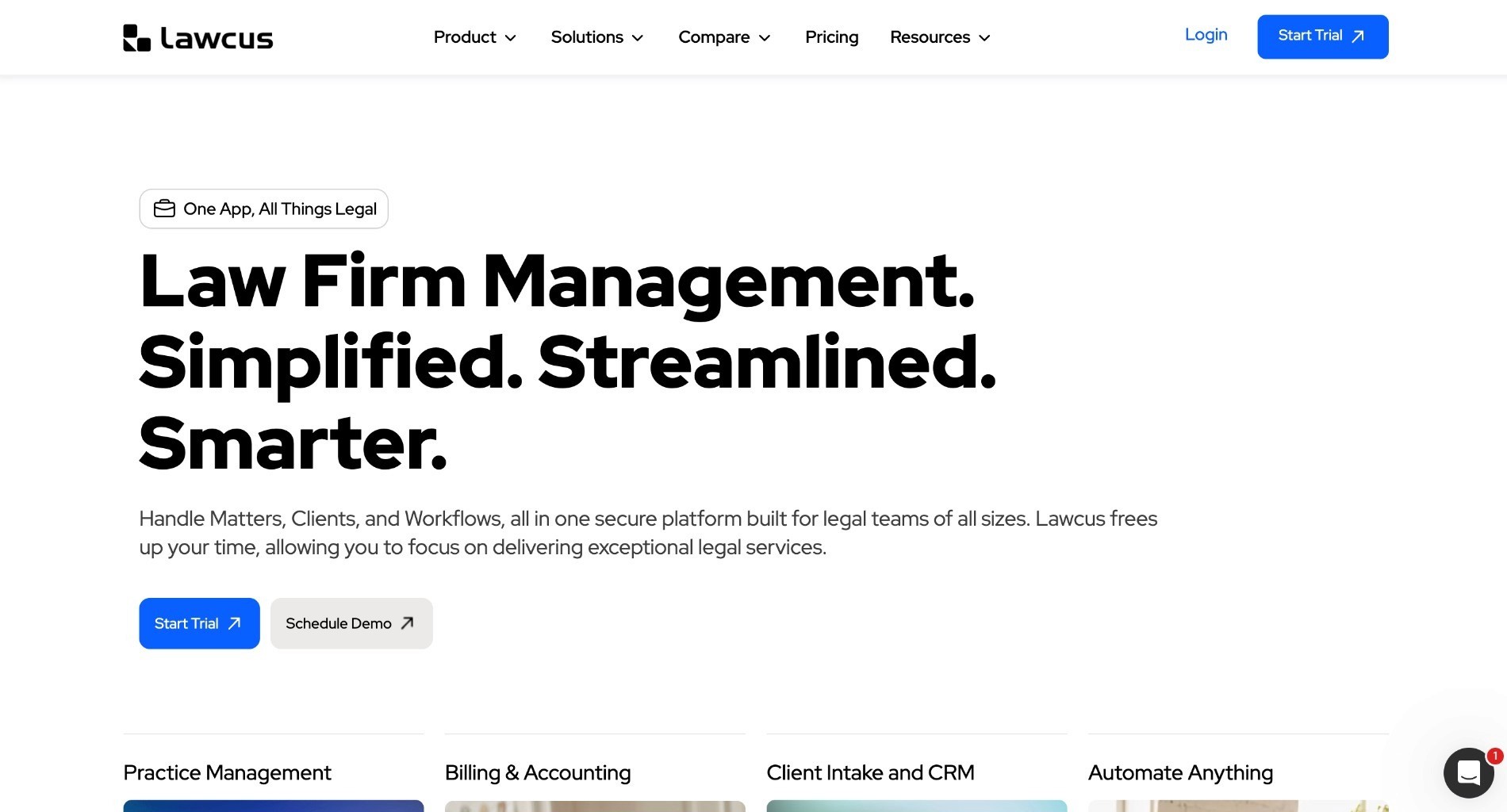
An easy-to-use visual workflow builder with built-in CRM functionality. Lawcus simplifies client intake, task automation, and collaboration across legal teams. Its drag-and-drop pipelines visualize matter stages with automated triggers for emails, payments, and deadlines, integrating natively with Google Workspace for flat-fee billing and client portals.
Small firms love its affordability and pipeline forecasting, which predicts bottlenecks and revenue, enabling solo attorneys to manage caseloads efficiently while fostering client relationships through branded portals and one-click invoicing.
The visual pipeline is the product's identity. Seeing every matter as a card moving through stages is a model borrowed from sales CRM, and it suits teams that think in pipelines rather than matter files.
Ideal For
Solo attorneys and small firms managing a visible caseload
Legal ops teams that need pipeline visibility more than deep matter records
Practices running flat-fee work with client portals
Teams already standardised on Google Workspace
Top Features
Drag-and-drop visual workflow builder with automated triggers
Built-in CRM and client intake
Branded client portals with one-click invoicing
Pipeline forecasting on bottlenecks and revenue
Native Google Workspace and QuickBooks integration
Customer Reviews
Rated 4.5 out of 5 from 10 reviews on G2 and 4.8 from 63 reviews on Capterra. Reviewers repeatedly praise responsiveness: the team ships features quickly and answers support requests personally, which several solo practitioners call the deciding factor.
The criticisms are specific rather than general. Timekeeping is called out as the weak spot, with reviewers describing multi-timekeeping functionality as limited and hard to integrate with billing. The mobile app and occasional bugs also come up, and one reviewer describes the interface as useful but clunky.
Why They Stand Out?
Lawcus is one of the more approachable options in the category. Teams that have bounced off heavier platforms often adopt it because the interface explains itself, and automation gets configured rather than planned indefinitely.
Combining intake CRM with matter pipelines in one product also suits firms where business development and case management are done by the same few people.
Pros
Visual pipeline builder that non-technical users can configure
Built-in CRM and intake, removing a separate tool
Responsive team named repeatedly in reviews
Among the most affordable options on this list
Cons
Timekeeping and billing integration are the recurring complaints
Mobile app functionality is limited compared with the web product
Small G2 review base
No AI contract review or legal work automation
Final Verdict
Lawcus is a practical pick for small firms and legal ops teams that need visible pipelines and simple automation without a configuration project.
Enterprise in-house requirements sit outside its scope, and firms that bill heavily by the hour should test the timekeeping module before committing, since that is where reviewers consistently push back.
8. Onit
Overview
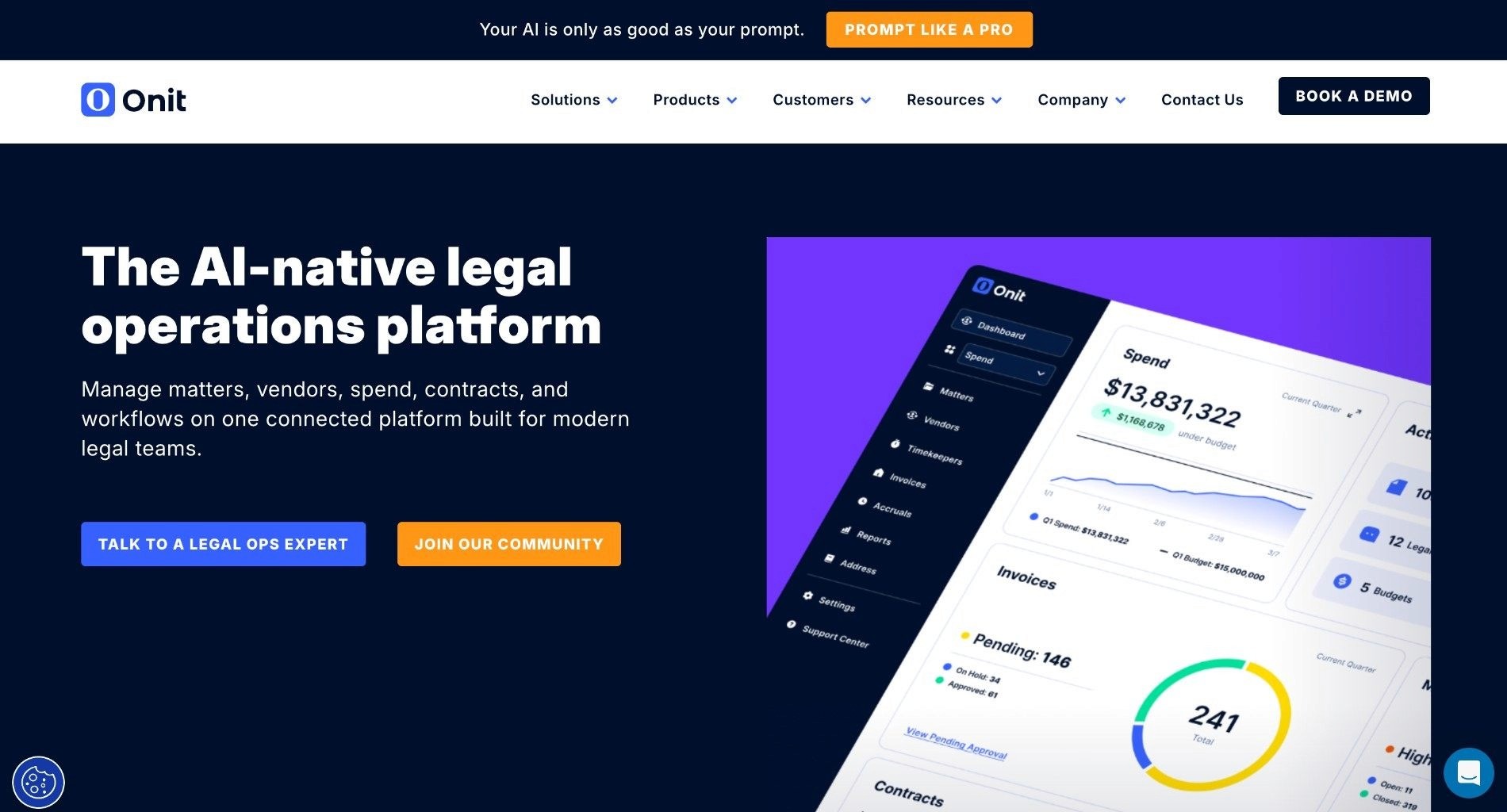
Designed for enterprise legal departments, Onit offers workflow automation, e-billing, and matter management solutions that scale globally across business units. Onit's low-code platform builds custom apps for spend management and outside counsel tracking, with AI analytics that optimize legal spend by benchmarking rates and matter budgets.
Fortune 500 teams use it for invoice review workflows that auto-approve routine bills and flag anomalies, integrating with SAP Ariba for procurement alignment and delivering ROI through reduced leakage and faster matter resolution.
Onit answers a question most tools on this list ignore: what legal costs and where it goes. Spend management, outside counsel tracking and invoice review are its centre of gravity, and the workflow automation is built around them.
Ideal For
Enterprise legal departments managing significant outside counsel spend
Teams needing e-billing and invoice review at volume
Legal operations functions reporting on budget and matter cost
Organisations aligning legal with procurement through SAP Ariba
Top Features
E-billing with invoice review workflows and anomaly flagging
Matter management with budget and spend tracking
Low-code platform for building custom legal apps
Rate benchmarking and spend analytics
SAP Ariba integration for procurement alignment
Customer Reviews
Rated 4.5 out of 5 from 82 reviews on G2, listed under Onit Enterprise Legal Management. Reviewers praise the interface and navigation, several noting that everything they need sits on one screen, and legal budget management draws specific praise from in-house teams.
Reporting is the consistent limitation. Multiple reviewers describe the reporting capabilities as basic relative to the rest of the platform, and onboarding is described as lengthy in more than one review. G2 lists time to implement at three months and return on investment at 22 months, the longest payback on this page.
Why They Stand Out?
Onit is one of the strongest options for legal spend, which is often the number the General Counsel is actually measured on. Auto-approving routine invoices while flagging anomalies removes a large and unglamorous workload.
The low-code layer is the other differentiator. Legal ops teams can build the small internal apps that would otherwise become spreadsheets, without waiting for IT.
Pros
Deep e-billing and outside counsel spend management
Low-code app building for legal operations
Rate benchmarking and budget analytics
Interface and navigation praised consistently in reviews
Cons
Reporting capabilities described as basic by multiple reviewers
22-month average return on investment according to G2
Spend and matter oriented rather than document oriented
No AI contract review depth
Final Verdict
Onit is the answer if the question is what you spend on legal and where the leakage is. For that job it is one of the smartest enterprise choices available.
It is not the answer to how long a contract review takes, and the reporting limitations mean legal ops teams who need analytics as the primary deliverable should test that module hard during evaluation.
9. DocuSign CLM
Overview
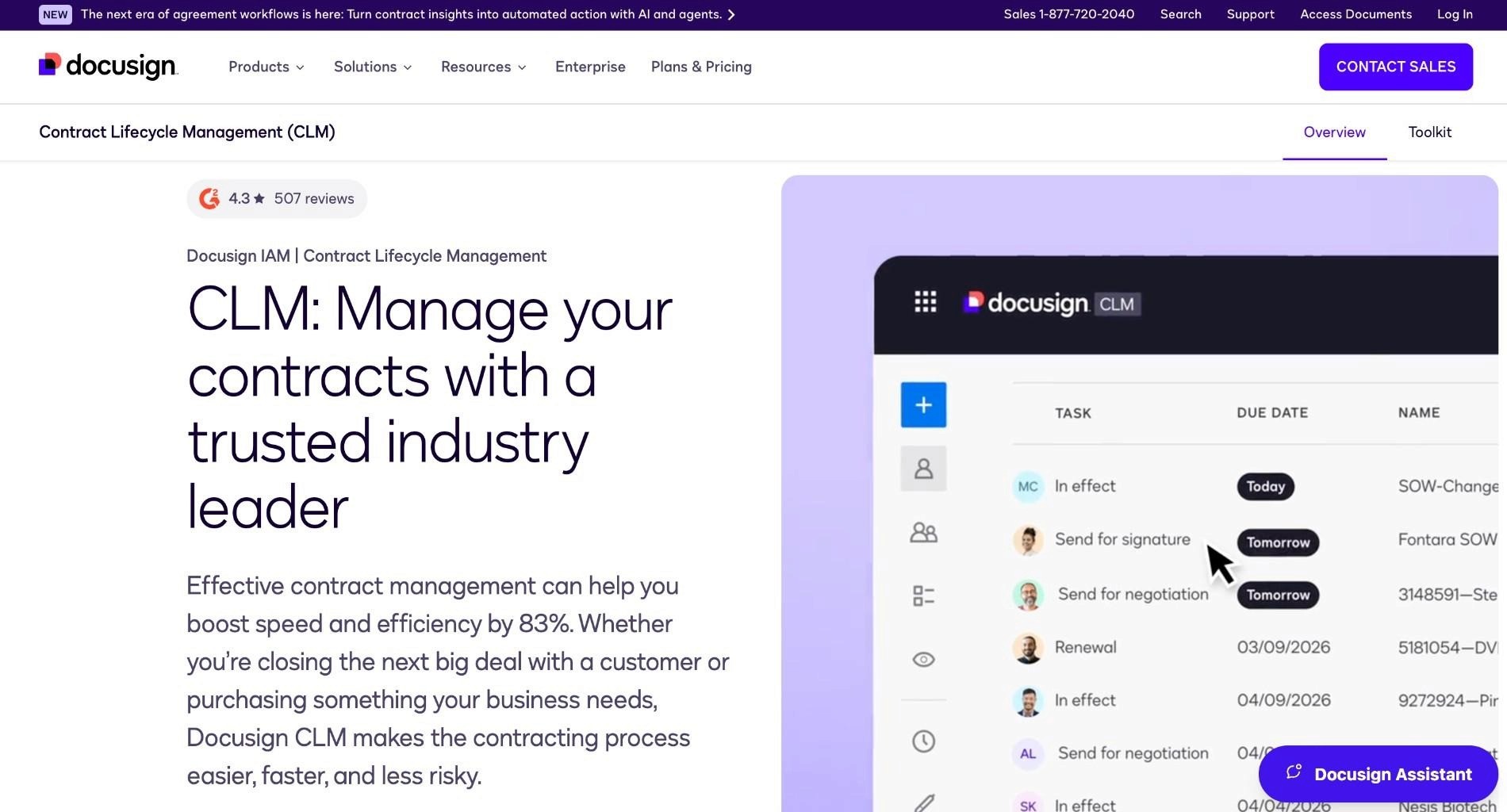
Extends DocuSign's well-known e-signature functionality into complete contract lifecycle automation, including clause libraries and approval tracking. DocuSign CLM's AI negotiator suggests optimal clauses from a centralized library, automates redlining during reviews, and routes agreements via dynamic workflows tied to Salesforce or Oracle.
Enterprise users like Coca-Cola benefit from its extract.ai for obligation extraction and renewal alerts, slashing contract storage silos and enabling searchable repositories that speed up authoring by 70% for sales and procurement teams. Learn more here.
The advantage is distribution. Most organisations already have DocuSign somewhere, and procurement and sales already know the interface, which removes the adoption barrier that slows every other CLM rollout.
Ideal For
Organisations already standardised on DocuSign for signature
Sales and procurement teams generating high agreement volume
Enterprises needing a searchable repository with renewal alerts
Teams running contract workflows through Salesforce or Oracle
Top Features
Contract lifecycle workflows tied to e-signature
Central clause library with suggested language
Obligation extraction and renewal alerts
Dynamic routing integrated with Salesforce and Oracle
Searchable repository replacing scattered storage
Customer Reviews
Rated 4.3 out of 5 from 503 reviews on G2 and 4.5 from 128 reviews on Capterra, the largest review base of any tool on this list. Reviewers name ease of use, digital signing and document management as the strengths, and several describe centralised contracts with an approval workflow built in as the main gain over their previous setup.
Complexity is the recurring criticism. Reviewers cite a steep learning curve, and more than one calls out complex initial setup and configuration. G2 lists time to implement at three months and return on investment at 13 months.
Why They Stand Out?
DocuSign CLM is one of the stronger options when signature volume is already high and the gap is everything around it: where agreements live, who approved them, and when they renew.
Familiarity is the underrated advantage. Business teams do not need convincing to use a DocuSign workflow, which removes the change management problem that sinks many CLM projects.
Pros
Signature and lifecycle management from one vendor
Wide existing adoption, so business teams already know it
Obligation extraction and renewal alerts
Strong CRM and ERP integrations
Cons
Reviewers point to complex initial setup and configuration
Steep learning curve and complex initial configuration
Review depth is thinner than dedicated legal AI
CLM sits on a separate licence from e-signature
Final Verdict
DocuSign CLM is a sensible choice when signature volume already sits on DocuSign and the gap is storage, routing and renewals rather than review quality.
If the bottleneck is the legal analysis itself, a review-first platform will do more of the work. The setup criticisms in the reviews mean it is worth scoping the modules you actually need before the first conversation with sales.
10. HighQ (Thomson Reuters)
Overview
A secure, highly configurable workflow and collaboration platform used by law firms and corporate legal teams to manage complex projects and client deliverables. HighQ's microservices architecture supports secure client portals, virtual data rooms, and automated matter workflows with embedded legal research from Westlaw, ideal for AmLaw firms handling cross-border deals.
Its no-code builder creates bespoke processes for e-billing and compliance, with real-time collaboration that unifies documents, tasks, and communications, reducing email overload and enhancing client satisfaction through branded extranets.
HighQ is best understood as a collaboration platform with workflow tooling attached. Its strongest use case is work that involves people outside your organisation, where a secure portal beats an email thread by a wide margin.
Ideal For
Law firms collaborating with clients through secure extranets
Corporate legal teams managing complex, long-running projects
Teams needing virtual data rooms alongside workflow
Organisations already invested in Thomson Reuters products
Top Features
Secure client portals and branded extranets
Virtual data rooms for transactions and diligence
No-code workflow builder for bespoke processes
Embedded Westlaw research inside the workspace
Document, task and communication management in one place
Customer Reviews
Most buyer feedback on HighQ comes through Thomson Reuters case studies and analyst coverage of legal project management rather than through independent software listings, which reflects how it is usually bought: as part of a wider Thomson Reuters relationship rather than as a standalone purchase.
The themes reported in that coverage are consistent: strong marks for secure external collaboration and configurability, weaker marks for time to value, since the platform rewards configuration and most of it happens during implementation.
Why They Stand Out?
HighQ is one of the strongest options for external collaboration under security constraints. Where the alternative is a shared drive and an email chain, the difference in control and auditability is substantial.
The configurability is the other strength, and the other cost. Almost any process can be modelled, which suits organisations with the time to model it properly.
Pros
Secure client portals and data rooms
Highly configurable no-code process builder
Embedded Westlaw research
Strong fit for cross-border and multi-party project work
Cons
Configuration heavy, with a longer time to value
Commonly bundled with other Thomson Reuters subscriptions
No independent review base to compare against the other tools here
No playbook-driven contract review
Final Verdict
HighQ is a strong choice for collaboration and client-facing project work where security and auditability matter and external parties are involved.
Contract review automation is not its centre of gravity. In-house teams whose problem is document throughput should look at the review-first platforms instead.
How to Choose the Best Legal Workflow Automation Platform (What To Consider)?
Selecting the right automation platform requires balancing functionality, usability, and compliance. The best solutions integrate seamlessly into existing systems while delivering measurable efficiency gains.
The factors below are ordered by how often they decide the outcome. The first one eliminates more shortlisted tools than the rest combined, because most teams discover it after signing rather than before.
1. Process Automation or Legal Work Automation
Decide which problem you are solving first. If reviews are slow, routing them faster will not help. If work sits in inboxes between steps, a review tool alone will not fix it.
Identify where automation delivers the greatest impact, whether that is contract review, approvals or compliance tracking, and start there.
2. Data Handling Before Processing
Ask in writing whether documents are anonymised before analysis or after, where processing happens, and whether the anonymisation component can run inside your own environment. Enterprise-grade encryption, role-based access and complete audit trails are the baseline, not the differentiator.
This is the question that most often kills a shortlisted tool late in the cycle. Bring the security team in during shortlisting rather than at contract, because a tool that fails this in month four has cost you the whole evaluation.
3. Core Features and Integrations
Look for tools that offer smooth integration with Microsoft 365, e-signature, and case management platforms. Customizable templates, automated analytics, and multi-user approval workflows help standardise processes and improve transparency.
Confirm the specific integrations your team already opens, not the logo wall. If your documents live in SharePoint, iManage or NetDocuments, a tool that only reads uploads is creating work rather than removing it.
4. Ease of Use and Onboarding
An intuitive interface embedded in familiar tools like Microsoft Word reduces training time and supports faster adoption across teams.
The review data on this page makes the point plainly. Implementation timelines run from days to five months across these ten tools, and the platforms with the highest ratings are consistently the ones people could use without a training programme.
5. Human Approval as a Designed Step
Automation without a defined approval gate creates a governance problem instead of solving a capacity one. Check that escalation thresholds, approval chains and audit logs are configurable rather than assumed.
At every decision point you define, legal should receive the output for review before it moves on. What changes is that the process delivers the work to them, rather than requiring them to chase it.
6. Scalability and Support
Choose a platform that scales with your organisation, offers flexible licensing, and provides responsive support with accessible onboarding and training resources.
Support quality separates the ratings on this page more than features do, and it rarely shows up in a demo. Ask for two references at your size, and ask them what happened the last time something broke.
7. Pilot, Then Roll Out in Phases
Run a small pilot using real matters or contracts, not the vendor sample set. Measure time savings, accuracy, and user adoption, then create a phased implementation plan with defined milestones and training support, involving legal and IT early.
Set clear goals and KPIs before you start, such as 50 percent faster contract cycles or zero compliance breaches. Extend to a second team only once the first workflow is stable, track performance as adoption grows, and review security settings and audit trails on a regular cycle. Start small by piloting automation with NDAs or vendor contracts before scaling to more complex matters.
For a deeper assessment framework, see How to assess legal AI platforms in 10 minutes. If contract review is the workflow you want to automate first, our guide to the best AI contract review software compares the tools that specialise in it.
LEGALFLY helps your team move faster: less time buried in contracts, more time on the work that actually matters. Book a call to see it in action.
Who Needs Legal Workflow Automation Tools?
Workflow automation gets bought by different teams for different reasons, and the shortlists barely overlap. A law firm automating intake and billing and an in-house team automating vendor review are solving unrelated problems with tools that both call themselves legal workflow automation.
Here is who benefits most, and which half of the category each one should be looking at.
1. In-House Legal Teams at Regulated Enterprises
A legal team of three to fifteen supporting a 200 to 5,000 person business across more than one jurisdiction. Volume arrives faster than headcount is approved, and every request routes through the same few people.
This is where automation returns the most, because the work is repetitive, the standard is already written down, and the queue is visible to the rest of the business. It is also where the security review is hardest, which narrows the shortlist quickly.
2. Compliance and Risk Teams
Teams tracking the EU AI Act, DORA, NIS2, CSRD and CSDDD need to know what changed, which of their own documents it touches, and be able to prove they acted on it.
Manual monitoring caps out at one or two jurisdictions per person. That ceiling is the reason compliance is usually the second team to adopt after legal, and often the one with the clearest business case.
3. Procurement Teams
Procurement owns the contracts that wait longest in the legal queue, and the wait is rarely about risk. Standard vendor paper sits behind negotiated commercial agreements because there is one queue and one set of reviewers.
Automated review against legal's playbook lets standard paper clear without a lawyer touching it, and routes genuine deviations for review. Supplier lead times drop without anyone loosening the standard.
4. Law Firms and Practice Management
Firms have a different shortlist. Practice management platforms such as Clio, Smokeball, Actionstep and Lawcus automate intake, billing, time capture and matter workflows, which is work in-house teams do not do at all.
Several tools below serve that market and are reviewed on those terms. If you are running a firm, those entries are the relevant ones, and the enterprise CLM and legal AI platforms will be heavier than you need.
Most teams using LEGALFLY cut their contract review time in half within a few weeks of onboarding. Book a short demo to see how it works for your business.
Everything You Need to Know About Legal Workflow Automation Tools
Tool | Pros | Cons | Ease of Use | Support | Best-Fit Buyer |
|---|---|---|---|---|---|
LEGALFLY | Automates the legal work itself; whole-enterprise workflows; anonymisation before analysis | No matter management or e-billing; sales-led, no free tier | ★★★★★ | ★★★★★ | In-house legal, regulated enterprises |
Clio Manage | Largest integration ecosystem; fast onboarding; trust accounting included | Firm-side only; billing quirks; limited customisation | ★★★★★ | ★★★★☆ | Solo and small law firms |
Smokeball | Automatic time capture; Archie AI drafting; praised support | Billing features called limited; desktop-first install | ★★★★☆ | ★★★★★ | Document-heavy firms on Windows |
Litera Transact | Purpose-built closings; version control; DMS integrations | Setup learning curve; thin review base; narrow to transactions | ★★★★☆ | ★★★★☆ | M&A and real estate deal teams |
Actionstep | Configurable builder; strong reporting; multi-office scale | Support complaints; five-month implementation | ★★★☆☆ | ★★☆☆☆ | Mid-size firms with a defined process |
Ironclad | Mature CLM; Salesforce depth; obligation tracking | Search difficulty; steep learning curve; AI falls short for some | ★★★★☆ | ★★★★☆ | Enterprises fixing the lifecycle |
Lawcus | Visual pipelines; built-in CRM; responsive team | Timekeeping gaps; limited mobile app | ★★★★★ | ★★★★☆ | Solo attorneys and small firms |
Onit | Deep e-billing; low-code apps; rate benchmarking | Basic reporting; 22-month payback | ★★★★☆ | ★★★★☆ | Enterprises managing legal spend |
DocuSign CLM | Signature and lifecycle in one; wide familiarity; renewal alerts | Expensive; complex setup; thinner review depth | ★★★★☆ | ★★★★☆ | Organisations already on DocuSign |
HighQ | Secure client portals; highly configurable; Westlaw embedded | Configuration heavy; usually bundled; no review base | ★★★☆☆ | ★★★★☆ | Firms collaborating externally |
Automate Your Legal Workflows with LEGALFLY
Legal workflow automation is now a core driver of efficiency, compliance, and client satisfaction. Teams that adopt the best legal workflow automation tools in 2026 will move faster, reduce risk, and position themselves for long-term growth.
Here is what that looks like in practice. A legal request arrives by email, Slack or Microsoft Teams, or is submitted inside the platform, and Agent Studio captures it and routes it into the right workflow automatically. No inbox management, no manual triage, no forwarding to the right person.
You define what happens at each step once: which agent handles the task, what routing rules apply by contract type, department or risk level, and when escalation is triggered. The relevant agent then does the work, whether that is contract review against your playbooks, due diligence across a document set, legal research through Discovery, or a custom agent built for your own use case.
If a contract meets a defined risk threshold or needs senior sign-off, it escalates through the approval chain you set up, and anything that does not moves forward on its own. Legal reviews and approves at every decision point you defined, and the right stakeholder is notified when a step completes. Nothing stalls because someone forgot to follow up, and nobody chases a status update across email.
That is the difference between automating the routing and automating the work. Legal defines the playbooks, the thresholds and the approval steps once, and procurement, compliance, HR and sales operate inside them.
To move forward:
Request demos from shortlisted vendors to see how automation fits your workflows. Book your LEGALFLY Demo
Download the comparison checklist to evaluate features, security, and ROI. Download the legal AI vendor checklist
Explore solutions from LEGALFLY to learn how explainable AI and secure automation can modernize your legal operations. Explore Insights
The future of legal work is automated, data-driven, and collaborative. Start your transformation today.
To find out how LEGALFLY could work for you, schedule a call with one of our experts.
FAQs About Legal Workflow Automation Tools
How long does it take to implement legal workflow automation software?
Most platforms can be piloted within two to four weeks, with full implementation typically completed in one to three months. Timelines depend on firm size, data readiness, and integration complexity.
Are legal workflow automation tools secure and compliant?
Yes. Leading platforms include enterprise-grade encryption, role-based access controls, and detailed audit trails. Tools such as LEGALFLY also anonymise sensitive data and meet major data protection standards, including GDPR and SOC 2 compliance.
Can legal workflow automation tools be customized for different firms or practice areas?
Absolutely. Most solutions allow firms to configure templates, approval chains, and playbooks to reflect internal policies and practice-specific workflows.
Do legal workflow automation platforms support remote or hybrid legal teams?
Yes. Cloud-based automation tools enable secure, real-time collaboration across locations. They integrate with communication platforms like Microsoft Teams and Slack to support distributed legal operations.
What is the ROI of legal workflow automation?
Firms typically report 30 to 60 percent faster turnaround times, fewer administrative errors, and substantial cost savings. Many achieve full ROI within the first year through time savings and reduced reliance on manual review.
How do legal workflow automation tools use AI?
Modern platforms incorporate AI to analyze documents, detect risks, suggest clause edits, and automate routine review tasks. This helps legal teams focus on strategy and client service instead of repetitive work.
What are the best legal workflow automation tools in 2026?
For in-house legal, compliance and procurement teams, LEGALFLY is the best legal workflow automation tool because it automates review, drafting and compliance checks inside Microsoft 365, with documents anonymised before any AI processing begins.
What is the best legal workflow automation platform for in-house legal teams?
The best legal workflow automation platform for an in-house team is one that applies your own playbooks, survives your security review, and runs inside the tools your team already opens. Most platforms in this category automate the routing while leaving the legal work manual, which moves the bottleneck rather than removing it. LEGALFLY automates the work itself and extends the same rules to procurement, compliance, HR and sales through Agent Studio, with legal approving anything outside standard parameters.
How does LEGALFLY differ from similar alternatives?
LEGALFLY differs by covering the whole legal operating system rather than one layer of it. Contract review, drafting, compliance checks and regulatory monitoring run against your own playbooks, Agent Studio chains them into workflows with human approval as a designed step, and Contract Intelligence gives legal visibility over the portfolio. Every document is anonymised before analysis begins, which is what gets the workflow through a security review in a regulated enterprise.
What is the difference between legal workflow automation and contract lifecycle management?
Legal workflow automation moves and executes work, while contract lifecycle management stores and tracks it. CLM platforms handle intake, approval routing, signature, repository and renewals, which makes them systems of record. Workflow automation with AI acts on what the contracts actually say: reviewing clauses against a playbook, drafting from approved templates, and checking a portfolio against a new regulation. Many enterprises run both, because they answer different questions.
Disclaimer: We wrote this article in September 2026. The information was based on our own online research and we were not able to manually test each tool or provider. The information is provided for educational purposes only and a reader should consider the specific requirements of their business when evaluating providers. This research is reviewed every six months. If you would like to request an update, feel free to contact us at marketing@legalfly.com.