





Most legal AI tools were built for standard commercial contracts or litigation workflows. They are not designed for transaction-heavy financial work, where legal decisions directly affect exposure, capital treatment, pricing, and regulatory compliance.
But legal AI can make a meaningful difference in financial institutions. It can reduce review time across long, technical agreements, improve consistency across negotiation rounds, flag non-standard risk positions early, and support regulatory and compliance analysis without increasing headcount.
A small number of platforms are built with the requirements of finance legal teams in mind. This guide explains how legal AI is used in finance, compares the leading platforms, and sets out how to assess whether a tool is suitable for complex financial contracts.
Note: If your finance legal team is spending days on credit agreements, derivatives documentation, and outsourcing contracts that require the same rigorous checks every time, LEGALFLY was built for exactly that environment. Playbook-driven review, pre-processing anonymisation, and full auditability inside Word and SharePoint. Book a demo to see how it handles your most complex financial contracts.
LEGALFLY - built for regulated finance workflows
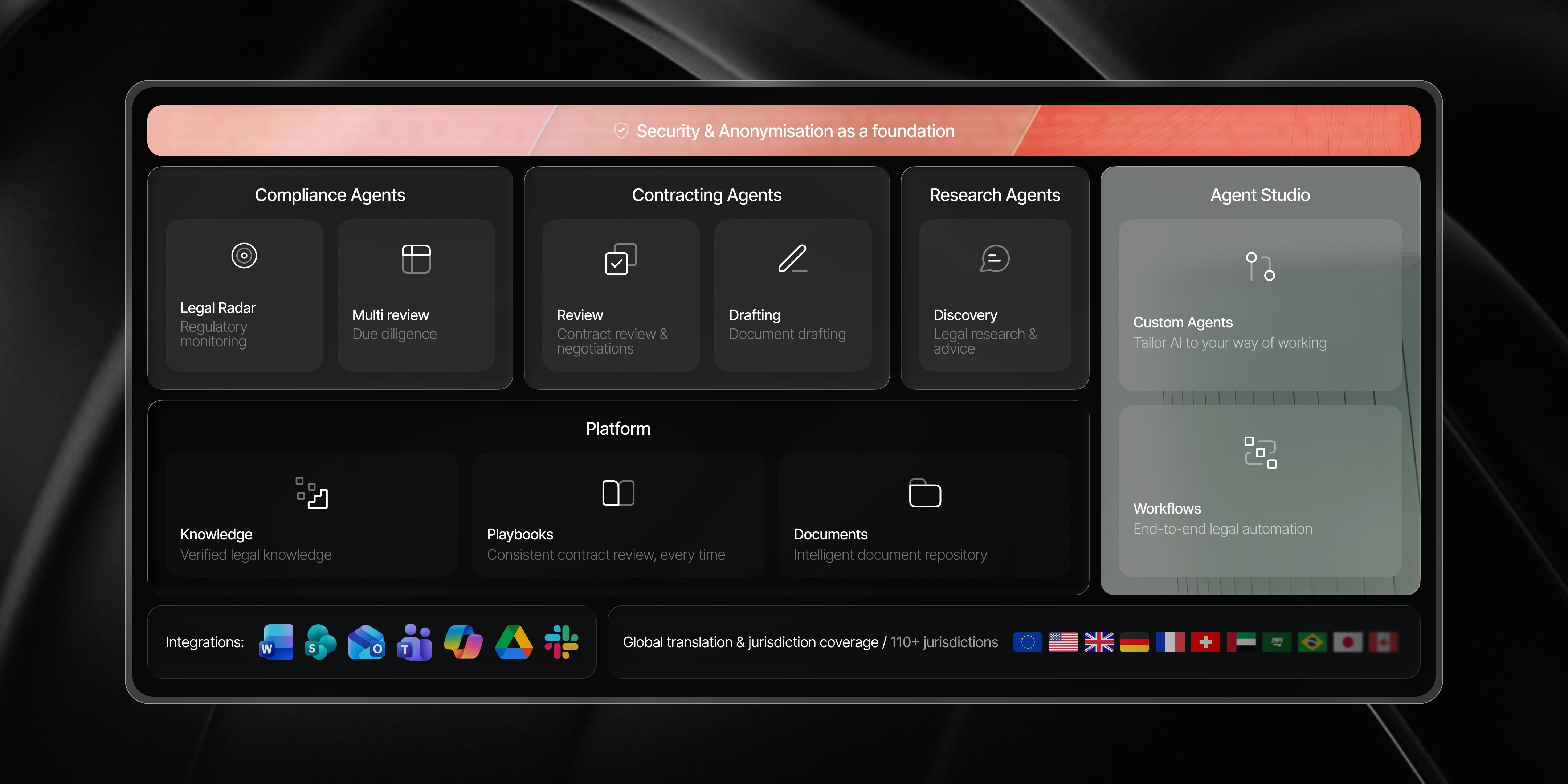
LEGALFLY is built for in-house legal teams in regulated financial institutions. It is designed for complex, transaction-heavy work where accuracy, consistency, and auditability are non-negotiable.
LEGALFLY anonymises documents before any AI processing begins
There's a reason why LEGALFLY is among the top contract review AI softwares. It is the only legal AI platform that anonymises documents before processing. Client data, counterparty details, and confidential deal terms are removed before any AI analysis begins. This allows teams to use AI on live transactions without exposing sensitive information, which is often a requirement for internal approval in banks and asset managers.
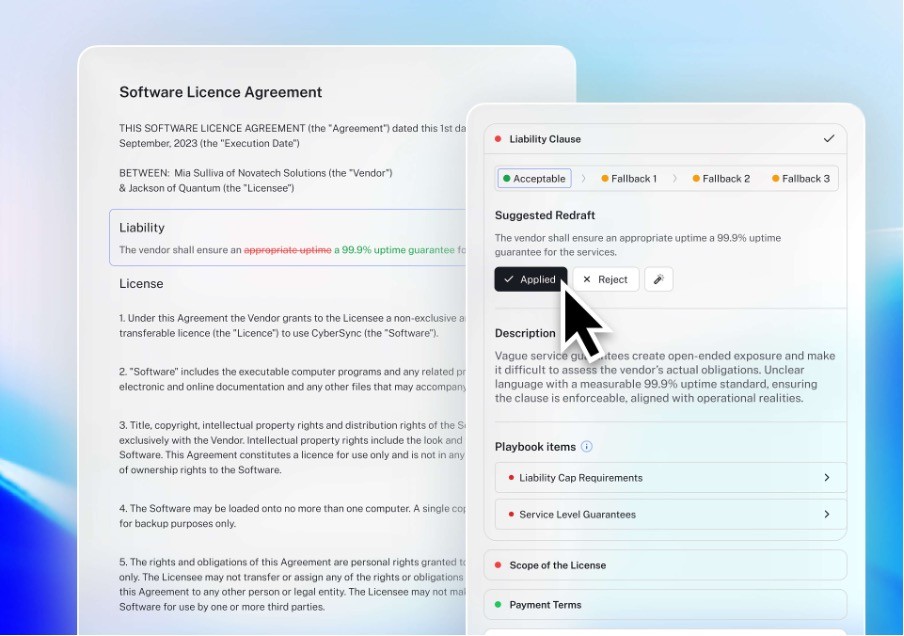
LEGALFLY is used to review and compare credit agreements, derivatives documentation, outsourcing contracts, and regulatory material. It applies playbooks to enforce approved positions, flags deviations, and links every output directly to source text. All reasoning is visible and auditable.
Regulatory monitoring is built in, not added as a plugin
The Legal Radar agent monitors regulatory developments and delivers alerts to your inbox with an impact assessment, configurable by subject, jurisdiction, and frequency. If a regulation changes, your team knows about it before it creates a problem. Teams managing GDPR and DORA obligations across a contract portfolio can use this to identify which agreements need to be reviewed and revised, without manually scanning regulatory updates.
LEGALFLY runs inside Word, SharePoint, Outlook, and Teams
Your team does not need to change how it works. Pull a document from SharePoint or Google Drive, open it in Word, or trigger a review from Teams, Outlook, or Slack. LEGALFLY works inside the tools your team already uses, which preserves document control, version history, and permissions without disruption.
Bulk portfolio review across hundreds of contracts
The Multi-Review agent analyses multiple contracts simultaneously and produces a downloadable report. For finance legal teams running book migrations, post-acquisition integrations, or compliance reviews across a contract estate, this removes the bottleneck of sequential review.
Playbooks enforce your approved positions on every review
LEGALFLY applies your organisation's approved risk positions to every contract it reviews. Playbooks encode your accepted positions, fallback language, and escalation rules across contract types including credit agreements, outsourcing contracts, and derivatives documentation. Deviations are flagged clearly, with reasoning linked directly to source text. Every output is auditable.
Most teams using LEGALFLY cut their contract review time in half within a few weeks of onboarding. Book a short demo to see how it works for your business.
Regulatory scanning is built in. Teams can receive automated alerts about updates in financial regulation and then compare contracts against the changes to see if revisions need to be made.
LEGALFLY runs inside Word, SharePoint, Outlook, and Teams, preserving existing document control, permissions, and audit trails. Request a personalised demo.
How to create a workflow in LEGALFLY Agent Studio: a step-by-step guide
Most legal AI tools automate a single task. They review a contract, or draft a clause, and stop there. The coordination around that task, the routing, the follow-up, the escalation, the stakeholder notification, stays manual.
Agent Studio is different. It automates the entire workflow from intake to approval, not just the task inside it. You define the steps, the logic, and who is involved at each stage. LEGALFLY executes the process consistently every time, with your legal team retaining final approval throughout.
Here is how to build one.
Step 1: Define the workflow you want to automate
Start with a recurring legal process that involves multiple steps or multiple teams. Good candidates are contract review requests coming in from sales or procurement, NDA intake and turnaround, due diligence on a document set, or regulatory compliance checks across a contract portfolio.
Be specific about the problem before you start configuring. Ask: where does this process slow down? Where do things get lost between handoffs? Where do you spend time chasing status rather than doing legal work? That friction point is where Agent Studio delivers the most immediate value.
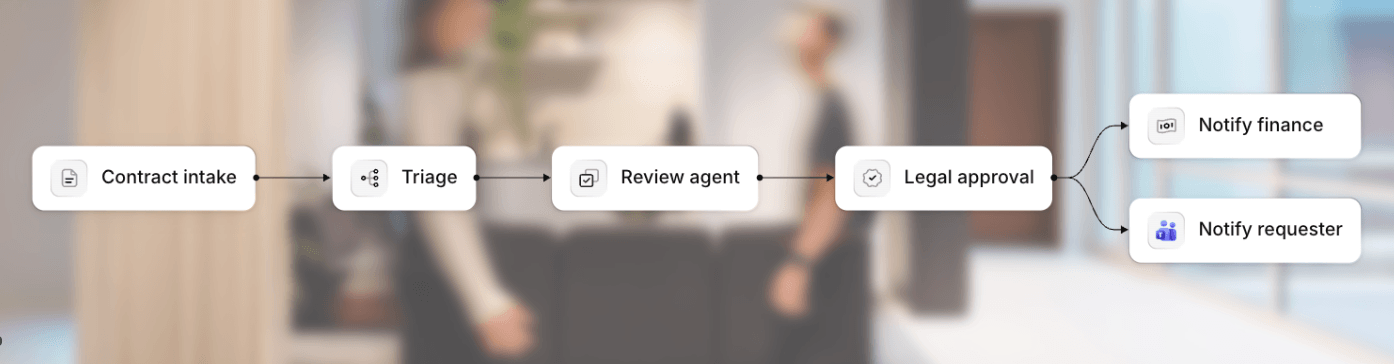
Step 2: Set your trigger
Every workflow in Agent Studio starts with a trigger. You choose how a legal request enters the system. Options include an email sent to a defined address, a message in Slack or Microsoft Teams, or a manual submission. For teams already using Microsoft 365, email and Teams triggers let business stakeholders initiate a legal request without leaving the tools they already use, and without those requests getting lost in inboxes.
Step 3: Configure your agents
Once a request is received, Agent Studio routes it to the agents that will do the work. You configure which agents are involved and in what order. Depending on the workflow, this might include the Review agent running a playbook-based contract review, the Discovery agent pulling from verified legal sources or internal knowledge, a due diligence agent analysing a document set, or a custom agent built for your specific process.
For those less confident with AI, our Legal Engineering team are on hand to help here.
Read more: Can AI review legal contracts? Everything you need to know
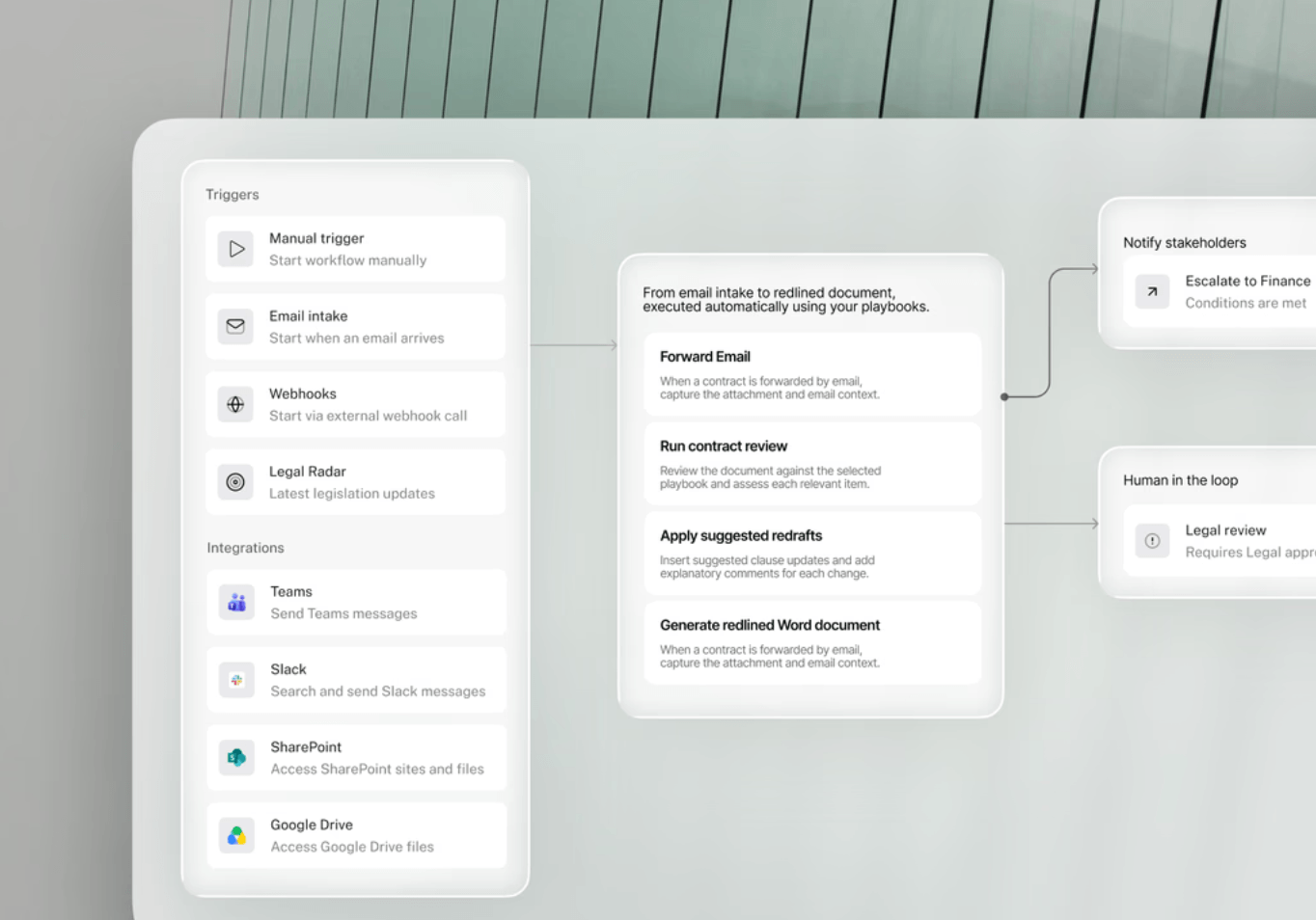
Step 4: Build in conditional logic
Not every contract follows the same path. Agent Studio applies conditional logic to route work correctly based on what the request actually is. A standard NDA from a known counterparty can follow a fast-track path. A high-value outsourcing agreement with non-standard terms routes to a senior lawyer for review. A contract from a new jurisdiction triggers additional checks before it moves forward.
You define the conditions. LEGALFLY applies them consistently, without anyone having to manually triage each request.
Step 5: Set escalation rules and stakeholder notifications
Configure who gets notified, when, and why. Legal can receive results for review before anything is released to the business. If a threshold is met, such as a risk flag above a defined level or a contract value above a certain amount, the workflow automatically escalates to the right person. Sales, procurement, or HR can be notified automatically when their request is complete, without having to send a separate email.
Stakeholders are kept informed at the right moments. Follow-up chasing is removed from the process.
Step 6: Review, approve, and close the loop
Human approval stays in the workflow. Before results are released or a contract moves to the next stage, your legal team reviews the output and makes the final call. Agent Studio does not bypass legal judgment. It ensures that by the time something reaches a lawyer for sign-off, the analysis is done, the routing has happened, and the context is clear.
Once approved, the workflow closes out with a full activity log covering every step, every agent action, and every decision point. That log is available for audit, governance, and reporting.
If your team is ready to move beyond single-task AI and automate the full workflow, book a demo to see Agent Studio on your own processes.
Kira by Litera - bulk clause extraction and legacy book analysis
Kira is used for large document sets such as M&A, portfolio analysis, book migrations, and remediation projects. It extracts clauses, obligations, and data from thousands of contracts.
It is not a transaction tool. It is not used to negotiate, draft, or manage live deals. It is used when there is a large legacy estate that needs to be structured and analysed.
Kira fits banks and asset managers running remediation, migrations, or acquisitions. It solves legacy contract chaos and obligation mapping problems.
Luminance - enterprise contract analytics and compliance programmes
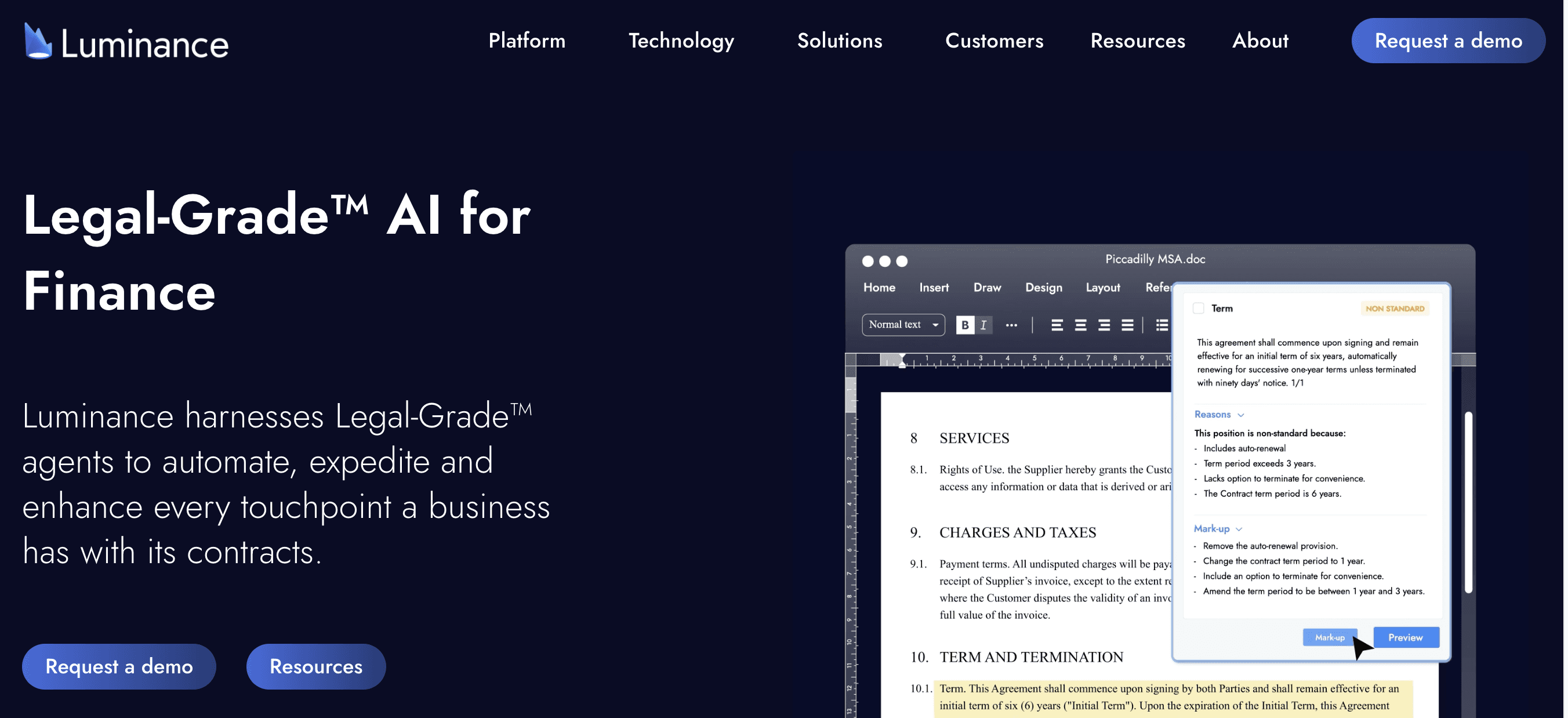
Luminance is a contract intelligence platform used for review, analysis, and compliance across large contract estates. In finance, it is typically used to gain visibility, support compliance reporting, and run large review exercises.
It can be effective at scale, but it is not finance-specific. Most deployments require configuration to handle financial contract structures and terminology properly.
Luminance fits large institutions running enterprise contract programmes and helps address visibility and compliance reporting gaps.
LegalOn - structured review for standard contracts
LegalOn focuses on playbook-based review and intake workflows. Finance teams use it mainly for operational contracts and internal workflows.
It is not designed for derivatives, structured finance, or heavily negotiated financial instruments.
It fits legal teams handling high volumes of routine agreements and helps reduce intake bottlenecks and inconsistent review.
LexCheck - enforcing historical redlines at speed
LexCheck reviews contracts based on how a team has historically redlined. In finance, it is used for vendor contracts, NDAs, and operational agreements.
It enforces consistency and reduces manual first-pass review. It is not used for complex financial instruments.
LexCheck fits teams with high volumes of similar contracts and helps reduce inconsistency.
Spellbook - drafting help for individual lawyers
Spellbook operates inside Word and supports drafting and redrafting. It suggests clauses and rewrites language.
It does not support regulatory workflows, bulk review of documents and can struggle with jurisdictional nuance. It is mainly used as a productivity tool for individual lawyers.
LegalSifter - search and guidance for general contracting
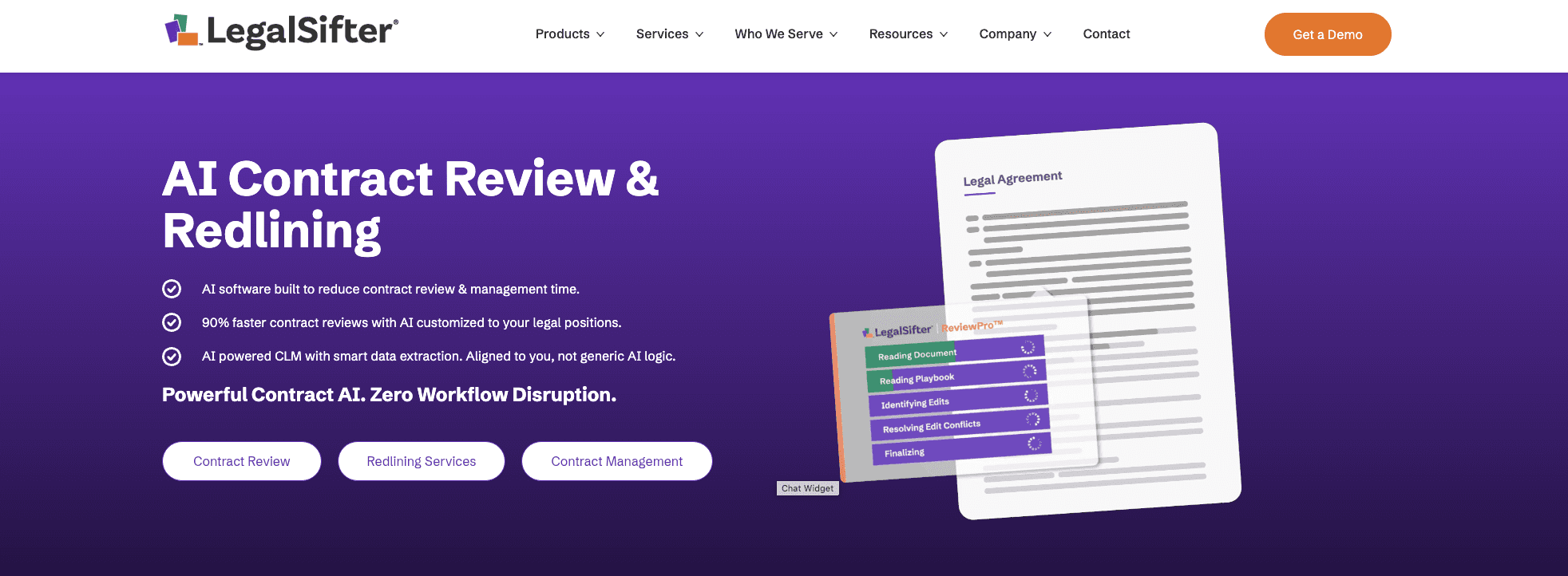
LegalSifter combines contract review with guidance content, surfacing relevant information alongside flagged clauses. It is used primarily for standard commercial agreements where the goal is improving consistency and reducing time spent on routine first-pass review. It is not designed for the complexity of financial instruments, derivatives documentation, or multi-round negotiation workflows.
Teams in regulated financial institutions with strict data handling requirements should confirm security architecture before evaluating further. It fits legal teams that need to improve consistency on high-volume standard contracts.
Compare the top legal AI platforms for finance in 2026
Platform | Contract review (complex agreement) | Drafting support | Playbooks / standards | Regulatory change mapping | Bulk / portfolio analysis | Pre-processing anonymisation | Microsoft Word integration | Explainable outputs / auditability |
|---|---|---|---|---|---|---|---|---|
LEGALFLY | Yes | Yes | Yes | Yes | Yes | Yes | Yes | Yes |
Kira (Litera) | Yes | Yes | No | No | Yes | No | No | No |
Luminance | Yes | Yes | No | No | Yes | No | Yes | Partial |
LegalOn | Yes | No | Yes | No | Partial | No | Yes | Partial |
LexCheck | Yes | No | Yes | No | No | No | Yes | Partial |
Spellbook | No | Yes | Yes | No | No | No | Yes | No |
LegalSifter | Yes | No | Yes | No | No | No | Yes | Partial |
Contract PodAI | Yes | Yes | Yes | Partial | Yes | No | Yes | Partial |
How to choose legal AI for finance work
Finance legal teams sit inside business units and spend a lot of time on contracting. Documents are long, technical and negotiated over many rounds. The job is often risk control, not closing deals faster. Here’s how to choose a legal AI to reflect that.
Step 1: pick the workflow you want to fix first
Start with one problem that takes up your time and creates risk. Ask:
Which contract types consume the most time? NDAs, credit docs, derivatives, outsourcing.
Where do errors happen? Missed deviations, approvals, version confusion, inconsistent positions.
Which teams need support? Legal only, or legal plus risk, compliance and the front office.
Step 2: test it on negotiation rounds, not single documents
Most tools look fine on a clean first draft. Ask:
Can it compare round 3 vs round 7 and show what changed in meaning, not just wording?
Can it generate an issues list that a deal team can act on?
Can it produce a clean summary for stakeholders without inventing details?
Step 3: check how standards are enforced
Consistency is important. Ask:
Can it apply approved positions and fallback language from a playbook?
Can it flag deviations clearly and explain why they matter?
Can it keep style consistent across the team?
Step 4: confirm security and data handling
Security needs to be built in. Ask:
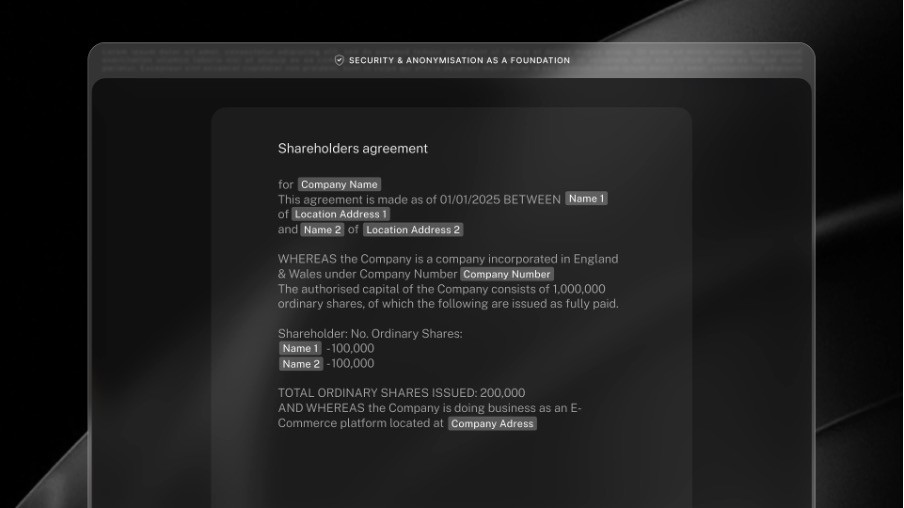
Does it anonymise documents before processing?
Can it run in your environment, with your access controls and logging?
Is any data used for training, and what is the default?
Step 5: validate auditability
Finance teams need defensible outputs. Ask:
Does every output link back to source text?
Does it show reasoning in a way that can be reviewed later?
Can it export review results for audit and governance records?
Step 6: check integration with how legal actually works
Adoption often fails when tools sit outside the document workflow. Ask:
Does it work in Word and connect to where you store your documents (SharePoint, Google Drive)?
Does it respect document permissions and version control?
Does it support exports for reporting and stakeholder sign-off?
Step 7: run a short proof using your hardest documents
Use real documents and real negotiation history. Ask:
What is the time saved on a typical review?
What gets missed or misread?
How much configuration is needed before results are reliable?
The best platforms handle negotiation rounds, enforce standards, protect data by design and produce audit-ready outputs inside existing workflows.
Read more: Everything you need to know about agentic AI for legal work
Final verdict: the best legal AI for finance contract review and drafting in 2026
For banks, asset managers, and regulated financial institutions, the requirements for legal AI are different from those in general commercial legal work. The tool needs to handle long, technically complex agreements across multiple negotiation rounds, enforce approved positions consistently, protect sensitive data at the processing level, and produce outputs that can be defended in front of risk, compliance, and audit functions.
LEGALFLY meets those requirements. It anonymises documents before any AI processing begins, applies playbook-enforced positions across credit agreements, derivatives documentation, and outsourcing contracts, and links every output directly to source text. Regulatory monitoring is built in, covering obligations including GDPR and DORA. It runs inside Word, SharePoint, Outlook, and Teams, which preserves existing document control and audit trails. For institutions with the strictest data requirements, on-premises anonymisation keeps sensitive data inside your own environment entirely.
The other platforms in this guide serve specific needs well: Kira for legacy estate analysis, LegalOn for high-volume standard agreements, LexCheck for enforcing historical redlines. But for finance legal teams operating in regulated environments where accuracy, security, and auditability are non-negotiable, LEGALFLY is the strongest option in 2026. Book a demo to see how it handles your most complex financial contracts.
FAQs about legal AI for finance contracts
What is the best legal AI for finance contracts?
For regulated finance workflows, LEGALFLY is the strongest option. It is built for complex agreements, risk control and regulatory support, not just drafting speed.
How does legal AI help with finance contract drafting?
It accelerates drafting by applying approved language, suggesting clauses and tracking deviations across negotiation rounds. Strong platforms also enforce standards and highlight risk.
How secure is legal AI when handling sensitive financial data?
Security varies by platform. Finance teams should look for anonymisation before processing, in-environment deployment and independent security certification. Customer and transaction data should not be exposed.
Can legal AI replace in-house legal teams in finance?
No. Legal AI supports lawyers. It does not replace judgement, accountability or regulatory responsibility.
How much does legal AI software for finance cost?
Pricing is typically subscription-based and varies by scope, users and deployment model.
Note: We carried out this research in Q1 2026. For the most up to date information, contact the vendor directly.