



On top of that, it adds two things a system of record does not do on its own. The first is end-to-end legal workflow automation that carries a request from intake through to approval. The second is anonymisation applied to every document before any model reads it.
That combination suits teams whose contracts are only part of the problem. If procurement, sales and compliance all queue behind the same small legal team, storage is not the constraint.
The same applies when the identical NDA is reviewed forty times a quarter, or when your security team has already blocked one AI tool this year. The gap you are closing is wider than a repository.
We built LEGALFLY, so read the first entry with that in mind. We have written it the way we would want a competitor to write theirs: what it does, who it suits, and where it stops. The other nine entries draw on published product information and verified G2 reviews, including the criticisms.
Most teams using LEGALFLY cut their contract review time in half within a few weeks of onboarding. Book a short demo to see how it works for your business.
Key Takeaways (TL;DR)
Who Ironclad Is For: Mid-market and enterprise teams that want a single system of record for contracts, with configurable workflow, approval routing, e-signature and a searchable repository across sales, procurement and legal.
Why Seek an Ironclad Alternative: Reviewers on G2 point to a steep learning curve, search that struggles at volume, collaboration that pushes documents out to SharePoint and back, and AI playbooks that take considerable effort to build and then underperform. Buyers report a four-month average implementation and thirteen months to return.
Best Overall Alternative: LEGALFLY. It automates whole legal workflows rather than the contract process alone, and the same playbooks legal writes once govern procurement, compliance, HR and sales.
What Sets LEGALFLY Apart: Whole legal workflows run end to end, from intake through review and routing to approval, on documents that are anonymised before analysis begins, on an architecture designed before the current generation of models existed rather than added later as a compliance layer. No competitor on this list replicates that combination.
How to Choose: Decide whether your bottleneck is contract logistics or legal throughput, get the data handling answer in writing before the security review, and test playbook quality on your own paper rather than the vendor's sample set.
Top Ironclad Alternatives in 2026 at a Glance
Tool | Best For | Key Features | Pros | Cons |
LEGALFLY | In-house legal, compliance and procurement teams in regulated enterprises | End-to-end agentic workflows through Agent Studio, anonymisation before analysis, Contract Intelligence across the lifecycle, playbook-driven review, 130+ jurisdiction regulatory monitoring | Workflows run intake to approval without manual coordination; anonymisation applied at import; 120+ lawyer-built playbooks usable from day one | Sales-led evaluation, so the first step is a scoped demo rather than a self-serve trial |
Icertis | Large enterprises with complex commercial terms and obligation-heavy supplier contracts | Obligation management, clause library, compliance tracking, ERP and procurement integrations, embedded analytics | Depth on obligation and compliance tracking; extensive configuration options | Reviewers report a six-month implementation, a system that is not intuitive without support, and a dated interface |
Juro | Fast-moving commercial teams standardising high-volume, low-complexity contracts | Browser-native editor, templates and smartfields, e-signature, bulk sending, HubSpot and Salesforce integrations | Fast onboarding at three months; genuinely easy for non-legal users to adopt | Editor formatting limits on heavily negotiated agreements; Word round-tripping frustrates reviewers |
Sirion | Enterprises managing supplier performance and post-signature obligations at scale | Obligation extraction, performance and SLA tracking, negotiation support, multi-language coverage | Strongest post-signature obligation and performance tracking on this list | Learning curve for new users; approval configuration draws consistent criticism |
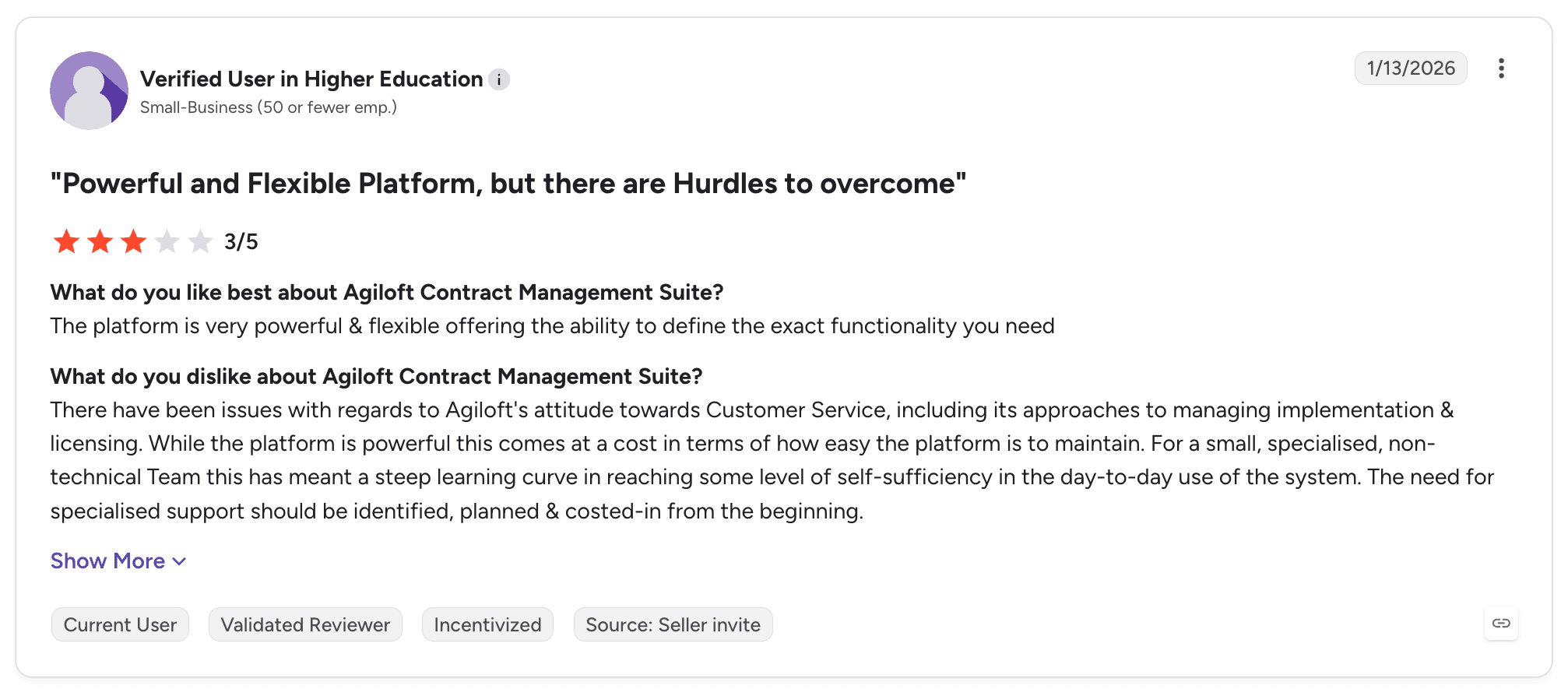
Agiloft | Teams with in-house technical capacity that want to configure the system themselves | No-code configuration, contract repository, approval workflows, AI redlining, integrations with Adobe and DocuSign | Configurable to an unusual degree without writing code | Steep learning curve for non-technical users; reviewers say specialist support has to be budgeted from the start |
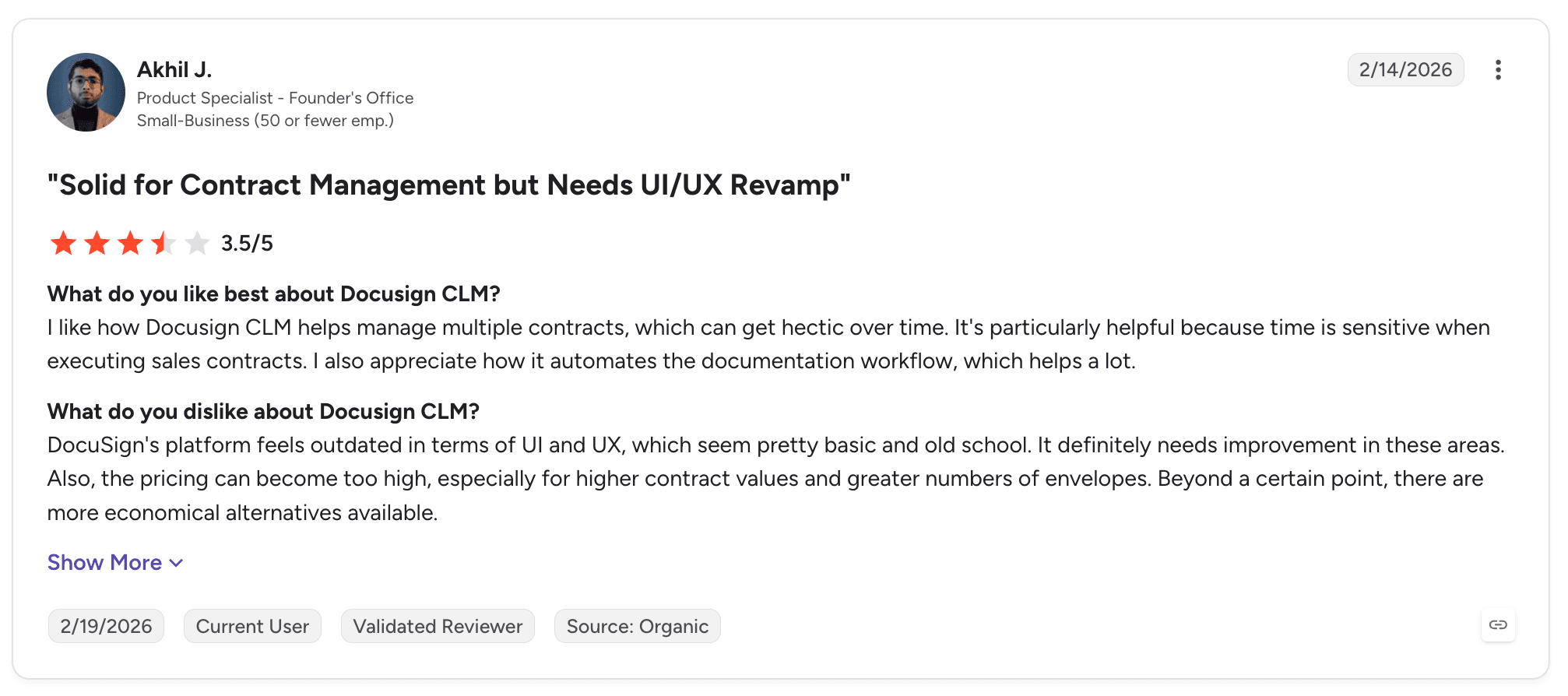
DocuSign CLM | Organisations already standardised on DocuSign for signature that want lifecycle management around it | Workflow automation, document generation, Salesforce integration, repository, e-signature | Signature and routing are mature; deep Salesforce integration | Reviewers cite complex initial configuration and an interface that several describe as overdue a refresh |
LinkSquares | Legal teams that want AI extraction and renewal tracking across an existing contract back catalogue | AI clause extraction, renewal and obligation tracking, template builder, reporting, Salesforce sync | Extraction and renewal tracking rate well across 438 reviews | Template builder constrains what teams can construct; search draws repeated criticism |
Leah (formerly ContractPodAi) | Organisations consolidating authoring, approvals and repository into one system | End-to-end lifecycle coverage, embedded AI review, analytics dashboards, integrations | Broad lifecycle coverage in a single system; well-rated support | Reviewers report AI that misses nuance and workflow configuration that is hard to learn |
SpotDraft | Mid-market teams wanting contract workflows live quickly without a long implementation | Custom workflows, repository, e-signature, AI review assistance, Slack and Salesforce integrations | Three-month implementation and eleven months to return, the fastest pairing here | In-browser editing is unreliable enough that reviewers download and re-upload; page load speed draws complaints |
Gatekeeper | Procurement-led teams managing vendor risk alongside contracts | Vendor lifecycle management, Kanban workflow engine, compliance tracking, supplier onboarding, spend visibility | Vendor and contract management in one place, with strong compliance controls | Field customisation is limited across contract types; reviewers report slowdowns on large data sets and slow support response |
Why Consider Ironclad Alternatives?
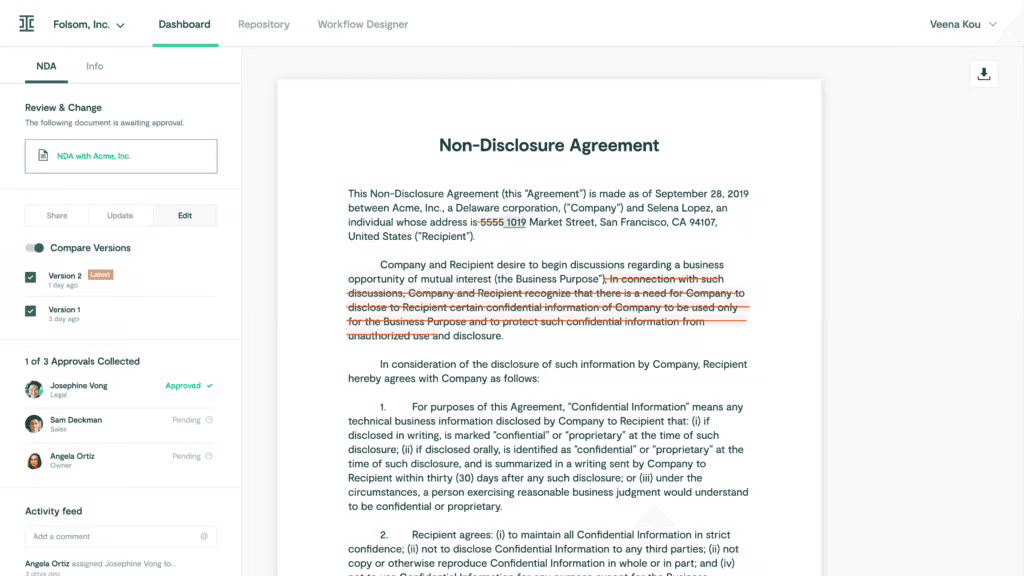
Teams look at alternatives to Ironclad for three reasons: the product answers a narrower question than the one they are now asking, the implementation cost lands harder than expected, or the AI capabilities have not kept pace with what the category now offers.
Before the criticisms, the starting point deserves a fair account. Ironclad did not reach 324 G2 reviews and a 4.4 rating by being a weak product.
What Ironclad Does Well
Ironclad is built around the contract as an object that moves through an organisation, and it handles that sequence well. A request comes in, a document is generated from a template, it routes to the right approvers and it gets signed.
It then lands somewhere searchable with its version history intact. Reviewers consistently praise the workflow designer for making that sequence configurable without engineering involvement.
The integrations reflect the same thinking. Salesforce, Slack, Google Drive, Adobe Acrobat Sign and HubSpot all connect, which matters because contract requests usually originate in sales or procurement rather than legal.
Version tracking is a repeated highlight in reviews. Email conversations are captured against the agreement, so the negotiation history stays with the document.
For a legal team whose main problem is that nobody knows where contracts are or who approved them, Ironclad answers the question directly. The gap opens when the problem is not where the contract went but how long the legal work inside it takes.
Where Ironclad Falls Short
The most consistent criticism in G2 reviews concerns the AI playbooks. Reviewers describe building one as a significant effort that then does not perform reliably.
Results from the pre-built playbooks come back in an order several reviewers find hard to work with. For teams buying partly on the strength of AI review, that is the capability most likely to disappoint.
Collaboration is the second recurring theme. Multiple reviewers describe moving a document out to SharePoint to work on it together, then uploading it back again.
That breaks the single-system promise at the point where legal work actually happens. Comment attribution draws similar complaints, with reviewers needing to open the edit view to see who left which note.
Then there is the implementation arithmetic. G2 buyer data puts Ironclad at four months to implement and thirteen months to return.
Reviewers describe a steep learning curve, with cancellation and resend flows taking more steps than they expect. Several note that search does not hold up as the repository grows, which undercuts the core reason for having one.
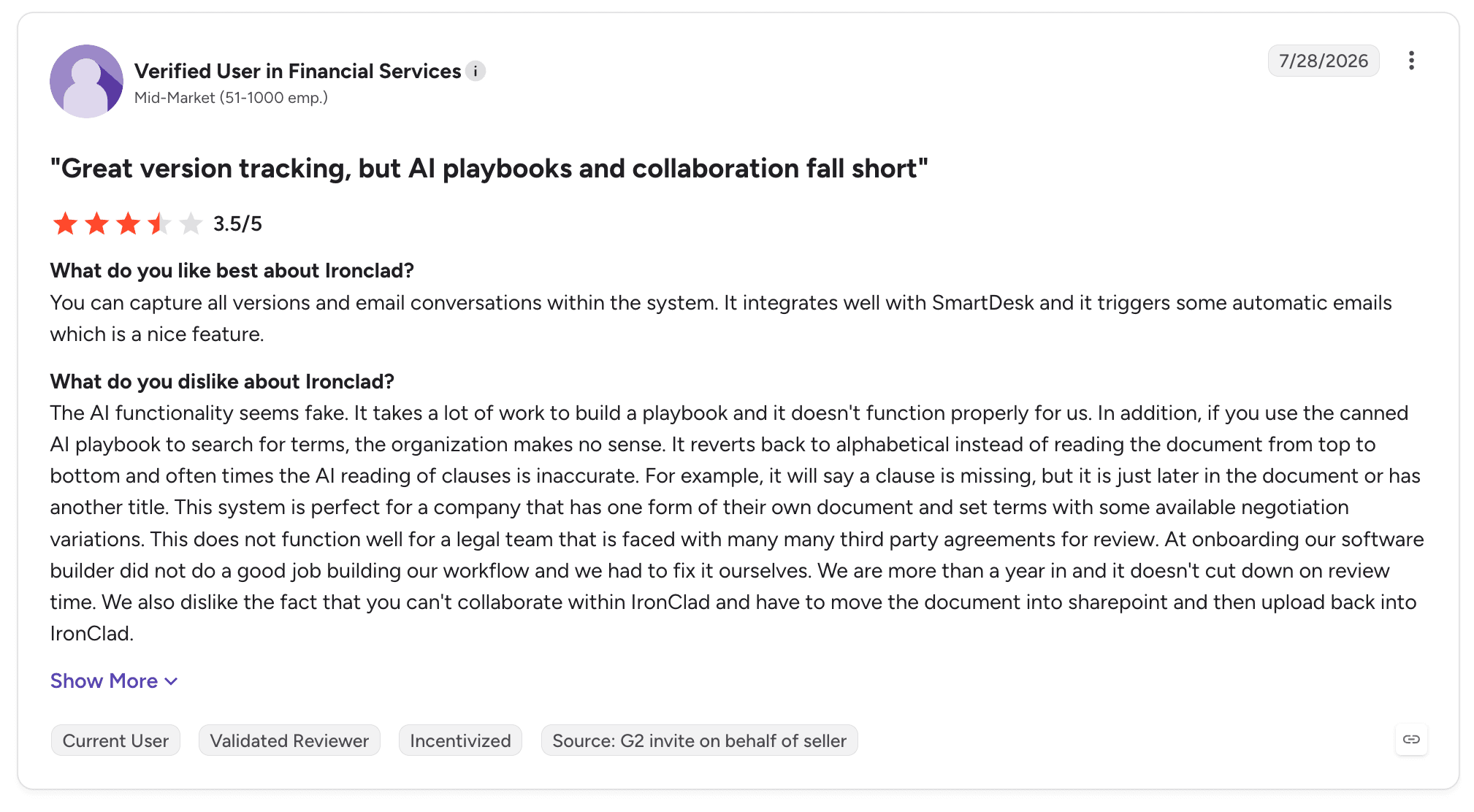
Underneath all three sits a structural point. Ironclad was built as a system of record, and intelligence arrived as a layer on top of it.
Tools built the other way round treat the legal work as the product, with the record following from it. That difference is what the strongest Ironclad competitors now compete on.
Best Ironclad Alternative Overall
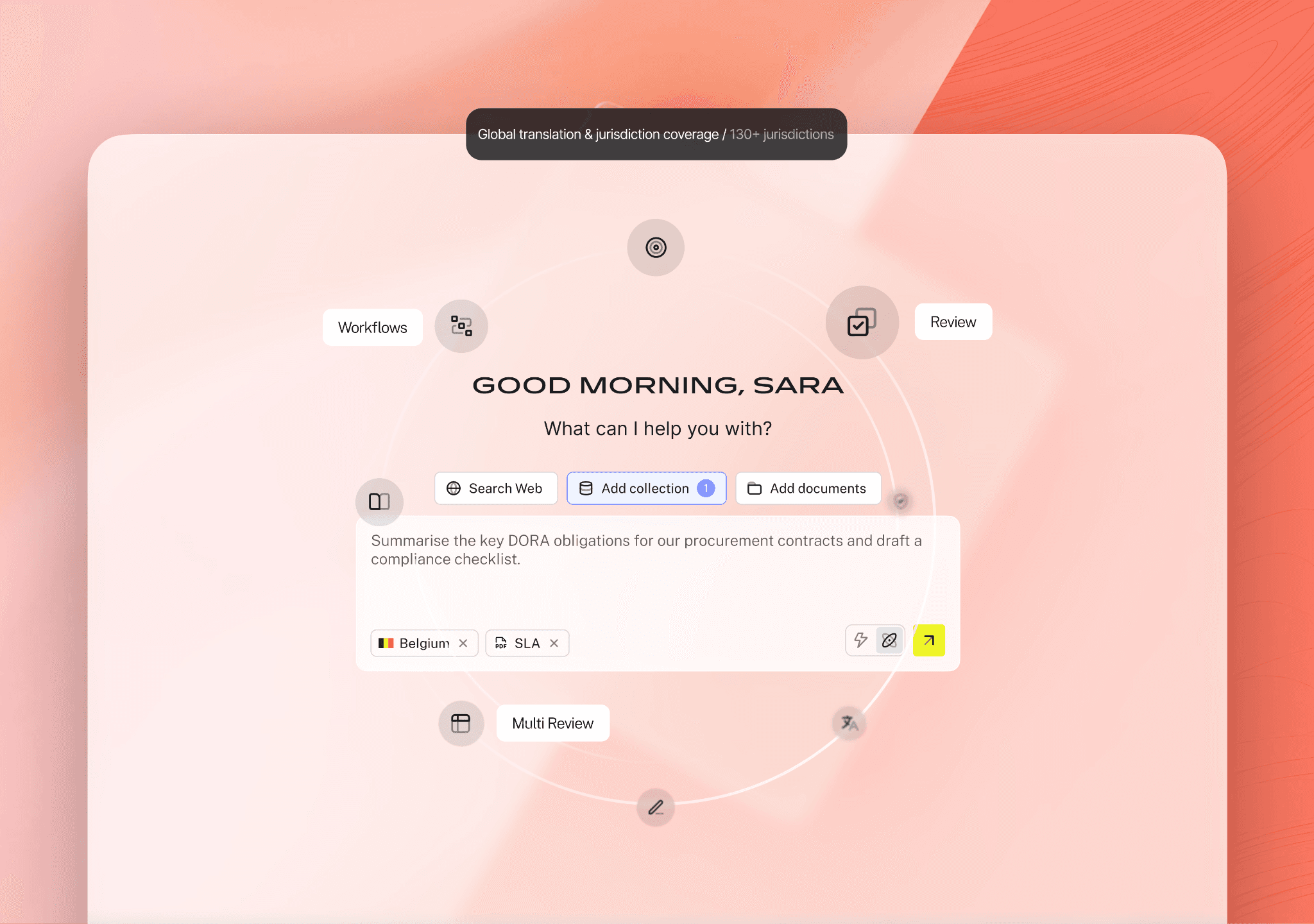
LEGALFLY is the best overall alternative to Ironclad for in-house legal teams in regulated enterprises. It covers contract creation, review, approval routing and lifecycle visibility, then adds whole-workflow automation and anonymisation before analysis, which is where a repository-first product stops.
The practical difference shows up in what happens to a request. In a system of record, the contract moves and a person does the legal work at each stop.
In LEGALFLY, the workflow itself carries the request. An agent reviews the document against your playbook, and conditional logic routes it based on risk thresholds.
Approval steps sit wherever a decision is needed, and the right people are notified when something needs attention.

LEGALFLY helps your team move faster: less time buried in contracts, more time on the work that actually matters. Book a call to see it in action.
Best Ironclad Alternatives for 2026: In-Depth Review & Comparison
The best Ironclad competitors fall into three groups. There are AI-native tools that do the legal work, enterprise lifecycle systems built around obligations, and lighter contract automation aimed at volume.
Each entry below follows the same structure: what the product does, who it fits, its strongest capabilities, why it is a credible Ironclad replacement, what reviewers say, and where it stops.
Where a product does not have enough public reviews to characterise fairly, we have left that section out rather than generalise from a handful of entries.
1. LEGALFLY
Overview
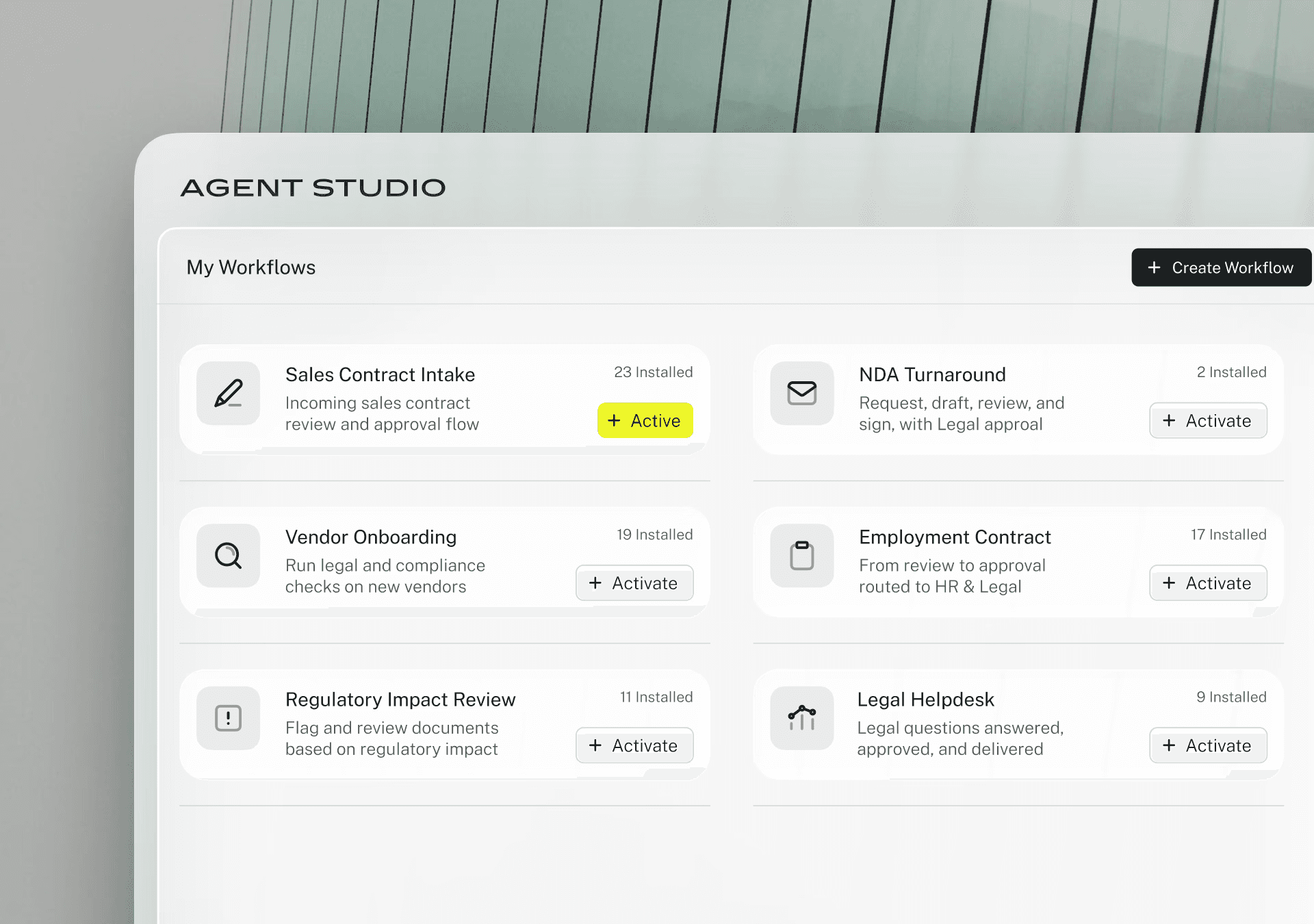
LEGALFLY is the legal operating system for corporates. It gives in-house teams AI-native workflows for intake, contract review, drafting, due diligence and legal research, with security and anonymisation underneath all of it.
We were founded in Ghent in April 2023 by four former AI leaders at Tinder. They had watched legal bottlenecks slow fast-moving businesses, and push people into working around legal entirely.
The product is organised as agents doing the work, a layer of knowledge, playbooks and documents behind them, and anonymisation applied before anything reaches a model. Customers include SAP, Lufthansa, Bosch and KPMG, alongside a partnership with the European Commission's HR Directorate-General, across banking, insurance, technology and manufacturing.
Against Ironclad specifically, the positioning difference is what the product treats as its centre. Ironclad organises the contract process. We automate the legal work and manage the process around it, which is why contract intelligence sits alongside the agents rather than being the whole product.
Ideal For
In-house legal teams of 3 to 200 people supporting enterprises of 200 to 100,000 employees
Regulated industries where the security review decides the shortlist: banking, insurance, technology, manufacturing and transport
Legal functions where procurement, compliance, HR and sales all queue behind the same small team
Multi-jurisdiction operations that need consistent standards applied across regions and reviewers
Teams replacing or supplementing a CLM that stores contracts without acting on what is in them
Top Features
Agent Studio for end-to-end legal workflow automation. Workflows trigger from email, Slack, Teams or manually, conditional logic routes work and escalates when thresholds are met, approval steps sit wherever a decision is needed, and the right people are notified automatically.
Anonymisation before analysis. Names, roles, company details and identifiers are pseudonymised at import, with context and structure intact, so identifiable data never reaches a third-party model. This is applied by default rather than configured per workflow.
Contract Intelligence across the full lifecycle, from drafting and negotiation through approval and e-signature to renewals, expirations, notice periods and obligations.
Playbook-driven AI contract review against your approved positions and fallbacks, with clause-level reasoning and tracked-change redlines. 120+ lawyer-built playbooks across 100+ document types, plus a builder that generates a custom playbook from your own golden contracts in around two minutes.
Multi Review for bulk analysis across entire data rooms, applying one playbook to hundreds of documents and exporting audit-ready comparison tables with source links.
Legal Radar, regulatory tracking software monitoring official regulators and publishers across 130+ jurisdictions, testing each change against your own contracts and policies rather than reporting it in the abstract.
Discovery, AI for legal research grounded in 600+ official legal sources across 130+ jurisdictions, with citations and auditable reasoning on every answer, plus Drafting for AI contract drafting that turns any contract into a governed template.
Integrations with Microsoft Word, SharePoint, Outlook, Teams, Google Drive, Slack, NetDocuments and Microsoft Copilot, each carrying automatic anonymisation.
Why We're the Best Ironclad Alternative
The honest version of this argument starts with what the two products are for. Ironclad answers the question of where contracts live and how they move. We answer the question of how to execute work in the most efficient way, and the record follows from that.
Three things make the switch worth considering. The first is that workflows run end to end.
A vendor contract arriving by email is reviewed against your playbook, routed on its risk level, escalated if it breaches a threshold, then summarised back to procurement. Nobody coordinates the steps.
The second is anonymisation applied before analysis begins, which answers the security review that stops other tools.
The third is Contract Intelligence, which covers the lifecycle ground a CLM owns, pre and post signature, with the agents that do the legal work sitting in the same system.
The whole-enterprise point matters more than it sounds. Legal sets approved positions, fallback language and escalation thresholds once, and procurement, sales, HR and claims then work inside them.
Anything outside standard parameters routes to legal automatically. In four of our six published customer stories, adoption spread beyond legal without being sold in, reaching compliance, finance, operations and quality assurance.
Pros
Whole workflows run intake to approval, with conditional routing, escalation thresholds and human sign-off at each stage that needs one
Anonymisation applied at import rather than as a setting, which is why the security review clears
120+ lawyer-built playbooks usable from the first review, with a custom playbook built from your own contracts in around two minutes
Clause-level reasoning and full audit trails on every session, so AI output is defensible in a regulated environment
Verified customer results: Adeera cut review time by 93%, Agristo went from two hours to fifteen minutes, MSIG Europe from a full day to around twenty minutes
Cons
Sales-led evaluation, so the first step is a scoped demo and a discovery conversation rather than a self-serve trial
Contract Intelligence is announced with a waitlist rather than shipped, so teams needing full post-signature monitoring in production today should factor the October 2026 launch into their timeline
Not built for law-firm matter management, billing or time recording
Customer Reviews
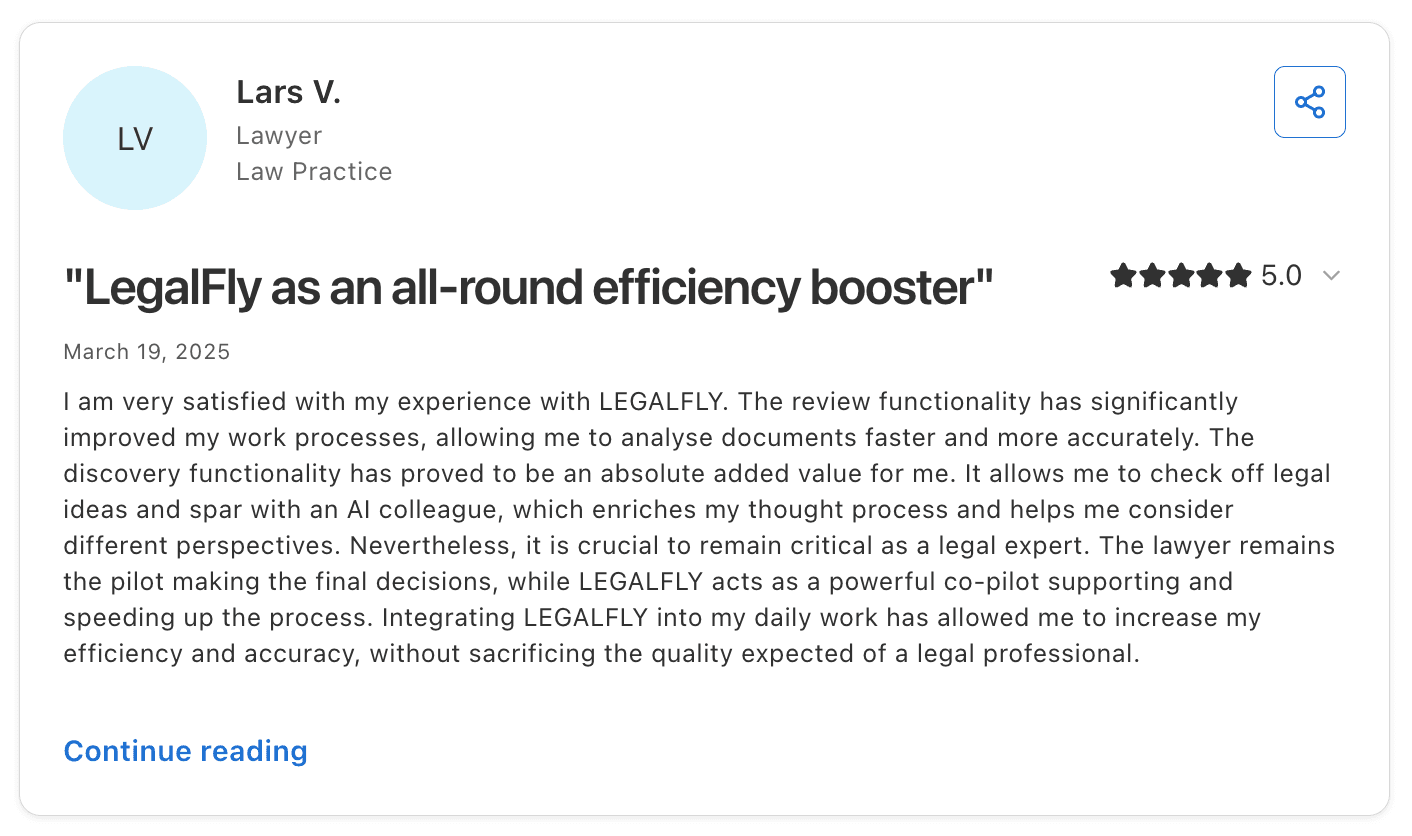
LEGALFLY holds 4.7 out of 5 across eight Capterra reviews, with value for money rated 4.8, customer service 4.7 and features 4.4. Reviewers describe faster document review and legal research, and the strongest entries come from a general counsel in hospitality and several practising lawyers who describe it as part of their daily work.
The G2 profile is younger and sits at 4.2 out of 5 from three reviews, with G2 itself noting there are not enough reviews to draw buying conclusions. We would rather say that plainly than lean on a number that small, and we would point anyone evaluating us towards the six published customer stories instead.
Final Verdict
If you are leaving Ironclad because the repository works but the legal work inside it still takes the same number of hours, this is the closest thing to a direct answer. The review, drafting and research are handled, the workflow around them is automated, and the business self-serves inside rules legal wrote once.
If your requirement is a mature contract repository in production this quarter, with years of procurement-side configuration behind it, the timing on Contract Intelligence matters. We would rather say so here than in month four of an evaluation.
Teams in that position often start with review and workflow automation, then bring the lifecycle piece in at launch.
To find out how LEGALFLY could work for you, schedule a call with one of our experts.
2. Icertis
Overview
Icertis Contract Intelligence sits at the enterprise end of contract lifecycle management. It is built for organisations where a contract carries obligations that have to be tracked, measured and proved for years after signature.
It handles the full sequence from request through authoring, negotiation and approval to a repository. Clause libraries and compliance tracking sit over the top.
The company has been in the category since 2009 and the product reflects that history. Configuration depth is unusual, obligation tracking is detailed, and integrations reach into ERP and procurement systems rather than stopping at Salesforce.
Reviewers describe a system that can be shaped to almost any commercial structure. That is both the strength and the source of most complaints.
Ideal For
Large enterprises with complex commercial terms and obligations that continue long after signature
Procurement organisations running supplier contracts against ERP and sourcing systems
Regulated businesses that need compliance tracking tied to contractual commitments
Teams with dedicated legal operations capacity to own configuration and maintenance
Organisations consolidating contract data across many business units and regions
Top Features
Obligation management that tracks commitments through their life and flags what is due
Clause library with governed language and approval controls across contract types
Compliance tracking tied to contract terms, with reporting for audit purposes
ERP, procurement and CRM integrations that carry contract data into operational systems
Embedded analytics and AI capabilities across the contract portfolio
Why It's a Strong Ironclad Alternative
Icertis is one of the strongest choices for organisations whose contracts are commercially complicated rather than numerous. Where Ironclad optimises the path a contract takes through an organisation, Icertis puts more weight on what the contract commits you to and whether those commitments are being met, which suits supplier-heavy and regulated environments.
The integration reach is the second argument. For enterprises where contract data has to reconcile with ERP records and procurement systems, Icertis connects at a level that lighter tools do not attempt. That depth is the reason it appears on enterprise shortlists that exclude most of this list.
Pros
Obligation and compliance tracking with more depth than most tools in the category
Configurable to complex commercial structures across business units and regions
Integrations that reach ERP and procurement rather than stopping at CRM
APIs that reviewers describe as straightforward to work with when integrating internal systems
Embedded analytics across the contract portfolio for reporting and oversight
Cons
G2 buyer data puts implementation at six months and return at twenty-two months, the longest pairing on this list
Reviewers describe the system as not intuitive, with users requiring substantial support
The interface draws repeated criticism as dated, with one reviewer raising accessibility standards
Configuration changes can require taking parts of the system offline
Working with implementation partners is a recurring complaint independent of the product itself
Customer Reviews
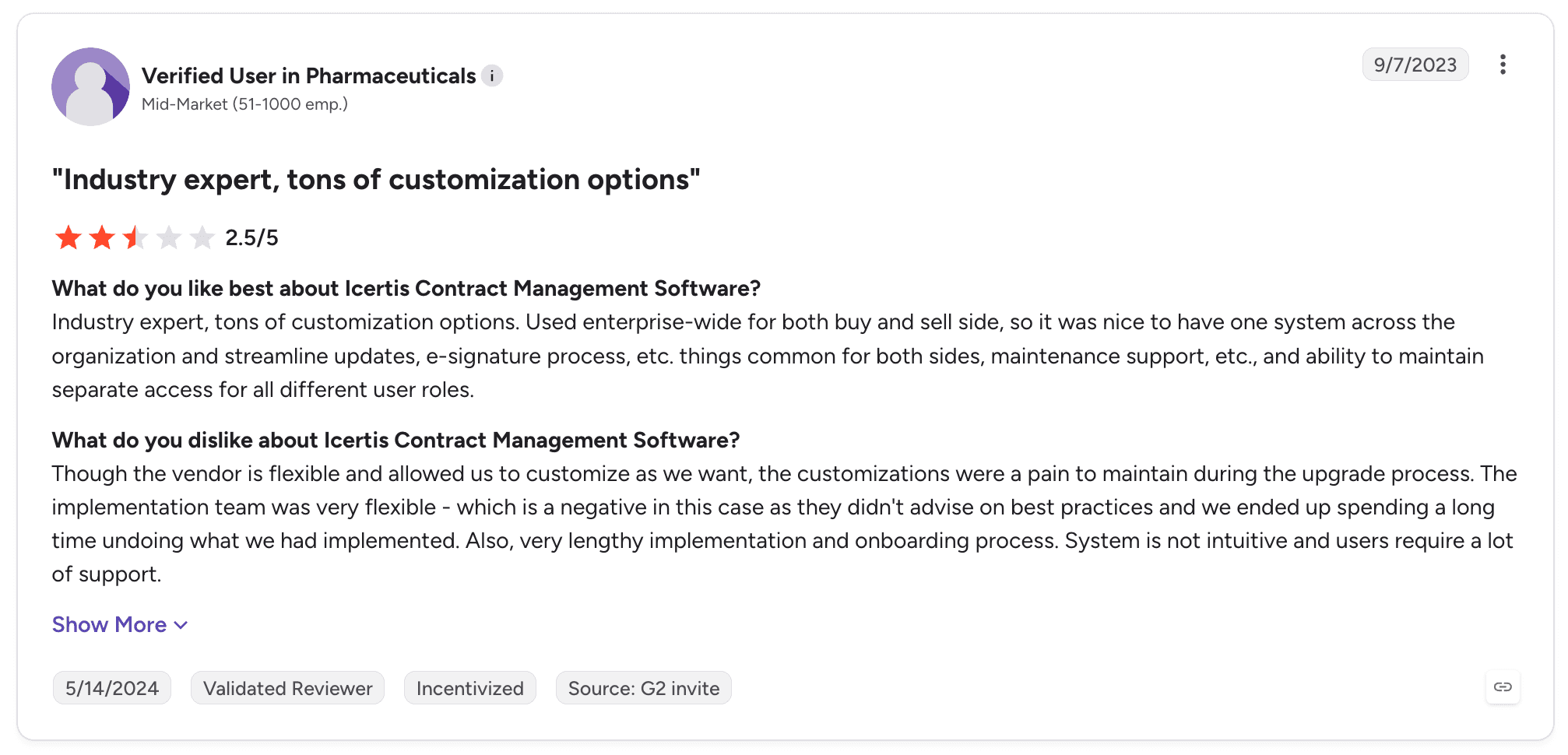
Icertis holds 4.2 out of 5 across 81 G2 reviews. Reviewers value the flexibility and the range of configuration options, with several highlighting embedded analytics and AI reporting as stronger than expected out of the box.
Positive reviews cluster around large agreement portfolios and MSA and statement of work handling. The APIs also draw praise from teams integrating internal systems.
The criticisms are consistent enough to plan around. Implementation length and onboarding effort come up repeatedly, with reviewers describing a system that is not intuitive and requires ongoing support to use well.
Interface age is raised more than once, as is the standard of implementation partner support. One long-standing user questions whether the product has kept pace with how the category has moved since 2019.
Final Verdict
Icertis is a credible choice for large enterprises with obligation-heavy supplier contracts, dedicated legal operations capacity, and the appetite for a six-month implementation. In that setting, the depth pays for the effort.
It is harder to recommend for the majority of in-house teams. A six-month implementation and twenty-two months to return assumes a team that can absorb both.
The reviews suggest a system that rewards dedicated administration rather than occasional use. Teams looking for AI-led review rather than contract administration will find the centre of gravity in the wrong place.
3. Juro
Overview
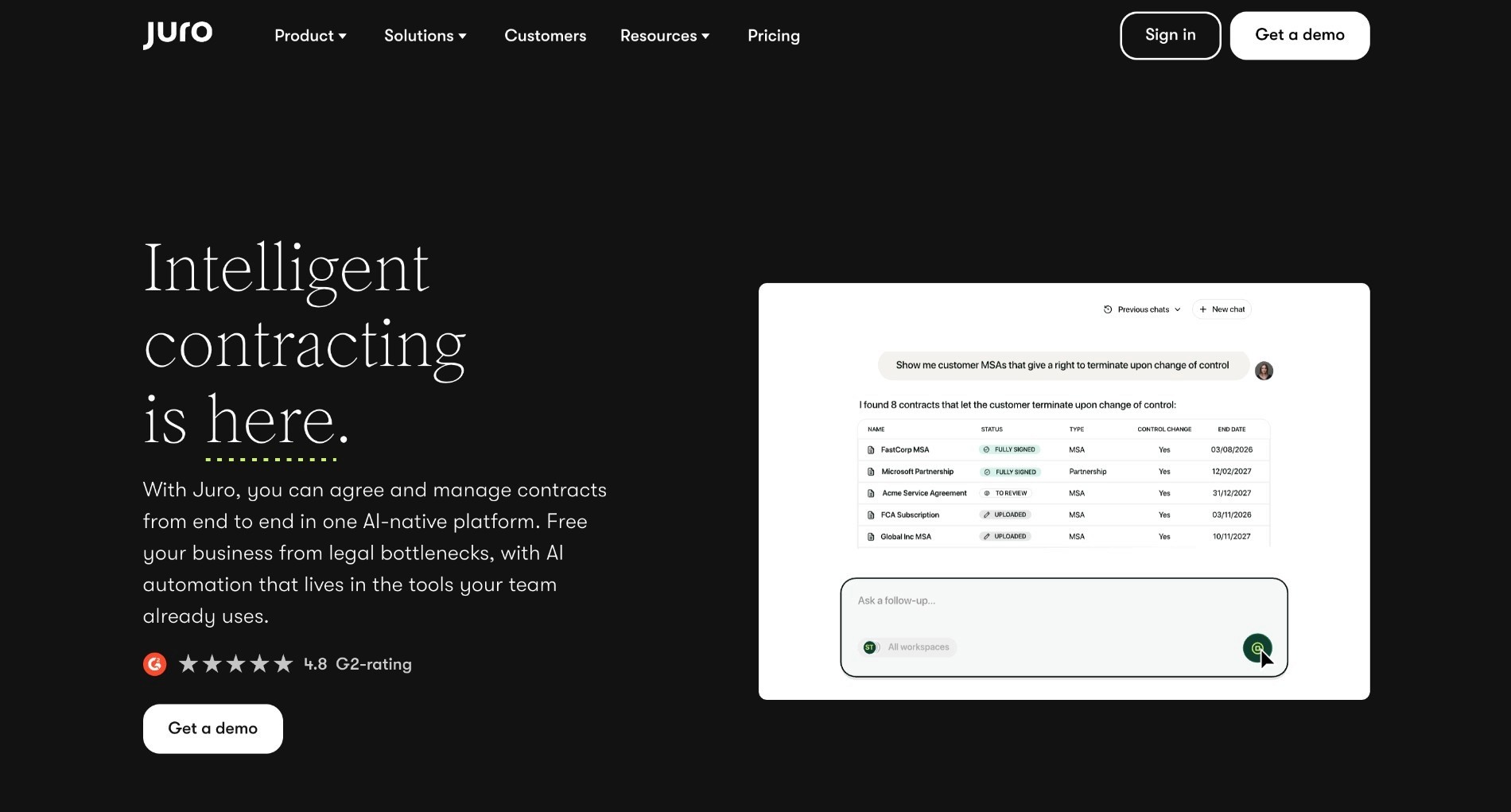
Juro is a contract automation tool built around a browser-native editor, aimed at commercial teams that generate a high volume of relatively standard agreements. Contracts are created from templates with dynamic fields, negotiated in the browser, signed natively and stored in a searchable repository, without the document leaving the system at any point.
Founded in London in 2016, Juro has built its position on making contracting usable by people who are not lawyers. The HubSpot and Salesforce integrations generate contracts directly from CRM data, which is why sales operations teams often champion it. It competes with Ironclad at the mid-market end, where implementation length is a deciding factor.
Ideal For
Fast-growing companies standardising NDAs, sales agreements and employment contracts
Sales and revenue operations teams generating contracts from CRM records
Small legal teams that need non-legal colleagues to self-serve on standard paper
Organisations that want contracting live in weeks rather than quarters
Teams prioritising ease of adoption over configuration depth
Top Features
Browser-native editor with templates and smartfields that populate from structured data
Native e-signature with no separate signature tool required
Bulk sending for high-volume agreement runs
HubSpot and Salesforce integrations that generate contracts from CRM data
Searchable repository with automated reminders on key dates
Why It's a Strong Ironclad Alternative
Juro is one of the smartest choices for teams whose contract problem is volume rather than complexity. Three months to implement against Ironclad's four, with eight months to return against thirteen, is a meaningful difference for a team that needs results inside a budget year.
Adoption is the second argument. Reviewers consistently describe non-legal colleagues picking it up without training, which addresses the failure mode where a contract system is bought by legal and ignored by everyone else. For a team whose main goal is getting sales and HR off email, that matters more than configuration depth.
Pros
Fast implementation at three months, with return reported at eight months
Genuinely easy for non-legal users, which drives adoption outside the legal team
Native e-signature and bulk sending remove the need for a separate signature tool
CRM integrations that generate contracts directly from opportunity data
Well-rated customer support across a large review base
Cons
Editor formatting limits surface on complex or heavily negotiated agreements
Reviewers describe the Word integration as awkward when documents move in and out
Uploading a signed PDF over a template after negotiation is a known friction point
Depth falls away on contract structures that require conditional or nested logic
Some CRM sync gaps require manual correction on pricing and line items
Customer Reviews
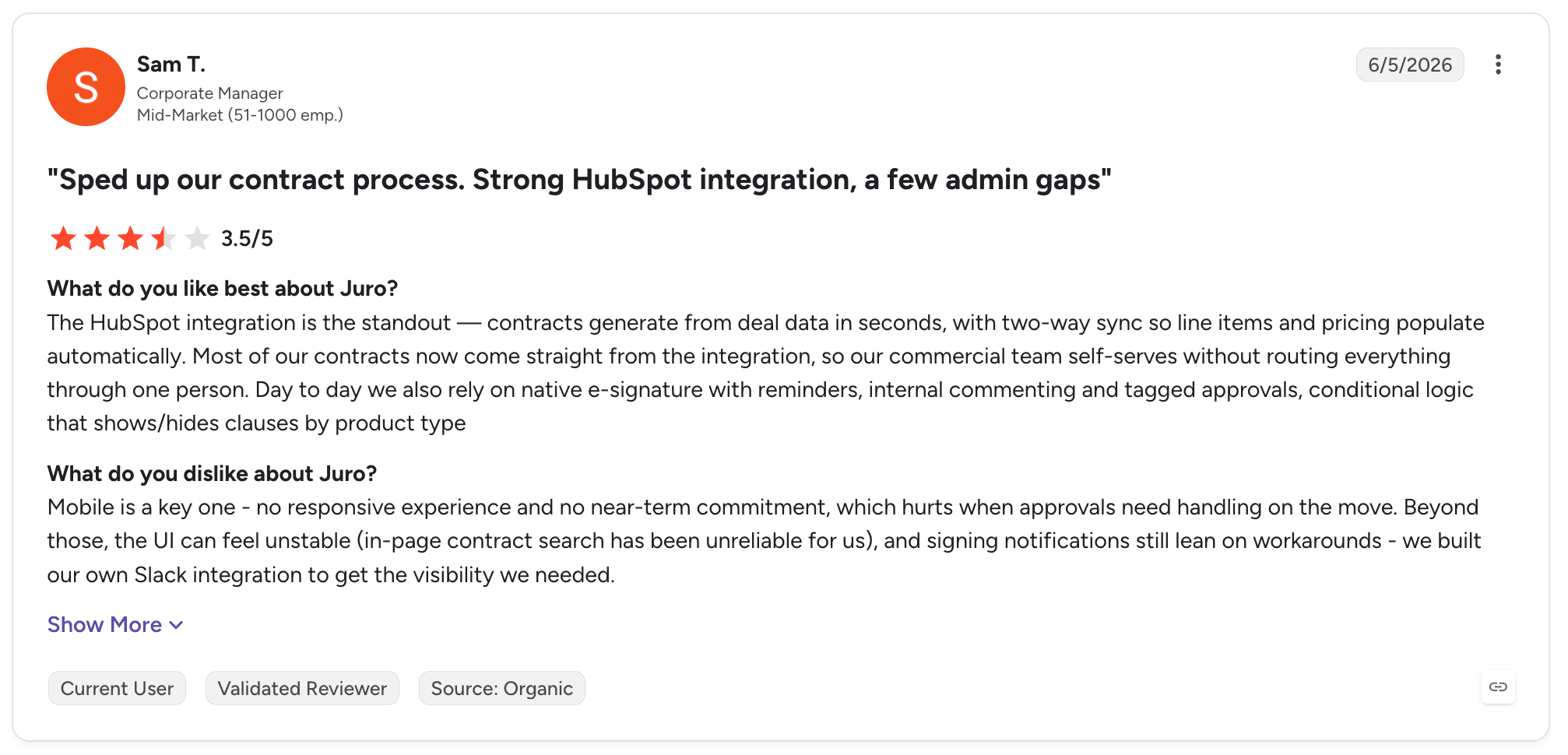
Juro holds 4.5 out of 5 across 248 G2 reviews, one of the stronger ratings in the category. Reviewers praise the interface, the template and smartfield model, and the speed of getting agreements out.
The HubSpot integration draws specific praise. Several reviewers describe contracts generated from CRM records in seconds, with most of their agreement volume flowing through that route.
The criticisms are narrow and consistent. Reviewers hit limits on advanced formatting in the editor, and describe difficulties when contracts require heavy negotiation or complex structures.
The Word round trip is raised repeatedly. So is the inability to upload a signed PDF over a template once a document has been through negotiation.
Final Verdict
Juro is recommended for commercial teams standardising high-volume, low-complexity agreements, particularly where sales operations is a driver and speed to live is the priority. In that setting it outperforms heavier tools on both adoption and time to value.
It is less suitable where contracts are heavily negotiated, structurally complex, or where legal review depth is the reason for buying. The formatting and negotiation limits reviewers describe are structural rather than temporary, which is why teams with complicated paper tend to outgrow it rather than configure around it.
4. Sirion
Overview
Sirion CLM approaches contracts from the supplier relationship side. The product centres on what happens after signature: extracting obligations, tracking performance against service levels, and giving procurement and legal a view of whether commercial commitments are being honoured on both sides.
That focus comes from the company's origins in outsourcing and supplier governance, where the value of a contract is measured by whether the vendor delivered what they promised. Multi-language coverage is unusually broad, spanning more than twenty languages, which suits enterprises contracting across regions.
Ideal For
Enterprises managing large supplier portfolios where performance against terms has to be measured
Procurement organisations tracking service levels and contractual commitments
Teams needing obligation extraction across an existing back catalogue of agreements
Multi-language contracting environments across several regions
Organisations where post-signature governance matters more than authoring speed
Top Features
Obligation extraction and tracking across the contract portfolio
Performance and SLA monitoring measured against contractual commitments
Negotiation support with AI assistance during authoring and review
Multi-language coverage across more than twenty languages
Integrations with e-signature, ITSM and procurement systems
Why It's a Strong Ironclad Alternative
Sirion is one of the strongest options on this list for post-signature governance. Where Ironclad reviewers describe the repository as the end of the process, Sirion treats signature as the start of it, which changes what the product is good at.
For a procurement-led buyer, that difference decides the evaluation. Knowing which obligations are live, which are overdue and whether a supplier is meeting service levels is a different job from knowing where the contract is filed, and few tools in this comparison attempt it at the same depth.
Pros
Obligation and performance tracking with more depth than any other tool here
End-to-end lifecycle coverage from authoring through negotiation to post-signature governance
Broad multi-language support for cross-border contracting
Reviewers describe implementation as smoother than expected for a product of this scope
AI-driven insights across the portfolio that surface risk without manual review
Cons
Learning curve for new users is the most consistent criticism in reviews
Approval process configuration draws repeated complaints
Some post-signature features require configuration work to fit specific governance models
Coverage across domains outside supplier management is thinner than the core
The product assumes a procurement-shaped problem, which is not every legal team's problem
Customer Reviews
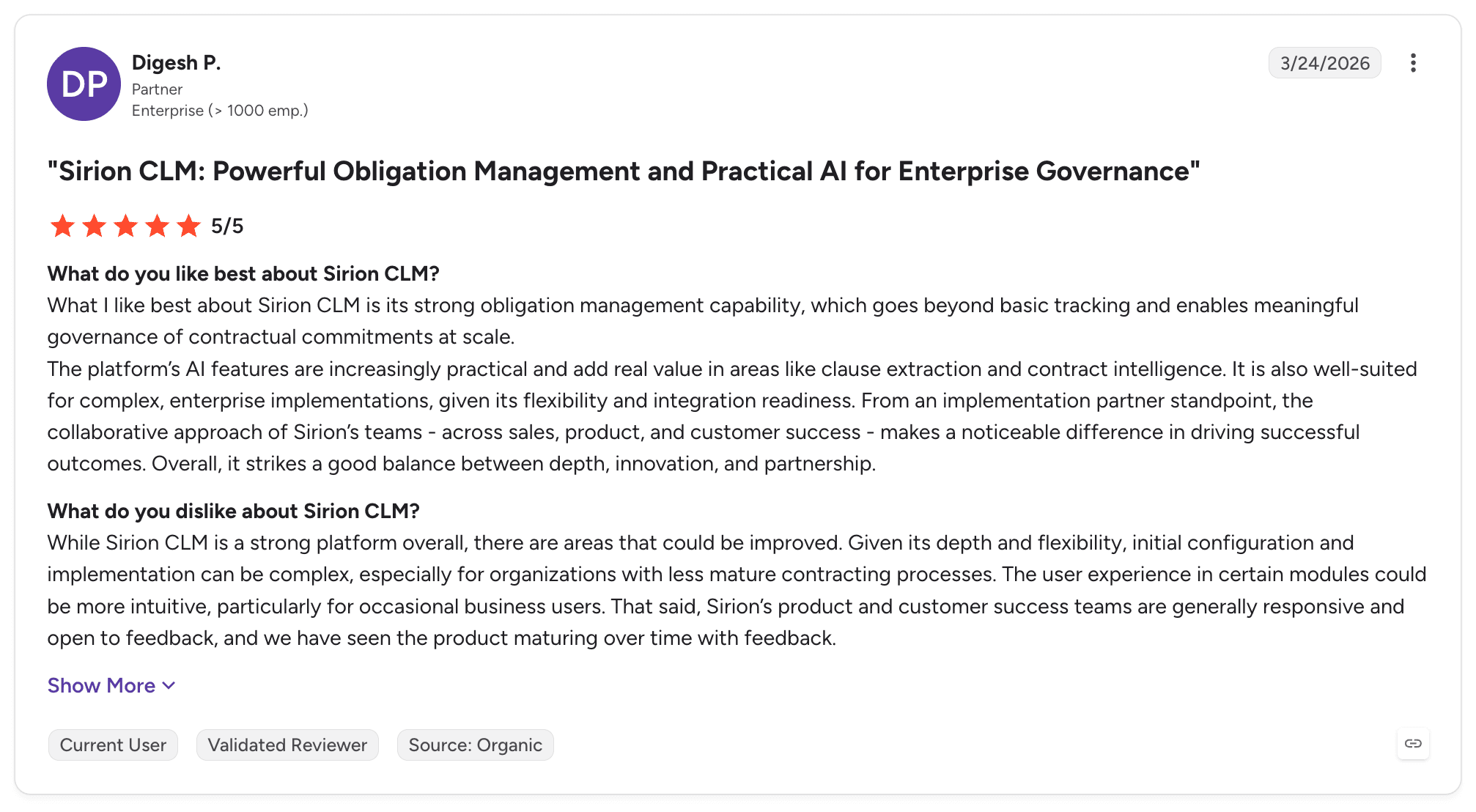
Sirion holds 4.5 out of 5 across 65 G2 reviews. Reviewers single out obligation management and performance tracking as the reasons they chose it.
Several describe measuring supplier delivery against service levels as the feature that justified the purchase. Ease of implementation is praised more often than for comparable enterprise tools, and the interface draws consistent positive comment.
Criticism concentrates on the learning curve and on approval configuration. Reviewers describe the system as capable but requiring time to become proficient, and several note that approval flows take work to set up correctly. Users tend to frame these as manageable rather than blocking, with support and configuration resolving most of them.
Final Verdict
Sirion is recommended for enterprises whose contracts are supplier relationships that need governing, particularly where procurement owns or co-owns the decision. The obligation and performance capabilities are the strongest on this list for that use case.
It is less suitable for legal teams whose bottleneck is review throughput on incoming paper. The product is shaped around what happens after signature, so a team drowning in NDAs and vendor agreements before signature will find the value sitting in the wrong half of the lifecycle.
Most teams using LEGALFLY cut their contract review time in half within a few weeks of onboarding. Book a short demo to see how it works for your business.
5. Agiloft
Overview
Agiloft is a contract management system built on a no-code configuration model. Rather than shipping a fixed process and offering settings, it gives teams the ability to construct their own objects, fields, rules and workflows, which is why it appears on shortlists for organisations with unusual contract structures.
The company has been in the market for over two decades, and the product reflects an engineering-first philosophy: almost everything is configurable, and the trade-off is that someone has to do the configuring. Agiloft has added AI capabilities including redlining in recent releases, layered onto that configurable base.
Ideal For
Organisations with contract processes that do not fit a standard template
Teams with in-house technical capacity or legal operations resource to own configuration
Government, education and regulated bodies with prescribed procedural requirements
Enterprises consolidating several contract processes into one configurable system
Buyers who prioritise control over speed to live
Top Features
No-code configuration of objects, fields, rules and workflow logic
Contract repository with approval routing and version control
AI-assisted redlining against agreed positions
Integrations with Adobe Acrobat Sign, DocuSign, Microsoft Word and Dynamics 365
Reporting and dashboards across contract data
Why It's a Strong Ironclad Alternative
Agiloft is one of the smartest choices where the contract process is genuinely non-standard. Ironclad reviewers who hit the edges of its workflow designer describe wanting more control than the product offers, and Agiloft is the answer to that specific complaint.
The second argument is consolidation. Because the configuration model is generic, teams use it to handle adjacent processes such as vendor onboarding or compliance approvals in the same system, which reduces the number of tools a legal operations function has to maintain.
Pros
Configurable to an unusual degree without writing code
Handles contract processes that fixed-workflow tools cannot accommodate
AI redlining against agreed positions reduces first-pass review effort
Long track record and stability in regulated and public sector environments
Integrations across the main signature and document tools
Cons
Steep learning curve, particularly for teams without technical background
Reviewers advise budgeting specialist support from the start of the project
Implementation runs at five months with fourteen months to return
Report layouts draw consistent criticism as unintuitive
Documentation and implementation guidance are described as thinner than the product needs
Customer Reviews
Agiloft holds 4.5 out of 5 across 109 G2 reviews. Configuration capability dominates positive feedback, with reviewers describing the ability to build exactly what their process requires as the reason they chose it over more opinionated tools.
AI redlining draws specific praise from reviewers using it for first-pass review. Support is rated well where it is engaged.
The criticisms are the mirror image of the strengths. Reviewers describe a steep learning curve for anyone without a technical background, and recommend planning and costing specialist support in from the beginning.
Report layouts are called out as unintuitive more than once. Several reviewers note that documentation around implementation could be considerably better.
Final Verdict
Agiloft is recommended for organisations with non-standard contract processes and the internal capacity to configure and maintain the system. In that setting, the flexibility is difficult to match at any price point.
It is a poor fit for teams that want a working contract process in weeks with minimal administration. The learning curve is real, the specialist support cost is real, and a legal team without technical resource will spend its first year building what other products ship with.
6. DocuSign CLM
Overview
DocuSign CLM extends the signature product most organisations already use into lifecycle management: document generation, approval workflow, a repository and reporting around the agreements that were previously only signed and filed. For teams standardised on DocuSign, it is the path of least resistance.
The product sits inside DocuSign's wider agreement offering, and its strongest suit is the part that was already mature. Signature, routing and Salesforce integration are the capabilities reviewers consistently rate highest, and they are the ones the company has had longest.
Ideal For
Organisations already standardised on DocuSign for signature across the business
Sales-led contract processes running through Salesforce
Teams that want lifecycle management without introducing a second vendor
Businesses prioritising signature reliability and audit trail over review depth
Procurement and finance functions needing structured approval routing
Top Features
Document generation from templates with conditional content
Approval workflow with routing rules across departments
Native e-signature with full audit trail
Salesforce integration for contract generation and status sync
Searchable repository with reporting across agreement data
Why It's a Strong Ironclad Alternative
DocuSign CLM removes a vendor from the stack. For organisations where signature is already standardised and the procurement path is open, adding lifecycle management to an existing relationship is faster and less contested internally than introducing a new supplier.
Three months to implement against Ironclad's four, with thirteen months to return in both cases, makes it competitive on the arithmetic as well. The Salesforce integration is mature enough that sales-led contract generation works without custom development, which is where a proportion of mid-market contract volume originates.
Pros
Signature and routing are mature and widely trusted across the business
Deep Salesforce integration for contract generation and status tracking
No additional vendor relationship for organisations already using DocuSign
Strong audit trail and compliance controls on executed agreements
Three-month implementation, faster than most enterprise tools here
Cons
Initial configuration is described as complex and time consuming by multiple reviewers
Steep learning curve on the workflow builder for non-technical users without training
The interface draws repeated criticism as overdue a refresh
Review depth is thinner than AI-native tools built for that job
Reviewers report the system becoming unwieldy as volume grows over time
Customer Reviews
DocuSign CLM holds 4.3 out of 5 across 503 G2 reviews, the largest review base on this list. Reviewers praise the document workflow automation, the visibility over where an agreement sits, and the reliability of the signature process.
Salesforce integration is a repeated highlight. Several reviewers describe contract generation from opportunity records as the capability that justified the purchase.
The criticisms are consistent across a large sample. Initial implementation and system configuration are described as complex and time consuming.
Non-technical users report a steep learning curve on the workflow builder without training. Interface age draws frequent comment, with several reviewers saying it needs an overhaul relative to newer tools in the category.
Final Verdict
DocuSign CLM is recommended for organisations already committed to DocuSign, with sales-led contract processes running through Salesforce and a priority on signature reliability. The internal procurement case writes itself, which matters more than feature comparisons in many organisations.
It is a weaker choice for teams buying primarily for AI-assisted review. The product's strengths are in generation, routing and signature, and the review capabilities are not the reason to choose it. Teams whose bottleneck is legal analysis rather than contract logistics will find the value sitting elsewhere.
7. LinkSquares
Overview
LinkSquares built its position on extracting structured data out of contracts that already exist. The original use case was pointing the product at a back catalogue of executed agreements and getting back a searchable, reportable dataset of clauses, terms, dates and obligations, without anyone reading them manually.
The product has since extended forwards into authoring and workflow, but extraction and renewal tracking remain the capabilities reviewers rate highest. It competes with Ironclad most directly where the buyer's problem is visibility over what has already been signed rather than control over what is being signed next.
Ideal For
Legal teams inheriting a large back catalogue of contracts with no structured data behind it
Organisations that need renewal and obligation dates surfaced before they arrive
Finance and legal functions reporting on contractual exposure across the portfolio
Teams wanting AI extraction without a full lifecycle implementation
Businesses running contract data alongside Salesforce records
Top Features
AI clause extraction across executed agreements, producing structured contract data
Renewal and key date tracking with automated alerts
Template builder for standard agreement generation
Reporting and dashboards across extracted contract terms
Salesforce sync and integrations with common document tools
Why It's a Strong Ironclad Alternative
LinkSquares is one of the strongest choices for the specific job of making an existing contract portfolio legible. Ironclad's search is the capability its reviewers criticise most as volume grows, and extraction quality is exactly where LinkSquares reviewers are most positive.
Renewal tracking is the second argument, and it has a direct financial consequence. Auto-renewing agreements that nobody flagged in time are a measurable cost, and the product's alerting is the feature reviewers most often credit with paying for itself.
Pros
Clause extraction and renewal tracking rate well across 438 reviews
Fast onboarding at three months with thirteen months to return
Reporting across extracted terms supports legal and finance oversight together
Well-rated customer support, mentioned frequently in positive reviews
Salesforce sync keeps contract status visible to commercial teams
Cons
Template builder constrains what teams can construct within the system
Search functionality draws repeated criticism as less capable than expected
The interface is described by several reviewers as dated relative to newer tools
Product gaps in workflow require working around rather than configuring
Integration coverage is narrower than the enterprise tools on this list
Customer Reviews
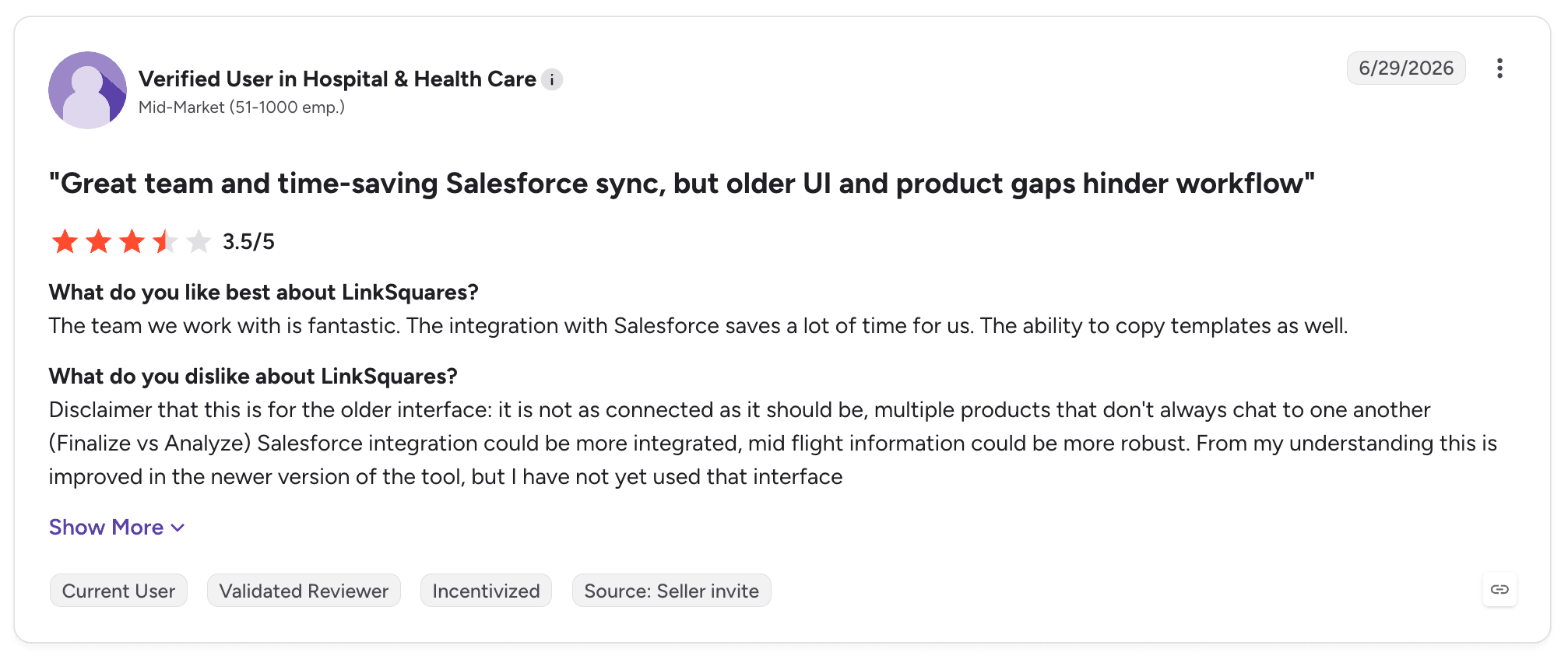
LinkSquares holds 4.7 out of 5 across 438 G2 reviews, the highest rating in this comparison. Reviewers credit the AI with finding clauses and tracking renewals across contract sets that would take weeks to review manually.
Time saved on that task dominates positive feedback. Customer support is praised consistently, and the Salesforce sync is highlighted as a practical time saver.
The criticisms cluster around construction and search. Reviewers describe template limitations that force them to build within the constraints of the system rather than to their own requirements.
Several report search that is less capable than they expected given the extraction quality. One reviewer summarises the pattern as a strong team and real time savings held back by an older interface and product gaps.
Final Verdict
LinkSquares is recommended for legal teams whose immediate problem is a contract back catalogue nobody can query, and for organisations where missed renewals carry real cost. On that job it is among the strongest options available.
It is a weaker fit as a primary contracting system for complex or heavily negotiated agreements. The template and search limitations reviewers describe surface most where the product is pushed beyond extraction and tracking into full lifecycle ownership.
8. Leah (formerly ContractPodAi)
Overview
Leah, previously ContractPodAi, is an end-to-end contract lifecycle system with AI review built into it rather than bolted alongside. It covers authoring, negotiation, approval, signature and repository, with analytics dashboards over the portfolio and configuration options across contract types.
The rebrand reflects a repositioning around AI capability. The underlying product retains the lifecycle breadth that made ContractPodAi a consolidation choice, and the company has layered agentic review and drafting features over that foundation.
Ideal For
Organisations consolidating authoring, approvals and repository into a single system
Legal teams wanting AI review inside the same tool as lifecycle management
Businesses with contract analytics and reporting requirements across the portfolio
Enterprises replacing several point tools with one contract system
Teams that value configuration flexibility across contract types
Top Features
End-to-end lifecycle coverage from authoring through signature to repository
Embedded AI review and drafting assistance
Analytics dashboards across contract data and portfolio risk
Configuration across contract types and business units
Integrations with common document and signature tools
Why It's a Strong Ironclad Alternative
Leah is one of the smartest consolidation choices for teams running several tools that each own a slice of the contract process. Where Ironclad reviewers describe pushing documents out to SharePoint to collaborate, the argument for a broader lifecycle system is that fewer handoffs means fewer places for context to be lost.
The analytics capability is the second differentiator. Reviewers consistently highlight dashboards as a reason for choosing the product, particularly where legal has to report contractual exposure upwards rather than only manage it operationally.
Pros
Broad lifecycle coverage in one system, reducing the number of tools to maintain
Analytics dashboards rated highly by reviewers for portfolio visibility
Configuration flexibility across contract types and business units
Customer support and implementation teams draw consistent praise
AI review built into the lifecycle rather than requiring a separate tool
Cons
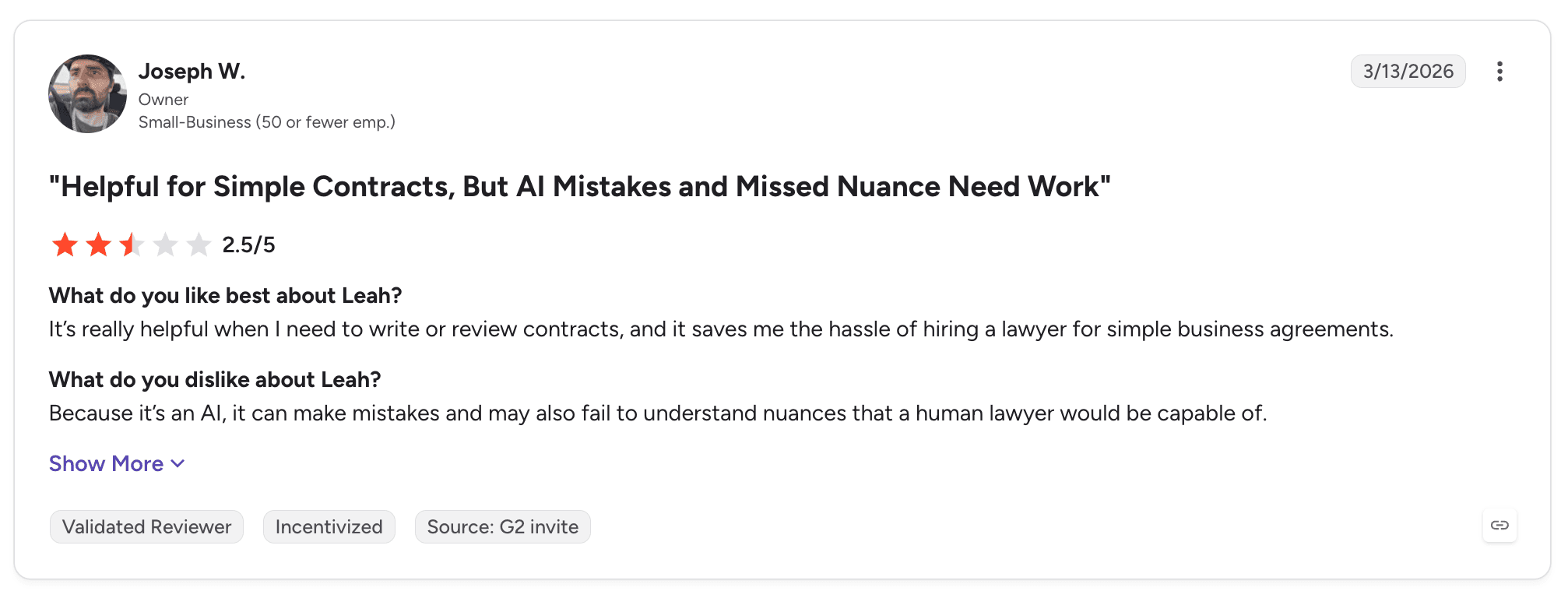
Reviewers report AI that makes mistakes and misses nuance a lawyer would catch
Workflow configuration is described as difficult, with training material seen as thin
Implementation runs at five months with seventeen months to return
Setup complexity is raised repeatedly in reviews as a barrier to early value
Review depth sits behind tools built specifically for AI analysis
Customer Reviews
Leah holds 4.6 out of 5 across 48 G2 reviews. Reviewers praise the interface, the analytics dashboards and the flexibility to adapt the system across contract types, with several describing implementation and support teams as a genuine strength of the engagement. Users handling routine agreements report meaningful time savings against manual drafting and review.
Criticism centres on the AI and on configuration. Reviewers describe the AI making mistakes and missing nuance that a human lawyer would catch, which is a fair characterisation of where most embedded review capabilities currently sit.
Workflow setup is the other recurring theme. Reviewers ask for more instructional material covering workflows and product updates.
Final Verdict
Leah is recommended for organisations consolidating a fragmented contract stack into one system, particularly where portfolio analytics and reporting carry weight in the decision. The lifecycle breadth is real and the support experience is well rated.
It is less suitable where AI review accuracy is the primary buying criterion. The reviews are candid about nuance being missed, and a five-month implementation with seventeen months to return asks a lot of a team whose main problem is review throughput this quarter.
9. SpotDraft
Overview
SpotDraft is an AI-native contract lifecycle tool aimed at mid-market legal teams that want contracting live quickly. It covers request intake, generation from templates, review assistance, approval workflow, e-signature and a repository, with an emphasis on getting non-legal colleagues through the process without hand-holding.
The product has grown rapidly among high-growth companies, and its positioning reflects that: fewer configuration options than enterprise tools, faster time to live, and a workflow model designed around legal teams that are small relative to the business they support.
Ideal For
Mid-market legal teams needing a contract process live inside a quarter
High-growth companies where contract volume is outpacing legal headcount
Organisations wanting self-service intake for sales and procurement colleagues
Teams prioritising time to value over configuration depth
Businesses running contract workflows alongside Slack and Salesforce
Top Features
Custom workflows for intake, approval and escalation
Template-based generation with structured data fields
AI review assistance against standard positions
Native e-signature and a searchable repository
Integrations with Slack, Salesforce, Google Workspace and Zapier
Why It's a Strong Ironclad Alternative
SpotDraft posts the strongest time to value pairing in this comparison, at three months to implement and eleven months to return. For a legal team under pressure to show results within a budget cycle, that arithmetic is the argument.
Self-service intake is the second one. Reviewers describe sales and procurement colleagues submitting requests and moving standard agreements through without legal involvement, which addresses the queue problem directly rather than making the queue easier to see.
Pros
Fastest time to return on this list at eleven months, with three-month implementation
Custom workflows that non-legal colleagues use without training
AI assistance on review against standard positions
Integrations with the tools commercial teams already work in
Support and onboarding rated well across 184 reviews
Cons
In-browser editing is unreliable enough that reviewers download, edit locally and re-upload
Page load speed draws repeated complaints
Some workflows are described by reviewers as not yet fully mature
Configuration depth is thinner than enterprise tools for complex structures
Product priorities shift quickly, which reviewers note affects roadmap predictability
Customer Reviews
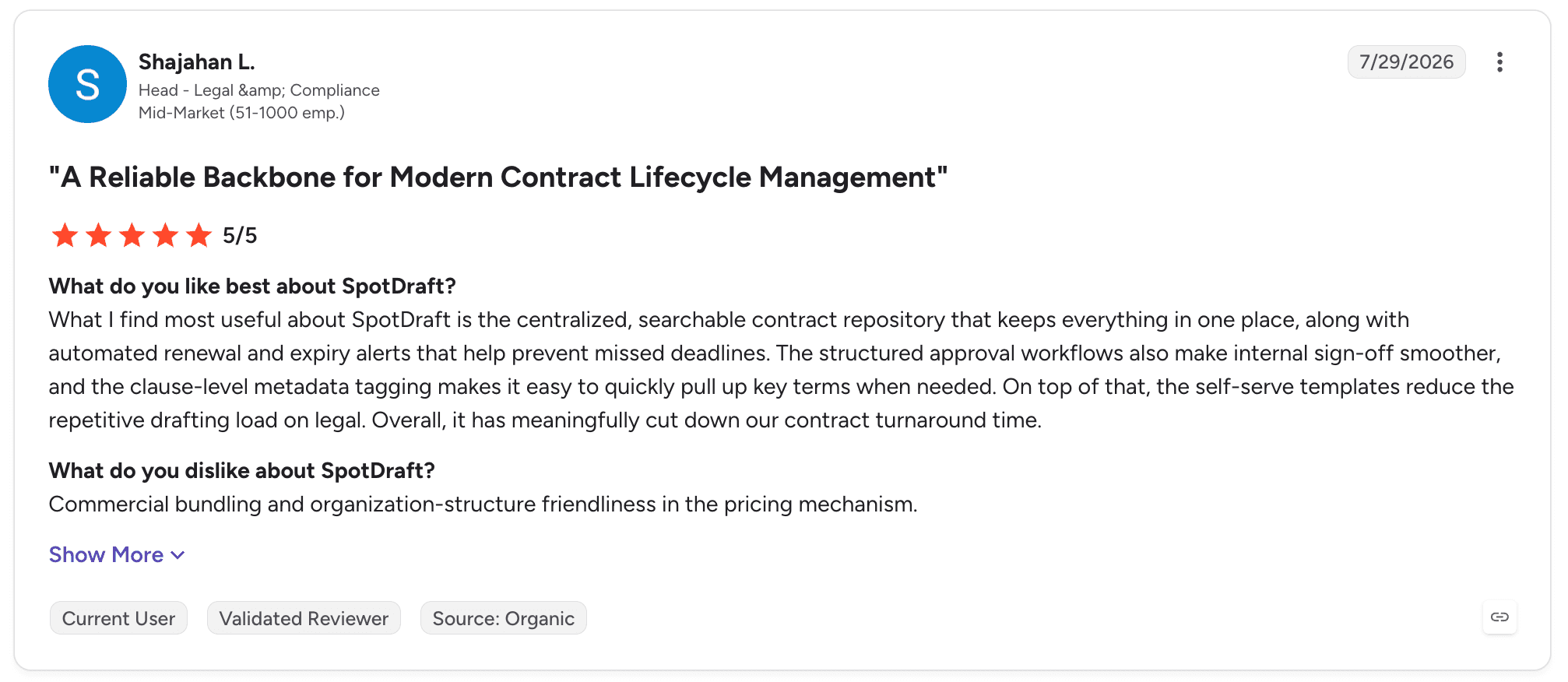
SpotDraft holds 4.5 out of 5 across 184 G2 reviews. Reviewers highlight custom workflows, the centralised repository and the speed of moving standard agreements through, with AI assistance and the integration set drawing specific praise. Several describe contracting becoming measurable and manageable for the first time after implementation.
The criticisms are practical rather than structural. In-browser editing is the most consistent one, with reviewers reporting that downloading the document, editing locally and re-uploading is more reliable than working in the editor.
Page load speed comes up more than once. Some reviewers note that certain workflows still need time to mature, which they attribute to the pace of product development.
Final Verdict
SpotDraft is recommended for mid-market legal teams that need a working contract process quickly and value adoption outside legal over configuration depth. On time to value it is the strongest option in this comparison.
It is less suitable for enterprises with complex commercial structures or heavy negotiation workloads. The editing limitations reviewers describe matter more as documents get longer and more negotiated, and configuration depth is not where this product competes.
10. Gatekeeper

Overview
Gatekeeper handles vendor and contract lifecycle management together, on the basis that most contracts an organisation signs are with suppliers and the vendor relationship is what actually needs managing. It covers supplier onboarding, risk and compliance checks, contract storage, approval workflow and spend visibility in one system.
The Kanban-style workflow engine is the product's signature feature, giving procurement a visual view of where each vendor or agreement sits. That framing puts it closer to procurement tooling than to legal tooling, which shapes both its strengths and its limits.
Ideal For
Procurement-led organisations managing vendor risk alongside contracts
Teams needing supplier onboarding, compliance checks and contract storage in one place
Businesses tracking spend commitments against signed agreements
Organisations with vendor compliance obligations requiring documented evidence
Finance and procurement functions co-owning the contract process with legal
Top Features
Vendor lifecycle management from onboarding through review to offboarding
Kanban workflow engine for visual tracking of vendors and agreements
Compliance tracking with document and certification expiry alerts
Contract repository with approval routing and reminders
Spend visibility tied to contractual commitments
Why It's a Strong Ironclad Alternative
Gatekeeper is one of the strongest choices where the buyer is procurement rather than legal. Vendor risk, compliance evidence and spend commitment are handled natively rather than approximated through contract metadata, which is what a legal-first tool ends up doing.
The visibility model is the second argument. Reviewers describe the Kanban view as the reason stakeholders across finance and procurement engage with the system at all, which addresses the adoption problem that defeats many contract implementations.
Pros
Vendor and contract management in a single system rather than two
Compliance tracking with certification and document expiry alerts
Kanban workflow engine that non-specialists understand without training
Wide integration set across procurement and finance tools
Four-month implementation with fifteen months to return
Cons
Field customisation is limited when setting up different contract types
Reviewers report the system slowing down on large data sets
Support response times draw consistent criticism as slow
Additional governance and approval stages can lengthen vendor lead times
Some integrations are missing, with Power Automate raised specifically
Customer Reviews
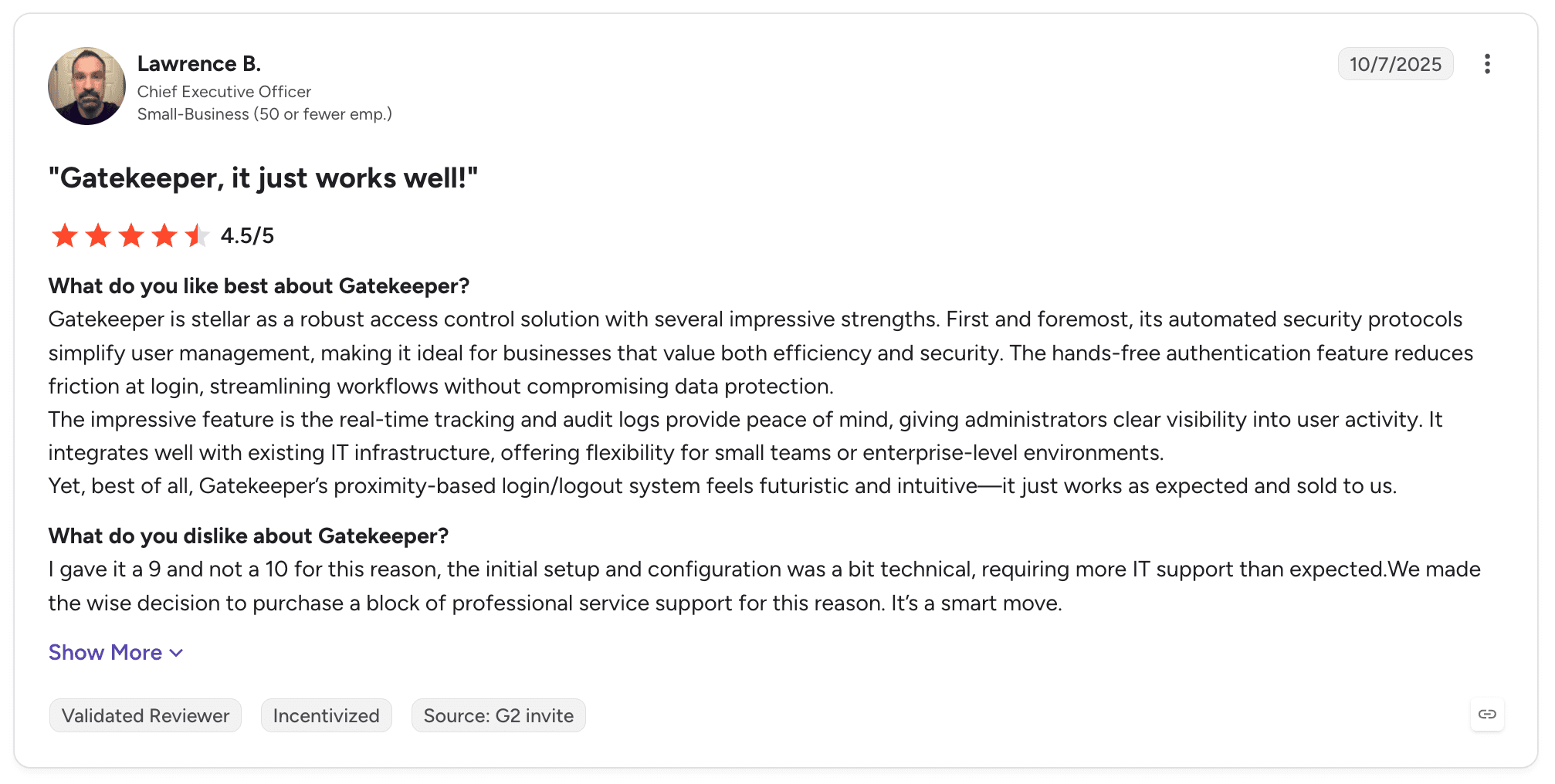
Gatekeeper holds 4.5 out of 5 across 92 G2 reviews. Reviewers praise the visibility over vendors and contracts, the compliance controls, and the approval stages that give procurement documented governance. The interface is described as clean and the system as straightforward to learn, and the integration breadth draws positive comment.
Criticism concentrates in three places. Customisation options are described as limited, particularly when configuring fields for different contract types, and several reviewers report performance degrading on large data sets.
Support response time is the most consistent complaint, with reviewers describing long waits. The vendor responds publicly to reviews and references changes to its support model.
Final Verdict
Gatekeeper is recommended for procurement-led organisations where vendor risk and compliance evidence matter as much as the contract itself. For that buyer it covers ground legal-first tools handle poorly.
It is not the right choice for a legal team whose problem is review throughput or negotiation workload. The product manages the relationship around the contract rather than the legal work inside it, and the customisation limits reviewers describe surface quickly when legal tries to shape it to their own contract types.
LEGALFLY helps your team move faster: less time buried in contracts, more time on the work that actually matters. Book a call to see it in action.
What Makes a Good Ironclad Alternative?
Buyers searching for Ironclad competitors' legal technology vendors tend to land on two different categories of product, and the distinction decides most evaluations. One group manages the contract process, and the other does the legal work inside it.
The criteria below apply to both. They are written as outcomes rather than feature checkboxes.
1. It Automates the Whole Sequence
A contract system that moves a document between people has automated the filing, not the work. The test is whether a request arriving by email can be reviewed, routed on its risk level, escalated when it breaches a threshold and summarised back to the requester without a person coordinating each step.
Ask the vendor to show you a workflow triggered from outside their own interface. If the demo starts with someone logging in and uploading a file, the automation stops at the point where your team's time is actually spent.
2. It Handles Data the Way Your Security Team Requires
Certification is the baseline. ISO 27001 and SOC 2 Type II tell you the vendor has a security programme, not what happens to a privileged document before a model reads it. The question that decides regulated evaluations is whether identifiable data reaches a third-party model at all.
Get the answer in writing in week one rather than month four. Ask about deployment options too: whether single-tenant, regional data residency or on-premise processing is available changes which vendors survive your security review.
3. It Applies Your Own Approved Positions
Generic legal AI produces generic positions. What makes review usable is whether the tool applies your approved clauses, your fallback language and your risk thresholds, consistently across regions and reviewers.
Test this on your own paper. Bring three contracts you have already negotiated and your current approved positions, and compare what comes back against what your team actually did. Playbook quality separates products far more reliably than feature lists do.
4. It Covers Both Sides of Signature
Most contract tools cover one half of the story. Pre-signature products handle authoring, negotiation and approval and then stop. Post-signature products give you a repository and obligation tracking but do nothing about the review burden that created the contract.
If you are replacing a CLM, check that renewals, expiration dates, notice periods and obligations are monitored continuously rather than reported when someone runs a query. Missed auto-renewals are the most common measurable cost of poor lifecycle visibility.
5. It Explains Every Output
Regulated teams cannot act on a recommendation they cannot justify. Every flagged clause should carry its reasoning, its source and a trail showing who reviewed and approved what.
This is also the capability that decides adoption. In-house legal, compliance and procurement teams act on AI output when they can see why it says what it says, and disregard it when they cannot, which is why explainability predicts usage at week six better than accuracy does at week one.
To find out how LEGALFLY could work for you, schedule a call with one of our experts.
How to Choose the Right Ironclad Alternative for Your Needs
1. Count the Handoffs in a Single Request
Write down where the time goes for one month, and count how many times a single request changes hands before it closes. Filing and approval routing are the easy half of the problem.
The expensive half is what happens between those steps: reading the document, checking it against your positions, deciding whether it needs escalating and telling the requester the answer. If that is where your month went, a repository will not recover it and a tool that runs the whole sequence will.
Buying the wrong half is the most expensive mistake in this category, and a fortnight of honest record-keeping usually settles it.
2. Get Security Involved in Week One
The security review is where evaluations die, and it dies late. Bring your CISO or IT security lead into the first round.
They need three answers: what happens to the document before the model sees it, where data is processed and stored, and which deployment models are offered. Vendors that cannot answer clearly at that stage rarely improve by month three.
3. Run the Trial on Your Own Contracts
Vendor sample sets are chosen because the product performs well on them. Bring three of your own agreements instead, including one that was heavily negotiated, along with your current approved positions.
Compare the redlines against what your team produced. This single exercise separates products more reliably than any scoring matrix.
4. Model Time to Value, Then Ask What Happens After Signature
G2 buyer data on this list ranges from three months to implement at Juro and SpotDraft, up to six months at Icertis. Time to return runs from eight months to twenty-two, and you should add your own configuration effort, data migration and training on top.
Length usually tracks how much of the system is a repository you have to fill before anything works. Tools that sit inside the applications your team already opens start producing output in days, because there is nothing to migrate first.
Then ask the second question: once the contract is signed, does the tool watch the renewal dates, notice periods and obligations inside it, or does it wait for someone to run a query? Missed auto-renewals are the most common measurable cost of poor lifecycle visibility, and a system that only stores contracts cannot surface them.
5. Check What the Tool Does Before the Work Reaches It
Adoption fails when a tool requires people to open something new, so check which applications your team has open right now and whether the shortlist runs inside them. Word, Outlook, Teams, Slack, SharePoint and your document management system are the realistic list for most in-house functions.
The sharper question is whether the tool can start the work itself. A request arriving by email or Slack should be able to trigger a review, route on its risk level and reach the right person without anyone opening an application first.
Integration that helps people reach the tool faster still leaves someone initiating every step. Integration that lets the process reach them is what removes the coordination cost.
6. Test Non-Legal Self-Service
The contract queue is usually created by people outside legal. Ask each vendor to show a procurement manager or sales representative submitting a request and getting a standard agreement through without legal touching it. If that path requires a lawyer at every step, the queue does not shorten.
7. Decide Who Owns the System After Go-Live
Configurable products require an owner. Agiloft reviewers recommend budgeting specialist support from the start, and Icertis reviewers describe ongoing support needs after go-live.
If nobody on your team will own configuration, favour products that arrive with usable defaults. Ask how many review standards ship on day one and how long it takes to turn your own signed contracts into a working standard, because that number decides whether the tool produces value in week one or quarter two.
Everything You Need to Know About Ironclad Alternatives
Category | Key Considerations |
Top 3 alternatives | LEGALFLY for in-house workflow automation and anonymisation before analysis, Icertis for obligation-heavy enterprise supplier contracts, Juro for high-volume standard agreements with fast time to live |
Best overall option | LEGALFLY. It covers review, drafting, research and regulatory monitoring, automates the workflow around them, and anonymises every document before analysis begins |
Why look for Ironclad alternatives | Reviewers cite AI playbooks that take effort to build and then underperform, collaboration that pushes documents out to SharePoint, search that struggles at volume, and a steep learning curve |
How to choose | Name whether your bottleneck is contract logistics or legal throughput, involve security in week one, test playbook quality on your own contracts, and check the tool runs where your team already works |
Ease of switching | Days to weeks for tools that run inside Microsoft 365, since there is no repository to migrate. Full lifecycle platforms run three to six months and touch sales, procurement and finance as well as legal |
Must-have features | Playbook enforcement against your own positions, anonymisation before analysis, native Word and document system integration, clause-level explainability, and continuous monitoring of renewals and obligations |
Mistakes you should not make | Buying for the wrong half of the lifecycle, leaving the security question until month four, evaluating on the vendor's sample documents, and rolling out to every team at once instead of one contract type first |
Ready to Move On from Ironclad? Try LEGALFLY
Three things separate LEGALFLY from everything else on this list. Whole workflows run end to end, from intake through triage and review to approval, without anyone coordinating the steps.
Every document is anonymised before analysis begins, on an architecture designed before the current model generation rather than added later. Contract Intelligence then covers both sides of signature, so contracts are acted on rather than only stored.
It is built for one buyer in particular: the in-house legal, compliance or procurement team inside a regulated enterprise, working across more than one jurisdiction, where the security review decides the shortlist and the backlog is already visible to the business.
The results are measurable. Adeera cut review time by 93%, and Agristo went from two hours to fifteen minutes on contract review.
MSIG Europe moved legal queries from a full day to around twenty minutes. ECS doubled its legal capacity while halving the time spent on document analysis.
Bring three of your own contracts and your current approved positions to a demo of our legal AI software, and see what the same workflow does with your paper.
To find out how LEGALFLY could work for you, schedule a call with one of our experts.
FAQs About Ironclad Alternatives
What is Ironclad used for?
Ironclad is used for contract lifecycle management. It generates agreements from templates, routes them for approval, captures signature and stores executed contracts in a searchable repository, with a configurable workflow designer and integrations into Salesforce, Slack and Google Drive. Sales, procurement and legal teams use it together. G2 buyer data puts typical implementation at four months.
What are the best Ironclad alternatives in 2026?
The best Ironclad alternative in 2026 is LEGALFLY, for in-house legal teams of 3 to 200 people inside enterprises of 200 to 100,000 employees. It covers NDA self-service for sales, vendor contract review for procurement, bulk review across a data room, regulatory monitoring across 130+ jurisdictions, and lifecycle visibility through Contract Intelligence. The differentiator no competitor replicates is anonymisation applied at import, before any model reads the document. Customers include SAP, Lufthansa and the European Commission, with Adeera cutting review time by 93%.
What features should I look for in an Ironclad alternative?
Look for five capabilities in an Ironclad alternative: workflow automation from intake to approval, playbook enforcement against your own approved positions, anonymisation before any AI processing, integration with the applications your team already opens, and continuous monitoring of renewals and obligations. LEGALFLY is the option on this list covering all five in one system. It ships 120+ lawyer-built playbooks across 100+ document types and builds a custom playbook from your own signed contracts in around two minutes.
How to choose the best Ironclad alternative for your needs?
Start by recording where your team's time goes for one month, counting how many times a single request changes hands before it closes. If the time sits in reading, checking positions and answering the same questions, you need a tool that runs the whole sequence rather than one that files the output, which is the case for LEGALFLY. Bring security into the first evaluation round and ask what happens to a document before a model reads it. Then test the shortlist on three contracts you have already negotiated.
Is it easy to switch from Ironclad to an alternative?
Switching is straightforward for tools that run inside Microsoft 365, because there is no repository to migrate and no new interface to learn. LEGALFLY deployments are measured in days, and Agristo saw results within days of a single kickoff, usually starting on one contract type and one playbook. Moving to another full lifecycle system runs three to six months, because it touches sales, procurement and finance alongside legal.
Is LEGALFLY better than Ironclad?
LEGALFLY is the stronger fit for in-house legal teams whose bottleneck is the legal work itself. Ironclad is the stronger fit where the primary need is a mature contract repository in production today, with 324 G2 reviews behind it. LEGALFLY automates whole workflows across legal, procurement, compliance, HR and sales, and applies your own playbooks to every review. The two are optimised for different problems rather than one being better outright.
What is the main difference between LEGALFLY and Ironclad?
The main difference is what each product treats as its centre. Ironclad organises the contract process and adds intelligence on top of the repository. LEGALFLY automates the legal work and manages the process around it, with agents handling review, drafting and research inside workflows that route and escalate on their own. The second difference is anonymisation, which LEGALFLY applies at import rather than offering as a setting.
Do Ironclad competitors work with Microsoft Word and SharePoint?
Most Ironclad competitors work with Microsoft Word and SharePoint, but depth varies. LEGALFLY runs inside Word, Outlook, Teams, SharePoint, Google Drive, Slack, NetDocuments and Microsoft Copilot, with anonymisation applied automatically in each, while Ironclad, DocuSign CLM and Agiloft integrate with Word and common document systems. Integration of this kind is table stakes, so it should not decide a shortlist on its own. The question that does is whether the tool can start the work itself, triggering a review from an email or Slack message without anyone opening an application first. LEGALFLY does that through Agent Studio.
Are alternatives to Ironclad secure enough for regulated industries?
Alternatives to Ironclad are secure enough for regulated industries, and the leading options hold ISO 27001 and SOC 2 Type II certification. That is the baseline rather than the differentiator. What separates them is what happens to a document before a model reads it, and whether single-tenant or on-premise deployment is available. LEGALFLY states that it is the only legal AI that anonymises documents before analysis begins, with deployment from SaaS to single-tenant in your preferred Azure region.